MikroTik RB951 Maximum Users
Find out the MikroTik RB951 maximum users, recommended active users, hotspot capacity, performance limits, and whether RB951Ui-2HnD can handle 50 or 100 us

MikroTik Router Prices in Kenya
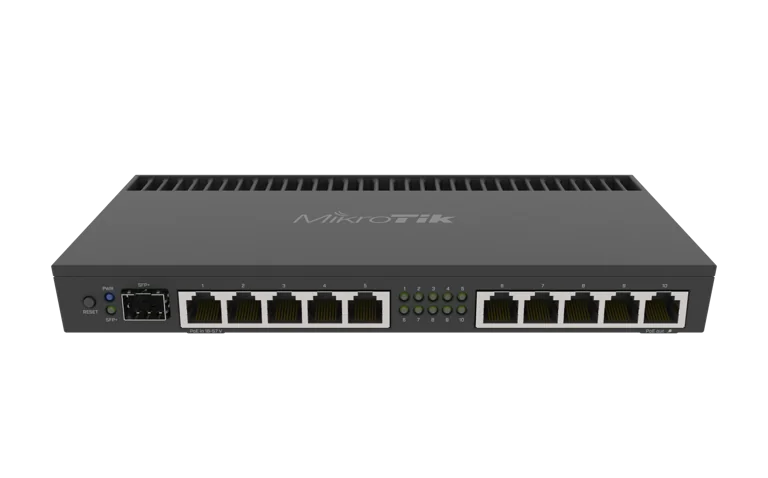
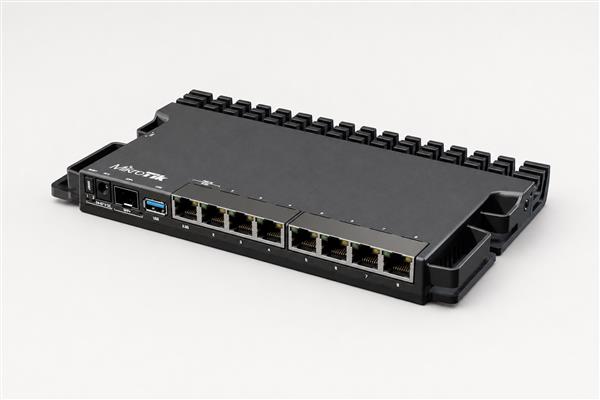
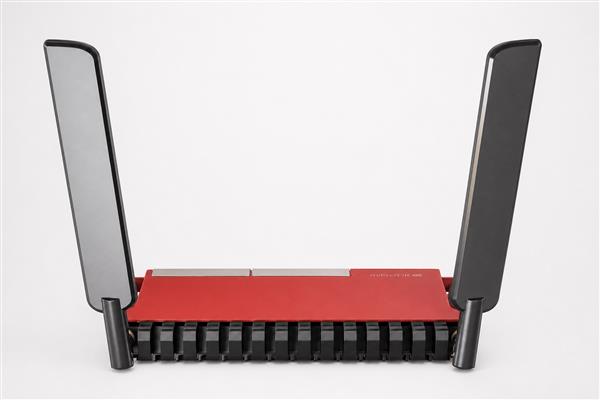
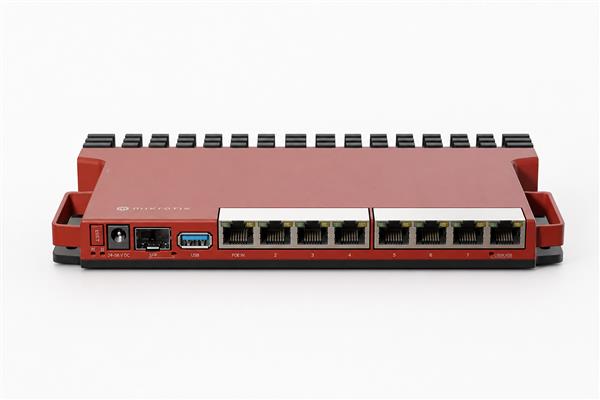
MikroTik RB951 Maximum Users: How Many Users Can RB951Ui-2HnD Handle?
If you are planning to use a MikroTik router for a home, office, cyber café, hotspot, apartment, school, or small business network, one of the most important questions to ask is: What is the MikroTik RB951 maximum users capacity?
The MikroTik RB951Ui-2HnD remains a popular MikroTik router, particularly among network technicians, small businesses, hotspot operators, and home users in Kenya. It provides powerful RouterOS features at an affordable price and can handle considerably more advanced network configurations than many ordinary home routers.
However, there is no single number that accurately represents the maximum number of users an RB951 can support.
Although many devices may technically connect to the router, the number of simultaneous active users that can enjoy a stable internet connection is much more important.
As a practical guideline:
-
10–20 active users: Excellent for normal internet usage.
-
20–30 active users: Generally good when bandwidth is properly managed.
-
30–40 active users: Possible, but performance depends heavily on user activity, wireless interference and configuration.
-
40–50+ active Wi-Fi users: Performance may start deteriorating significantly.
-
80–100 connected devices: May technically be possible in some scenarios, but the RB951 should not normally be expected to provide good Wi-Fi performance to 80–100 simultaneously active users.
For most installations where performance and reliability matter, around 20–30 active users is a much more realistic operating range for the MikroTik RB951Ui-2HnD.
You can view the router here: MikroTik RB951Ui-2HnD in Kenya.
What Is the MikroTik RB951Ui-2HnD?
The MikroTik RB951Ui-2HnD is an indoor wireless router and access point designed for SOHO — Small Office/Home Office — environments.
It combines a MikroTik RouterBOARD router, Ethernet switch and 2.4GHz wireless access point in a single device.
The RB951Ui-2HnD features:
-
600 MHz Atheros AR9344 processor
-
128 MB RAM
-
128 MB NAND storage
-
5 × 10/100 Mbps Ethernet ports
-
2.4 GHz 802.11b/g/n Wi-Fi
-
Dual-chain wireless
-
Maximum theoretical wireless data rate of 300 Mbps
-
RouterOS Level 4 license
-
USB 2.0 port
-
Passive PoE input
-
Passive PoE output on Ethernet port 5
-
Built-in 2.5 dBi antennas
The router's hardware makes it suitable for homes, small businesses, offices and small hotspot installations.
However, users should remember that the RB951Ui-2HnD is an older Wi-Fi 4, 2.4GHz-only router. Its Ethernet interfaces are also Fast Ethernet rather than Gigabit Ethernet.
What Is the MikroTik RB951 Maximum Users?
MikroTik does not specify a simple official figure such as "maximum 30 users" for the RB951Ui-2HnD.
This is because router capacity cannot be accurately determined by counting connected devices alone.
There is a major difference between:
Connected users
and
Active users.
A router could potentially have dozens of smartphones connected while only a few devices are actually transmitting significant amounts of data.
For example, imagine an RB951 has:
-
40 smartphones connected
-
10 users actively browsing
-
3 people watching YouTube
-
2 people using WhatsApp
-
25 phones mostly idle
The router may perform reasonably well.
Now imagine another RB951 with only 20 users, but:
-
8 users are streaming HD videos
-
5 users are downloading large files
-
4 users are making video calls
-
3 users are running speed tests
The second network could place significantly more load on the router even though it has fewer connected users.
Therefore, when discussing MikroTik RB951 maximum users, simultaneous usage matters more than simply counting devices.
Recommended Number of Users for MikroTik RB951
For most real-world installations, the following estimates are more useful.
| Number of Active Users | Expected Performance |
|---|---|
| 1–10 users | Excellent |
| 10–20 users | Very good |
| 20–30 users | Good with proper configuration |
| 30–40 users | Moderate; bandwidth management recommended |
| 40–50 users | Wi-Fi performance may deteriorate |
| 50+ users | Better router/AP recommended |
| 80–100 users | Not recommended on one RB951 radio |
Community experience with the RB951 also reflects this distinction. MikroTik users have reported installations where around 30 users can work reasonably well, while pushing a single RB951 wireless radio toward 40 or more active clients can significantly reduce performance. Reports of approximately 40–50 simultaneous wireless clients have described the network becoming extremely slow.
Therefore, if a customer asks:
"How many users can MikroTik RB951 handle?"
A good practical answer is:
The MikroTik RB951Ui-2HnD can comfortably support approximately 20–30 active users for normal browsing and light internet use when correctly configured. More devices can connect, but performance will depend on bandwidth consumption, Wi-Fi interference, signal strength and RouterOS configuration.
Can MikroTik RB951 Support 50 Users?
Technically, yes, 50 devices may connect to an RB951Ui-2HnD.
But that doesn't necessarily mean 50 users will have a good internet experience.
If 50 devices are mostly idle and only 10–15 users are actively browsing, the router may continue working adequately.
If all 50 customers simultaneously start using:
-
YouTube
-
TikTok
-
Netflix
-
Facebook videos
-
Video conferencing
-
Large downloads
-
Cloud backups
-
Software updates
the performance will be substantially worse.
The biggest challenge will usually be the single 2.4GHz Wi-Fi radio, rather than simply whether RouterOS can create enough client connections.
In a deployment expected to regularly have more than 40 active users, consider using the MikroTik primarily as a router while installing dedicated wireless access points.
Can MikroTik RB951 Handle 100 Users?
This is another common question among hotspot operators:
Can MikroTik RB951 handle 100 users?
The answer requires distinguishing between technically connected users and comfortably supported active users.
There have been MikroTik discussions indicating that very high numbers of wireless clients can technically associate with an access point. However, users with an RB951Ui-2HnD have also reported that wireless performance can become almost unusable around 40–50 actively connected clients under some conditions.
Therefore:
You should not design a professional network expecting one RB951Ui-2HnD wireless radio to comfortably serve 100 active users.
For 100 users, a better network architecture would be:
Internet → Main MikroTik Router → Gigabit Switch → Multiple Access Points
For example:
Internet connection
↓
MikroTik Router
↓
Gigabit PoE Switch
↓
Access Point 1 — 20–30 users
Access Point 2 — 20–30 users
Access Point 3 — 20–30 users
Access Point 4 — remaining users
This distributes wireless traffic across several radios rather than forcing every device onto one 2.4GHz access point.
Why Does MikroTik RB951 Slow Down With Many Users?
Several factors affect the MikroTik RB951 maximum user capacity.
1. 2.4GHz Wi-Fi Only
The RB951Ui-2HnD operates on the 2.4GHz frequency band.
2.4GHz has excellent compatibility and reasonable range, but it is usually much more congested than 5GHz.
Common devices using or interfering with the 2.4GHz spectrum include:
-
Neighboring Wi-Fi routers
-
Bluetooth devices
-
Wireless CCTV equipment
-
IoT devices
-
Mobile hotspots
-
Other access points
This becomes particularly problematic in apartments, office buildings, shopping centres and densely populated urban areas.
2. Wi-Fi Airtime Is Shared
One of the most important concepts when calculating MikroTik RB951 maximum users is wireless airtime.
All Wi-Fi users connected to the same radio effectively compete for available airtime.
If one slow device requires considerable airtime to transmit data, other devices may have to wait.
Adding more active wireless users therefore does not simply divide bandwidth mathematically. Network efficiency can also decrease as contention increases.
This is one reason 50 active wireless clients can feel much worse than 10 clients even when the internet package itself has enough bandwidth.
3. Internet Bandwidth
Your internet connection is another major factor.
Suppose you have:
20 Mbps internet shared among 20 users
The theoretical average available bandwidth would only be about:
1 Mbps per user
if everybody was simultaneously consuming bandwidth.
With:
100 Mbps shared among 20 users
there is considerably more capacity available.
However, even a 100 Mbps internet connection will not automatically make an overloaded 2.4GHz wireless radio perform well.
Both internet bandwidth and Wi-Fi capacity must be considered.
RB951 Ethernet Speed Is Limited to 100 Mbps
Another important specification is that all five Ethernet ports on the MikroTik RB951Ui-2HnD are 10/100 Mbps Fast Ethernet ports.
Therefore, the RB951 is not the best choice when your internet connection significantly exceeds 100 Mbps.
Even though its Wi-Fi specification advertises a theoretical PHY rate of up to 300 Mbps, the Ethernet interfaces remain limited to Fast Ethernet.
If you're paying for 200 Mbps, 300 Mbps, 500 Mbps or faster internet, a newer MikroTik router with Gigabit Ethernet would make much more sense.
MikroTik RB951 for Hotspot Users
The RB951Ui-2HnD can be particularly useful for smaller MikroTik Hotspot installations.
RouterOS allows network administrators to configure:
-
Hotspot login pages
-
User accounts
-
Bandwidth limitations
-
DHCP
-
Firewall rules
-
NAT
-
Queues
-
IP addressing
-
User authentication
-
Traffic management
A hotspot serving approximately 10–30 active customers can work well when correctly configured.
For larger commercial hotspots, separate the routing and wireless responsibilities.
For example:
MikroTik Router → Managed/PoE Switch → Multiple Wireless APs
This architecture is considerably more scalable.
Businesses operating paid Wi-Fi services can also integrate MikroTik routers with a dedicated billing platform such as Tajira ISP and Wi-Fi Billing System to automate customer access and billing.
MikroTik RB951 for ISP Billing
The RB951 can also work with MikroTik-compatible ISP billing and hotspot management systems.
An ISP or hotspot operator may use RouterOS features such as:
-
PPPoE
-
Hotspot
-
Simple Queues
-
Queue Trees
-
RADIUS
-
DHCP
-
Firewall rules
-
User profiles
When connected to a billing platform such as Tajira, customers can be authenticated and their internet packages managed more efficiently.
However, a distinction should again be made between:
Number of billing accounts
and
Number of simultaneously active wireless users.
You can have many customer records without requiring every customer to connect to the RB951's Wi-Fi radio simultaneously.
MikroTik RB951 for Starlink
The RB951 can also be configured behind a Starlink connection for smaller networks.
For information about Starlink installation and networking in Kenya, visit Starlink Kenya Installers or Starlink Kenya.
However, modern Starlink connections can provide speeds considerably higher than the Fast Ethernet interfaces available on the RB951Ui-2HnD.
Therefore, while the router can be useful for certain basic Starlink networking or MikroTik configuration scenarios, newer Gigabit MikroTik routers are generally better suited when you want to take advantage of higher internet speeds.
How to Improve RB951 Performance With Many Users
If you already own an RB951 and want to support as many users as reasonably possible, several configuration and network-design improvements can help.
1. Use Bandwidth Limits
Do not allow one user to consume the entire connection.
For example, if you have a 50 Mbps internet connection serving 20 users, you could implement reasonable per-user limits.
RouterOS Simple Queues, Queue Trees, PCQ or hotspot rate limits can help distribute bandwidth more fairly.
2. Choose the Correct Wi-Fi Channel
2.4GHz interference can severely reduce Wi-Fi performance.
Perform a frequency scan and select the least congested channel available in your environment.
Avoid blindly using whatever default channel the router selects.
3. Position the Router Correctly
Place the RB951:
-
In a central location
-
Above desks or furniture where possible
-
Away from thick concrete walls
-
Away from metal cabinets
-
Away from microwave ovens
-
Away from unnecessary wireless interference
Proper placement can dramatically improve network reliability.
4. Add Additional Access Points
If your network continues growing, don't force every wireless user onto one RB951.
Install additional access points and distribute users.
For example:
60 users
could be distributed across:
-
AP 1 – 20 users
-
AP 2 – 20 users
-
AP 3 – 20 users
This is significantly better than putting all 60 clients on one 2.4GHz radio.
5. Upgrade When Necessary
The RB951Ui-2HnD is capable, but it is an older router.
If you're building a modern business, hotel, school, apartment, ISP or hotspot network with dozens of active customers, newer MikroTik hardware will generally offer:
-
Faster processors
-
Gigabit Ethernet
-
More RAM
-
Wi-Fi 5, Wi-Fi 6 or newer wireless capabilities depending on model
-
Better performance
-
Better handling of higher-speed internet connections
You can compare available models and current options under MikroTik Router Prices in Kenya.
Is MikroTik RB951 Good for 20 Users?
Yes.
Approximately 20 active users is a reasonable workload for an RB951Ui-2HnD, especially when users are performing activities such as:
-
WhatsApp
-
Email
-
Web browsing
-
Social media
-
Light YouTube
-
POS systems
-
Office applications
Proper bandwidth management becomes more important when several users start streaming or downloading simultaneously.
Is MikroTik RB951 Good for 30 Users?
Yes, depending on the environment.
For around 30 active users, make sure you have:
-
Good signal strength
-
Sufficient internet bandwidth
-
Low wireless interference
-
Appropriate RouterOS configuration
-
Bandwidth controls
-
Reasonable client usage
Thirty clients should not automatically be interpreted as a guaranteed figure. A network with 30 idle smartphones is completely different from a network with 30 people simultaneously watching HD videos.
Is MikroTik RB951 Good for 50 Users?
It can technically have many connected clients, but using a single RB951 as the primary Wi-Fi access point for 50 heavily active users is not recommended.
At this level, consider:
-
Additional access points
-
A more powerful main router
-
Gigabit switching
-
5GHz-capable access points
-
Proper wireless planning
For professional deployment advice and product options, see the MikroTik RB951Ui-2HnD Router at Orbitlink Solutions.
MikroTik RB951 Maximum Users for Different Applications
A practical way of estimating capacity is by looking at the application.
| Application | Recommended Active Users |
|---|---|
| Home network | 5–15 |
| Small office | 10–20 |
| Small shop | 5–15 |
| CCTV/network technician setup | 5–20 |
| Small hotspot | 10–30 |
| Cyber café | 10–25 |
| Small restaurant Wi-Fi | 15–30 |
| School Wi-Fi | Multiple APs recommended |
| Hotel Wi-Fi | Multiple APs recommended |
| Apartment hotspot | Multiple APs recommended |
| 50+ active users | More capable router/AP architecture recommended |
| 100 active users | Multiple APs strongly recommended |
These figures are practical planning guidelines rather than hard RouterOS limits.
Where to Buy MikroTik RB951Ui-2HnD in Kenya
If you're looking for the MikroTik RB951Ui-2HnD in Kenya, you can check:
MikroTik RB951Ui-2HnD – MikroTik Kenya
You can also view:
MikroTik RB951Ui-2HnD – Tawa Kenya
Another option is:
MikroTik RB951Ui-2HnD Router – Orbitlink Solutions
You can also browse other models and compare options through:
MikroTik Router Prices in Kenya – Orbitlink Solutions
Frequently Asked Questions About MikroTik RB951 Maximum Users
What is the maximum number of users for MikroTik RB951Ui-2HnD?
There is no fixed official maximum-user figure that accurately represents real-world performance. For normal installations, approximately 20–30 simultaneously active users is a sensible planning range. More devices may connect, but wireless performance generally decreases as activity increases.
Can MikroTik RB951 support 50 users?
It may support 50 connected devices, particularly if many are idle or using very little bandwidth. However, 50 heavily active Wi-Fi users on a single RB951 radio is not recommended.
Can MikroTik RB951 support 100 users?
You should not design a professional Wi-Fi network expecting one RB951Ui-2HnD to comfortably serve 100 simultaneously active wireless clients. Use several access points and a more scalable network architecture.
How many hotspot users can MikroTik RB951 handle?
For a small hotspot, approximately 10–30 simultaneously active users is a practical target depending on internet bandwidth, signal quality, interference and user activity.
Is RB951 good for an ISP?
The RB951 can be useful in small ISP, hotspot and customer-premises applications, particularly because RouterOS supports PPPoE, Hotspot, queues and RADIUS. Larger networks should use more powerful MikroTik routers and dedicated access points.
Can RB951 be used with an ISP billing system?
Yes. RouterOS provides features that allow MikroTik equipment to work with external hotspot and ISP billing platforms. One example for Kenyan operators is Tajira.
Does RB951 have Gigabit Ethernet?
No. The RB951Ui-2HnD has five 10/100 Mbps Ethernet ports. If you require Gigabit networking or internet speeds exceeding 100 Mbps, consider a newer MikroTik model.
Is RB951 dual-band?
No. The MikroTik RB951Ui-2HnD operates on 2.4GHz Wi-Fi only. It does not provide a 5GHz wireless radio.
What is the Wi-Fi speed of MikroTik RB951?
The RB951Ui-2HnD supports 802.11b/g/n with a theoretical maximum 2.4GHz wireless PHY rate of 300 Mbps. Actual internet throughput will normally be considerably lower and will depend on interference, client capabilities, signal strength, configuration and network load.
Final Verdict: How Many Users Can MikroTik RB951 Handle?
So, what is the MikroTik RB951 maximum users capacity?
For practical network planning:
10–20 active users: Excellent.
20–30 active users: Recommended range for most small installations.
30–40 active users: Possible with careful network configuration and moderate usage.
40–50 active Wi-Fi users: Performance can decline significantly depending on what users are doing.
50–100 users: Do not rely on one RB951 wireless radio for consistently good performance. Use multiple access points and preferably a more powerful main router.
The most important point is that maximum connected users and maximum comfortably supported users are not the same thing.
The RB951Ui-2HnD remains useful for smaller homes, offices, shops, hotspot installations and basic MikroTik networks, but larger deployments should be designed around multiple access points and more modern routing hardware.
If you're shopping for the router, visit the MikroTik RB951Ui-2HnD product page, Tawa Kenya, or Orbitlink Solutions.
For other MikroTik models, compare the available options under MikroTik Router Prices in Kenya.
For networks using satellite internet, you can also explore Starlink Kenya Installers and Starlink Kenya.
For MikroTik hotspot and ISP customer management, visit Tajira ISP Billing System.