
TP-Link Deco M4 (2-Pack)
Buy TP-Link Deco M4 2-Pack in Kenya from Orbitlink Solutions. Get AC1200 dual-band mesh Wi-Fi, Gigabit Ethernet, seamless roaming and easy app control.
TP-Link Deco M4 (2-Pack)
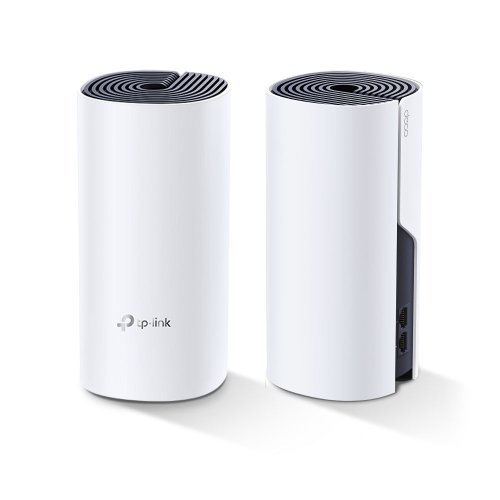
The TP-Link Deco M4 (2-Pack) is an AC1200 Whole Home Mesh Wi-Fi System designed to eliminate weak Wi-Fi areas and provide one seamless wireless network across a home, apartment or small office. The two Deco units work together under one Wi-Fi name, and compatible devices can automatically move between nodes as you walk around the property.
Each Deco M4 supports theoretical wireless rates of up to 867Mbps on 5GHz and 300Mbps on 2.4GHz, giving a combined AC1200-class rate of 1167Mbps. Unlike the Deco E4, current Deco M4 specifications provide two Gigabit Ethernet WAN/LAN ports per unit, making the M4 much better suited to fibre and Starlink connections capable of more than 100Mbps.
TP-Link lists the M4 2-Pack as covering up to approximately 260m² under its test conditions, while supporting up to around 100 connected devices in normal-use testing. Actual coverage and performance vary depending on walls, floors, interference, client devices and placement of the two Deco units.
TP-Link Deco M4 (2-Pack) Key Features
| Feature | Specification |
|---|---|
| Model | TP-Link Deco M4 |
| Package | 2-Pack |
| Product Type | Whole Home Mesh Wi-Fi System |
| Wi-Fi Generation | Wi-Fi 5 |
| Wi-Fi Class | AC1200 |
| 2.4GHz Speed | Up to 300Mbps |
| 5GHz Speed | Up to 867Mbps |
| Combined Wireless Rate | Up to 1167Mbps |
| Frequency Bands | 2.4GHz + 5GHz |
| Mesh Technology | TP-Link Deco Mesh |
| Coverage | Up to approx. 260m² under TP-Link test conditions |
| Connected Devices | Up to approximately 100 under test conditions |
| Ethernet Ports | 2 × Gigabit WAN/LAN per Deco |
| Antennas | 2 × internal dual-band antennas per Deco |
| MU-MIMO | Supported |
| Beamforming | Supported |
| Ethernet Backhaul | Supported |
| Router Mode | Supported |
| Access Point Mode | Supported |
| Guest Wi-Fi | Supported |
| Parental Controls | Supported |
| QoS | Supported |
| SPI Firewall | Supported |
| IPv6 | Supported |
| Management | Deco App |
| Dimensions | 190.5 × 90.7 × 90.7mm per unit |
TP-Link's current V4 datasheet confirms dual-band Wi-Fi 5, two Gigabit Ethernet ports, two internal dual-band antennas per unit and 867Mbps + 300Mbps wireless rates.
AC1200 Dual-Band Wi-Fi
The Deco M4 broadcasts simultaneously on both 2.4GHz and 5GHz.
| Band | Maximum Theoretical Rate |
|---|---|
| 2.4GHz | 300Mbps |
| 5GHz | 867Mbps |
| Combined | 1167Mbps |
| Wi-Fi Class | AC1200 |
The 2.4GHz band provides broader compatibility and useful indoor propagation, while the 5GHz band provides greater bandwidth for modern smartphones, laptops, tablets and smart TVs.
These are theoretical wireless link rates rather than guaranteed internet speeds. Real-world throughput varies with the internet connection, walls, interference, network traffic, distance and client-device capabilities.
Two Deco Units, One Wi-Fi Network
The main advantage of the Deco M4 2-Pack is that both units form one coordinated wireless network.
A common installation could be:
| Deco Unit | Suggested Location |
|---|---|
| Main Deco M4 | Living room / internet connection |
| Second Deco M4 | Hallway, upstairs or distant bedroom |
Instead of manually switching between separate router and extender networks, both Deco units use the same Wi-Fi name.
TP-Link states that Deco nodes work together as a unified network and compatible devices can automatically switch between units as users move through the home.
Seamless Roaming
The Deco M4 is designed to provide seamless roaming between compatible Deco nodes.
This is useful when:
-
Walking around during a WhatsApp or Teams call
-
Streaming while moving between rooms
-
Using a laptop upstairs and downstairs
-
Moving between the living room and bedroom
-
Using mobile devices around a larger home
Compatible client devices can connect to the Deco node providing the most suitable connection rather than remaining attached to a weak distant signal.
Up to 260m² Coverage
TP-Link's European M4 2-Pack documentation lists Wi-Fi coverage of up to approximately 260 square metres under test conditions.
This does not mean every 260m² building will have perfect coverage.
| Factor | Effect on Coverage |
|---|---|
| Thick concrete walls | Significant attenuation |
| Multiple floors | Can weaken node-to-node signal |
| Metal structures | Reflection and signal loss |
| Neighboring Wi-Fi | Increased interference |
| Deco placement | Major impact |
| Client hardware | Changes usable range |
| Furniture and obstacles | Can reduce signal |
For Kenyan houses with reinforced concrete walls, careful positioning is often more important than the manufacturer's maximum coverage figure.
Up to 100 Connected Devices
TP-Link states that the Deco M4 can handle traffic for up to approximately 100 devices under its testing conditions.
These can include:
-
Smartphones
-
Laptops
-
Tablets
-
Smart TVs
-
CCTV cameras
-
Smart speakers
-
Wi-Fi printers
-
Smart plugs
-
Smart bulbs
-
Streaming devices
-
IoT equipment
This does not mean 100 devices can all receive maximum throughput simultaneously. Actual capacity depends on the applications being used and available internet bandwidth.
Gigabit Ethernet Ports
One of the biggest advantages of the Deco M4 compared with the Deco E4 is Gigabit Ethernet.
Each Deco M4 provides:
2 × Gigabit WAN/LAN Ethernet ports.
| Wired Feature | Deco M4 |
|---|---|
| Ethernet Ports per Unit | 2 |
| Port Type | WAN/LAN auto-sensing |
| Maximum Port Rate | Gigabit |
| Ethernet Backhaul | Supported |
| Fast Ethernet Limitation | No |
This makes the M4 considerably more suitable for faster internet services.
Deco M4 for Starlink
The Deco M4 is a good option for extending Starlink Wi-Fi around a house or office.
A typical setup can be:
Starlink → Main Deco M4 → Second Deco M4
The Gigabit Ethernet interface is particularly important because it avoids the 100Mbps wired limitation found on Deco E4.
For many residential Starlink users, the M4 provides a cost-effective balance between price, coverage and wired capacity.
TP-Link's support resources also include specific guidance for configuring Deco systems with Starlink.
Ethernet Backhaul
The two Deco M4 units can communicate wirelessly, but they can also be connected by Ethernet.
Wireless Mesh
Internet → Deco M4 1 )))) Deco M4 2
This is easier where running cable is difficult.
Ethernet Backhaul
Internet → Deco M4 1 → Ethernet → Deco M4 2
Ethernet backhaul can provide more consistent performance in properties with thick walls or where the second node is far from the first.
TP-Link officially lists optional Ethernet backhaul as part of the Deco M4 mesh system.
MU-MIMO
The Deco M4 supports MU-MIMO, allowing it to communicate more efficiently with multiple compatible devices.
A typical home might simultaneously have:
| Device | Activity |
|---|---|
| Smart TV | Streaming |
| Laptop | Video conference |
| Phone | Social media |
| Tablet | YouTube |
| CCTV camera | Uploading video |
| Smart speaker | Music |
MU-MIMO can improve efficiency where several supported client devices are active at once.
Beamforming
The Deco M4 uses beamforming to concentrate wireless signal toward connected devices.
TP-Link lists beamforming together with its internal antenna design as part of the M4's range features.
This can help improve usable signal quality compared with relying solely on omnidirectional broadcast patterns.
Two Internal Dual-Band Antennas
Each Deco M4 uses two internal dual-band antennas.
| Antenna Specification | Details |
|---|---|
| Antennas per Deco | 2 |
| Type | Internal |
| Frequency | Dual-band |
| External Antennas | No |
The internal design contributes to the clean cylindrical appearance that allows Deco units to blend into homes and offices.
Router Mode and Access Point Mode
The Deco M4 supports:
| Mode | Purpose |
|---|---|
| Router Mode | Deco acts as the main router |
| Access Point Mode | Deco extends an existing routed network |
TP-Link documentation confirms both modes.
This provides flexibility when integrating with fibre routers, Starlink gateways or existing network infrastructure.
Deco App Management
Setup and administration are handled primarily through the TP-Link Deco App.
The app can be used to:
-
Configure the Deco network
-
Add additional Deco units
-
View connected clients
-
Manage Wi-Fi settings
-
Create a guest network
-
Apply parental controls
-
Configure QoS
-
Manage devices remotely
TP-Link also maintains dedicated Deco M4 setup and troubleshooting resources, including current app and firmware guidance.
Guest Wi-Fi
The Deco M4 supports separate guest networks.
TP-Link specifications list:
| Guest Network | Availability |
|---|---|
| 2.4GHz Guest Network | Yes |
| 5GHz Guest Network | Yes |
This allows visitors to use the internet without joining the primary family or office network.
Parental Controls
The Deco M4 includes parental-control functionality.
Parents can use Deco management features to manage internet access for children's devices and create a more controlled home network.
Typical applications include:
-
Managing online time
-
Controlling device access
-
Prioritizing important devices
-
Monitoring household network usage
Available features can vary by firmware and application version.
QoS
The Deco M4 supports Quality of Service features, allowing important network traffic or devices to be prioritized.
TP-Link continues to provide specific current support documentation for configuring QoS on Deco products.
This is useful in a home where several people share one connection.
For example, video conferencing or a work laptop may need priority over background downloads.
Network Security
The Deco M4 provides several basic network-security capabilities.
| Security Feature | Support |
|---|---|
| SPI Firewall | Yes |
| WPA/WPA2 | Yes |
| Guest Network | Yes |
| IPv4 | Yes |
| IPv6 | Yes |
| Parental Controls | Yes |
| Address Reservation | Supported |
| Port Forwarding | Supported |
TP-Link's specifications list SPI firewall, IPv4/IPv6 and WPA/WPA2 security.
TP-Link Deco M4 for Apartments
The 2-Pack is particularly suitable for larger apartments where one router cannot reliably cover every bedroom.
A typical arrangement would place the main Deco close to the internet source and the second unit closer to the weak-signal area.
This can work especially well in long apartments where bedrooms are separated from the living room by several concrete walls.
TP-Link Deco M4 for 2–3 Bedroom Homes
The Deco M4 2-Pack is well suited to many 2–3 bedroom homes, although the required number of units depends on construction.
A possible configuration is:
| Area | Deco |
|---|---|
| Living Room | Main Deco |
| Bedroom Corridor | Second Deco |
If coverage remains insufficient, another compatible Deco can be added later.
TP-Link confirms that different Deco models can work together within the same Deco mesh network.
TP-Link Deco M4 for Maisonettes
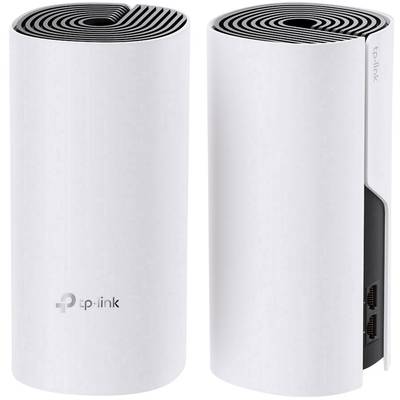
For a small maisonette, one Deco can be positioned downstairs and the second upstairs.
This can provide better coverage than placing one high-power router on one floor and expecting it to penetrate through reinforced concrete.
For larger maisonettes, however, a three-unit Deco system may provide better distribution.
TP-Link Deco M4 for Home Offices
The Gigabit Ethernet capability makes the M4 more attractive than Deco E4 for home offices.
It can support:
-
Zoom and Teams meetings
-
Cloud applications
-
Large downloads
-
General browsing
-
Email
-
Streaming
-
VoIP
-
Starlink internet
The second Deco can be positioned near a home office where the main router signal is weak.
TP-Link Deco M4 Price in Kenya
Current Kenyan online pricing varies according to supplier, VAT treatment and stock.
One recent Kenya listing shows the TP-Link Deco M4 2-Pack at KES 13,000 excluding VAT, reduced from KES 17,000.
Because prices can change, Orbitlink Solutions should quote the current selling price rather than publishing an indefinite fixed price.
Deco M4 (2-Pack) vs Deco E4 (2-Pack)
| Feature | Deco E4 | Deco M4 |
|---|---|---|
| Wi-Fi Generation | Wi-Fi 5 | Wi-Fi 5 |
| Wi-Fi Class | AC1200 | AC1200 |
| 2.4GHz | 300Mbps | 300Mbps |
| 5GHz | 867Mbps | 867Mbps |
| Mesh | Yes | Yes |
| Ethernet | 10/100Mbps | Gigabit |
| Ethernet Backhaul | Yes | Yes |
| MU-MIMO | Yes | Yes |
| Best For | Budget/basic internet | Faster internet |
The most important difference is Gigabit Ethernet.
For customers with Starlink or fibre above 100Mbps, Deco M4 is normally the better choice.
Deco M4 (2-Pack) vs Deco X20 (2-Pack)
| Feature | Deco M4 | Deco X20 |
|---|---|---|
| Wi-Fi Generation | Wi-Fi 5 | Wi-Fi 6 |
| Wi-Fi Class | AC1200 | AX1800 |
| 2.4GHz | 300Mbps | Higher Wi-Fi 6 rate |
| 5GHz | 867Mbps | Higher Wi-Fi 6 rate |
| Ethernet | Gigabit | Gigabit |
| OFDMA | No | Yes |
| MU-MIMO | Yes | Yes |
| Best For | Value mesh | Modern high-device networks |
The X20 is the stronger option for newer Wi-Fi 6 client devices, while Deco M4 remains an attractive choice where affordability matters.
Deco M4 (2-Pack) vs Deco X50 (2-Pack)
| Feature | Deco M4 | Deco X50 |
|---|---|---|
| Wi-Fi Generation | Wi-Fi 5 | Wi-Fi 6 |
| Wi-Fi Class | AC1200 | AX3000 |
| 5GHz | 867Mbps | 2402Mbps |
| Ethernet | Gigabit | 3 × Gigabit on common X50 |
| 160MHz | No | Yes |
| Performance | Good | Much Higher |
| Best For | Budget/general mesh | Fast fibre/Starlink |
Customers with faster internet services, many modern devices or heavier traffic should consider X50.
Deco M4 Advantages and Limitations
| Advantages | Limitations |
|---|---|
| Gigabit Ethernet | Wi-Fi 5 rather than Wi-Fi 6 |
| AC1200 dual-band Wi-Fi | No 6GHz band |
| Two-node whole-home mesh | Performance depends on node placement |
| Seamless roaming | Shared wireless backhaul when not wired |
| Ethernet backhaul | No multi-gigabit ports |
| MU-MIMO | Older wireless generation |
| Beamforming | — |
| Deco App management | — |
| Easy expansion | — |
| Works with other Decos | — |
Who Should Buy TP-Link Deco M4 (2-Pack)?
The Deco M4 2-Pack is an excellent option for users who need an affordable whole-home mesh system but do not want the Fast Ethernet limitation of the Deco E4.
It is especially suitable for:
-
Apartments
-
2–3 bedroom homes
-
Smaller maisonettes
-
Home offices
-
Starlink users
-
Fibre internet users
-
Smart homes
-
Streaming households
-
Customers replacing Wi-Fi extenders
For customers buying new equipment with many Wi-Fi 6 devices, it is also worth comparing the M4 against the Deco X10, X20 and X50.
What Is Included in the Deco M4 2-Pack?
TP-Link documentation lists the following package contents for the 2-Pack:
| Package Content | Quantity |
|---|---|
| Deco M4 Units | 2 |
| Power Adapters | 2 |
| RJ45 Ethernet Cable | 1 |
Package contents and adapter specifications can vary slightly by regional hardware revision.
Detailed TP-Link Deco M4 Specifications
| Specification | Details |
|---|---|
| Product | Deco M4 |
| Pack | 2 Units |
| Wi-Fi Standard | IEEE 802.11ac/n/a, 802.11b/g/n |
| Wi-Fi Generation | Wi-Fi 5 |
| 5GHz Rate | 867Mbps |
| 2.4GHz Rate | 300Mbps |
| Wi-Fi Class | AC1200 |
| Antennas | 2 internal dual-band per unit |
| Ethernet | 2 × Gigabit WAN/LAN per unit |
| Working Modes | Router / Access Point |
| IPv4 | Supported |
| IPv6 | Supported |
| Firewall | SPI |
| Guest Network | 2.4GHz + 5GHz |
| QoS | Supported |
| Ethernet Backhaul | Supported |
| Dimensions | 190.5 × 90.7 × 90.7mm |
| Operating Temperature | 0°C–40°C |
| Operating Humidity | 10%–90%, non-condensing |
The exact hardware revision should always be checked because TP-Link notes that availability and specifications can vary by region.
Why Buy TP-Link Deco M4 from Orbitlink Solutions?
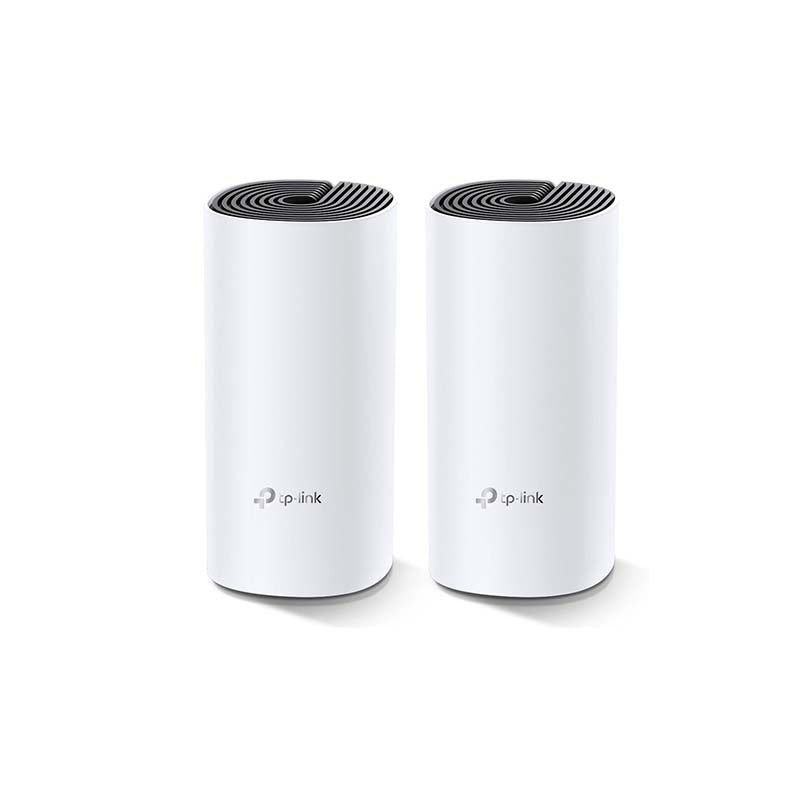
Orbitlink Solutions supplies TP-Link networking products for residential, commercial and professional installations in Kenya.
| Why Orbitlink Solutions? | Benefit |
|---|---|
| Genuine Networking Products | Reliable sourcing |
| TP-Link Deco Systems | Multiple mesh options |
| Technical Support | Help choosing the right model |
| Installer Pricing | Suitable for technicians |
| Project Pricing | Multi-unit deployments |
| BOQ Support | Network planning |
| Routers and Switches | Complete network equipment |
| Ethernet Cabling | Wired mesh backhaul |
| Starlink Integration | Better whole-property coverage |
| Nairobi Pickup | Convenient collection |
| Nationwide Delivery | Delivery across Kenya |
| Warranty Support | After-sales assistance |
Watch: TP-Link Deco M4 (2-Pack)
The TP-Link Deco M4 2-Pack is designed for homes where a single router cannot provide reliable Wi-Fi coverage everywhere. The two units work together as one mesh network, maintaining the same Wi-Fi name throughout the property. TP-Link states that the two-pack can cover up to approximately 260m² under test conditions, making it suitable for many apartments, medium homes and smaller maisonettes.
Wireless performance is based on AC1200 dual-band Wi-Fi 5, with theoretical rates of 867Mbps at 5GHz and 300Mbps at 2.4GHz. Its two Gigabit Ethernet ports per unit are a major advantage over the Deco E4 because they allow the M4 to make much better use of internet services capable of exceeding 100Mbps. Ethernet backhaul can also be used where cabling is available, providing a more consistent connection between Deco nodes.
For customers using Starlink, fibre or other high-speed broadband in Kenya, the M4 offers a practical middle ground between entry-level mesh systems and more expensive Wi-Fi 6 products. It is affordable enough for ordinary home installations while still providing Gigabit wired connectivity, seamless mesh operation, app-based management and support for approximately 100 connected devices under TP-Link test conditions. Customers requiring greater wireless capacity or a more future-oriented system can instead compare it with Deco X20 or Deco X50.
Frequently Asked Questions About TP-Link Deco M4 (2-Pack)
What is TP-Link Deco M4 2-Pack?
It is a package containing two AC1200 dual-band Deco mesh Wi-Fi units designed to provide one unified wireless network across a home.
Is Deco M4 dual-band?
Yes. It operates on both 2.4GHz and 5GHz.
What speed does Deco M4 support?
It supports theoretical wireless rates of 867Mbps on 5GHz and 300Mbps on 2.4GHz.
Is Deco M4 Wi-Fi 6?
No. Deco M4 uses Wi-Fi 5 / IEEE 802.11ac.
Does Deco M4 have Gigabit ports?
Yes. Current M4 specifications list two Gigabit WAN/LAN ports per unit.
How much area can Deco M4 2-Pack cover?
TP-Link lists up to approximately 260m² under test conditions for the European 2-Pack. Actual coverage varies.
How many devices can Deco M4 support?
TP-Link advertises connectivity for up to approximately 100 devices under test conditions.
Does Deco M4 support Ethernet backhaul?
Yes. Ethernet backhaul is supported.
Does Deco M4 support seamless roaming?
Yes. Deco units form one unified mesh network, allowing compatible devices to transition between nodes.
Can Deco M4 work with Starlink?
Yes. Deco M4 can be used with Starlink, and TP-Link provides specific support guidance for Deco and Starlink configurations.
Is Deco M4 better than Deco E4?
For faster internet connections, yes. Both provide AC1200 Wi-Fi, but M4 has Gigabit Ethernet, while E4 commonly uses 100Mbps Fast Ethernet.
Can Deco M4 work as the main router?
Yes. It supports Router Mode.
Can Deco M4 work as an access point?
Yes. It supports Access Point Mode.
Can I connect both Deco M4 units with Ethernet?
Yes. This is known as Ethernet backhaul and can provide more consistent performance.
Can I add a third Deco later?
Yes. TP-Link states that Deco models can be expanded by adding more compatible Deco units.
Can I mix Deco M4 with another Deco model?
Yes. TP-Link states that Deco M4 can work with other Deco models in a Deco mesh network, although the exact features available can depend on the combination used.
Is Deco M4 suitable for a maisonette?
Yes, particularly for a smaller maisonette. For larger multi-floor homes, a three-pack may provide better coverage.
Is Deco M4 suitable for 4K streaming?
Yes, provided the internet connection and Wi-Fi signal are sufficient. Real performance depends on network conditions and client devices.
What is the TP-Link Deco M4 2-Pack price in Kenya?
A recent Kenyan listing shows approximately KES 13,000 excluding VAT, although market pricing changes with supplier and stock availability. Contact Orbitlink Solutions for the current quotation.
Where can I buy TP-Link Deco M4 2-Pack in Kenya?
You can source the TP-Link Deco M4 2-Pack from Orbitlink Solutions, together with Ethernet cabling, routers, switches and other equipment required for a complete home or office network.
Buy TP-Link Deco M4 (2-Pack) in Kenya
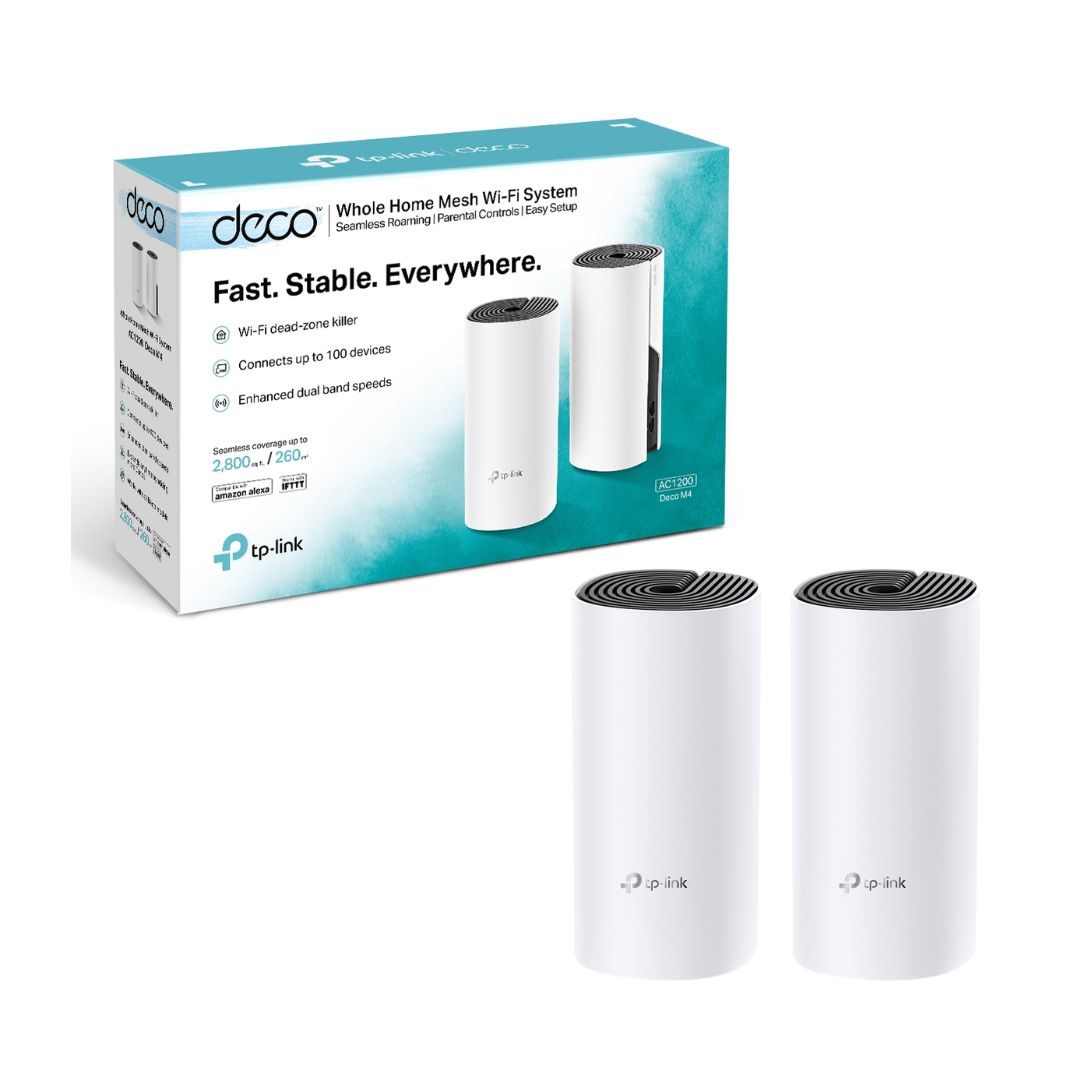
The TP-Link Deco M4 AC1200 Whole Home Mesh Wi-Fi System 2-Pack is a strong value option for households that want to eliminate Wi-Fi dead zones without paying for a higher-end Wi-Fi 6 mesh system. It combines AC1200 dual-band Wi-Fi, Gigabit Ethernet, seamless mesh networking, Ethernet backhaul, MU-MIMO and straightforward Deco App management.
Compared with the entry-level Deco E4, the Gigabit Ethernet ports are the key advantage, particularly for Starlink and fibre users whose internet connection can exceed 100Mbps. For a typical apartment, 2–3 bedroom home or smaller maisonette, two M4 units can provide a practical balance of coverage, speed and cost.
Contact Orbitlink Solutions
Orbitlink Solutions
Address: Lyric House, Kimathi Street, Nairobi
Phone: +254 743 720 551
Email: info@orbitlinksolutions.co.ke
Opening Hours: Monday–Saturday, 9:00 AM–6:00 PM
Availability: Nairobi pickup and nationwide delivery
Contact Orbitlink Solutions for current TP-Link Deco M4 2-Pack prices in Kenya, stock availability, Deco mesh systems, Starlink Wi-Fi extension, routers, network switches, Ethernet cabling and complete home or business networking solutions.
Need Help Choosing? Ask a Technician
Get guidance on setup, compatibility, stock, and delivery before buying for your project.


