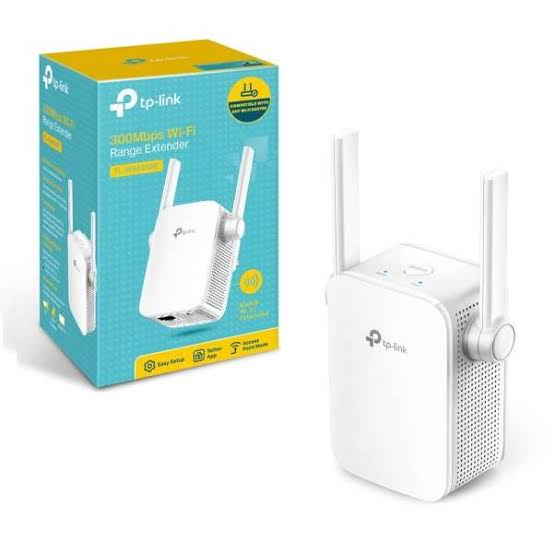
TP-Link TL-WA855RE
Buy TP-Link TL-WA855RE 300Mbps Wi-Fi Range Extender in Kenya from Orbitlink Solutions. Extend 2.4GHz Wi-Fi, reduce dead zones and connect wired devices.
TP-Link TL-WA855RE 300Mbps Wi-Fi Range Extender in Kenya

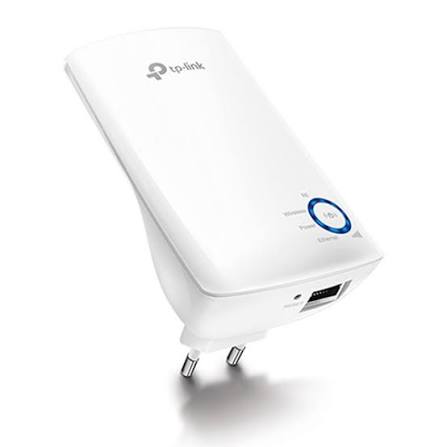
The TP-Link TL-WA855RE 300Mbps Wi-Fi Range Extender is a compact wall-plug extender designed to improve 2.4GHz Wi-Fi coverage in areas where the main router signal becomes weak. It supports wireless rates of up to 300Mbps on 2.4GHz using IEEE 802.11n and remains compatible with 802.11g and 802.11b devices.
Unlike smaller extenders with internal antennas, the TL-WA855RE uses two external antennas with MIMO technology to help deliver stronger and more reliable Wi-Fi coverage. It also includes a 10/100Mbps Ethernet port, Range Extender Mode, Access Point Mode, WPS setup, Power Schedule and TP-Link Tether app management.
This makes it suitable for homes, apartments, small offices, fibre internet and basic Starlink coverage extension where the priority is improving Wi-Fi reach rather than achieving very high wireless throughput.
TP-Link TL-WA855RE Key Features
| Feature | Specification |
|---|---|
| Model | TP-Link TL-WA855RE |
| Product Type | 300Mbps Wi-Fi Range Extender |
| Wi-Fi Standard | IEEE 802.11b/g/n |
| Wi-Fi Generation | Wi-Fi 4 |
| Frequency Band | 2.4GHz |
| Maximum Wireless Rate | Up to 300Mbps |
| 5GHz Support | No |
| Working Modes | Range Extender / Access Point |
| Ethernet Port | 1 × 10/100Mbps RJ45 |
| Antennas | 2 external |
| MIMO | Supported |
| WPS | Supported |
| Power Schedule | Supported |
| LED Control | Supported |
| Tether App | Supported |
| Input Power | 100–240V, 50/60Hz |
| Maximum Power Consumption | Around 3–3.6W depending revision |
| Installation | Direct wall plug |
TP-Link has released multiple hardware revisions of the TL-WA855RE, and secondary specifications such as dimensions and maximum power consumption differ between revisions. Current and recent documentation shows approximately 3–3.6W, depending on the version.
300Mbps 2.4GHz Wi-Fi
The TL-WA855RE supports wireless transmission rates of up to 300Mbps on 2.4GHz.
| Wireless Standard | Maximum Documented Rate |
|---|---|
| IEEE 802.11n | Up to 300Mbps |
| IEEE 802.11g | Up to 54Mbps |
| IEEE 802.11b | Up to 11Mbps |
The advertised 300Mbps figure is the maximum theoretical wireless link rate rather than a guaranteed internet download speed.
Actual performance depends on:
-
Router capability
-
Distance
-
Wall construction
-
Wireless interference
-
Number of connected devices
-
Network congestion
-
Client-device capability
Because the TL-WA855RE is a single-band 2.4GHz extender, it does not extend a 5GHz wireless network.
Two External Antennas
One of the main differences between the TL-WA855RE and many basic compact extenders is its two external antennas.
TP-Link specifically highlights the external antennas and MIMO technology as a way of improving wireless coverage and reliability.
The antennas can help the extender maintain a stronger wireless connection between:
Main Router → TL-WA855RE → Connected Devices
This makes the TL-WA855RE particularly useful where the router signal reaches a distant room but is too weak for reliable browsing or streaming.
Extend Wi-Fi into Dead Zones
The main role of the TL-WA855RE is to extend Wi-Fi coverage into areas that the router cannot reach effectively.
A typical setup is:
Main Router → Wi-Fi → TL-WA855RE → Weak-Signal Area
For example:
Living Room Router → Hallway Extender → Bedroom
or:
Office Router → TL-WA855RE → Reception Area
The extender should ideally be installed in a location where it can still receive a stable signal from the main router.
Placing it directly in an area where the original signal is almost nonexistent will usually produce poor results.
Range Extender Mode
In Range Extender Mode, the TL-WA855RE receives the existing 2.4GHz Wi-Fi network and rebroadcasts it farther.
Typical topology:
Internet → Router → Wi-Fi → TL-WA855RE → Wireless Devices
It can help improve coverage for:
-
Smartphones
-
Laptops
-
Tablets
-
Smart TVs
-
Printers
-
Smart-home devices
-
Basic streaming devices
TP-Link lists Range Extender as one of the device's supported operating modes.
Access Point Mode
The TL-WA855RE also supports Access Point Mode.
In this mode, an Ethernet connection can be converted into Wi-Fi.
Example:
Router / Switch → Ethernet Cable → TL-WA855RE → Wi-Fi
This can be useful where a room already has Ethernet cabling but lacks wireless coverage.
Access Point Mode often provides a more stable connection than wireless repeating because the backhaul between the router and extender is wired.
10/100Mbps Ethernet Port
The TL-WA855RE includes one 10/100Mbps Ethernet port.
The port can be used to connect wired devices such as:
-
Smart TVs
-
Desktop PCs
-
Gaming consoles
-
DVRs
-
Media players
-
Network printers
For example:
Router → Wi-Fi → TL-WA855RE → Ethernet → Smart TV
This allows the extender to work as a wireless bridge for a device that has Ethernet but lacks Wi-Fi.
Fast Ethernet Limitation
The Ethernet interface is Fast Ethernet rather than Gigabit Ethernet.
Its nominal wired link ceiling is therefore:
100Mbps
This matters when the extender is used with:
-
High-speed fibre
-
Fast Starlink connections
-
Large downloads
-
High-bitrate LAN transfers
If consistently higher wired throughput is required, a newer extender with a Gigabit Ethernet interface is a better choice.
WPS Setup
The TL-WA855RE supports simple setup using its WPS button.
A typical process is:
-
Plug the extender near the router.
-
Press WPS on the router.
-
Press WPS on the TL-WA855RE.
-
Allow the devices to pair.
-
Move the extender to a suitable location.
TP-Link markets the product as allowing wireless coverage to be expanded with the push of the Range Extender/WPS button.
TP-Link Tether App
The TL-WA855RE can also be monitored through the TP-Link Tether app. TP-Link specifically describes Tether as an app for monitoring the extender's status.
This is useful for:
-
Checking extender status
-
Managing settings
-
Reviewing connected devices
-
Adjusting wireless settings
-
Managing schedules
Power Schedule
The TL-WA855RE includes a Power Schedule feature.
Users can set a timetable for the extender to turn its wireless function on or off at selected times. TP-Link includes Power Schedule among the device's main advertised features.
For example:
On: 6:00 AM
Off: 11:30 PM
This can be useful where the extender is not needed overnight.
LED Control
Recent TL-WA855RE documentation also lists LED Control.
This can be useful when the extender is installed in:
-
Bedrooms
-
Hotel rooms
-
Living rooms
-
Home offices
where bright indicator lights may be distracting.
Wi-Fi Coverage Control
TP-Link also provides Wi-Fi Coverage Control, which allows the wireless coverage level to be adjusted according to the size of the area that needs coverage.
This can help avoid broadcasting farther than necessary in smaller properties.
Access Control
The TL-WA855RE also supports access-control features that help determine which devices can use the extended network.
This can be useful in:
-
Shared apartments
-
Small offices
-
Guest environments
-
Home networks
It is still a consumer range extender rather than a full enterprise access-control platform.
Universal Router Compatibility
TP-Link states that the TL-WA855RE works with any Wi-Fi router, subject to normal standards and compatibility requirements.
It can therefore be used with many:
-
TP-Link routers
-
ISP fibre routers
-
Other-brand Wi-Fi routers
-
Compatible Starlink setups
-
Wireless access points
Because it is 2.4GHz-only, the router must provide a compatible 2.4GHz network for wireless repeater operation.
Low Power Consumption
The TL-WA855RE consumes relatively little power.
Current/recent official documentation shows approximately:
3W to 3.6W maximum, depending on hardware revision.
Older versions may differ. For example, an older V4 datasheet lists a higher figure of 4.5W.
For this reason, exact electrical specifications should always be checked against the hardware revision printed on the supplied unit.
TP-Link TL-WA855RE for Home Wi-Fi
The TL-WA855RE is well suited to small homes where Wi-Fi becomes weak in one or two rooms.
A typical home deployment could be:
Router → TL-WA855RE → Bedroom
or:
Router → TL-WA855RE → Home Office
Typical devices include:
-
Smartphones
-
Tablets
-
Laptops
-
Smart TVs
-
Printers
-
Smart-home devices
For basic internet access, its 2.4GHz N300 platform can be sufficient.
TP-Link TL-WA855RE for Small Offices
A small office can use the TL-WA855RE to improve Wi-Fi coverage in:
-
Reception
-
Meeting rooms
-
Small secondary offices
-
Stores
-
Back offices
For businesses with many simultaneous users or larger premises, a dedicated access-point system is usually a better network architecture.
TP-Link TL-WA855RE for Starlink
The TL-WA855RE can be used to extend a compatible 2.4GHz Starlink Wi-Fi network into another room.
Typical topology:
Starlink → Router → 2.4GHz Wi-Fi → TL-WA855RE → Remote Room
This can help extend connectivity to:
-
Bedrooms
-
Home offices
-
Smart TVs
-
Phones
-
Low-bandwidth smart devices
The extender does not increase Starlink's internet speed.
It only extends the Wi-Fi network.
Because Starlink can deliver significantly more than 100Mbps under suitable conditions, a single-band N300 extender may become a bottleneck where high throughput is important.
For faster Starlink deployments, a Wi-Fi 5 dual-band or Wi-Fi 6 extender is more appropriate.
TP-Link TL-WA855RE for Fibre Internet
A typical fibre setup is:
Fibre ONT → Router → Wi-Fi → TL-WA855RE
The extender is useful where the router works well nearby but the 2.4GHz signal weakens farther away.
| Fibre Speed | TL-WA855RE Suitability |
|---|---|
| 10Mbps | Very suitable |
| 20Mbps | Very suitable |
| 50Mbps | Suitable |
| 100Mbps | Basic/moderate use |
| 200Mbps+ | Faster extender recommended |
| 500Mbps+ | Dual-band Wi-Fi 6/Gigabit extender preferable |
It can still connect to a fast fibre network, but it should not be expected to reproduce the full performance of a modern high-speed router.
TP-Link TL-WA855RE for Smart TVs
The Ethernet port can be useful for TVs that receive weak Wi-Fi.
Example:
Router → Wi-Fi → TL-WA855RE → Ethernet → Smart TV
This can provide a practical connection for:
-
Netflix
-
YouTube
-
IPTV
-
General streaming
Actual streaming performance still depends on the quality of the wireless connection between the router and extender.
TP-Link TL-WA855RE for Gaming Consoles
A console can also be connected through Ethernet:
Router → Wi-Fi → TL-WA855RE → Ethernet → Console
This can help if the console receives poor Wi-Fi.
However, a range extender introduces an additional wireless hop, so direct Ethernet remains preferable for competitive gaming where minimum latency matters.
TP-Link TL-WA855RE vs TL-WA850RE
| Feature | TL-WA850RE | TL-WA855RE |
|---|---|---|
| Wi-Fi Class | N300 | N300 |
| Frequency | 2.4GHz | 2.4GHz |
| Maximum Rate | 300Mbps | 300Mbps |
| Antennas | Internal | 2 External |
| Ethernet | 10/100Mbps | 10/100Mbps |
| Access Point Mode | Yes on current versions | Yes |
| WPS | Yes | Yes |
| Power Schedule | Model/revision dependent | Yes |
| Best For | Compact extension | External-antenna coverage |
The key advantage of the TL-WA855RE is its two external antennas, which may be preferable where antenna positioning and wireless reach are important.
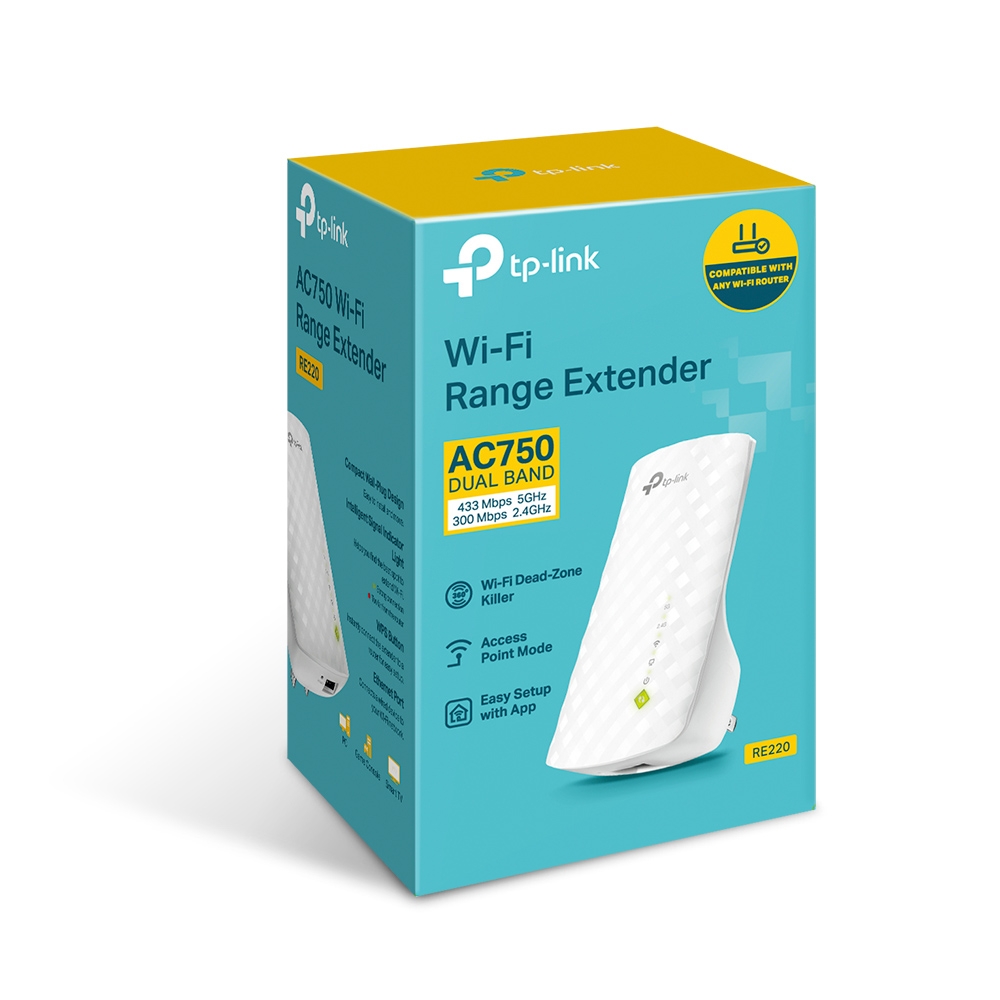
TP-Link TL-WA855RE vs RE220
| Feature | TL-WA855RE | RE220 |
|---|---|---|
| Wi-Fi Generation | Wi-Fi 4 | Wi-Fi 5 |
| Wi-Fi Class | N300 | AC750 |
| 2.4GHz | 300Mbps | 300Mbps |
| 5GHz | No | 433Mbps |
| Dual Band | No | Yes |
| Ethernet | 10/100Mbps | 10/100Mbps |
| Antennas | 2 external | Internal |
| Best For | Basic 2.4GHz coverage | Faster dual-band coverage |
The TL-WA855RE is attractive for simple 2.4GHz extension.
The RE220 is generally better where 5GHz connectivity and higher overall wireless capacity are needed.
TP-Link TL-WA855RE vs Wi-Fi 6 Extender
| Feature | TL-WA855RE | Wi-Fi 6 Extender |
|---|---|---|
| Wireless Generation | Wi-Fi 4 | Wi-Fi 6 |
| Bands | 2.4GHz | Usually 2.4 + 5GHz |
| Wireless Class | N300 | Often AX1500+ |
| Ethernet | Fast Ethernet | Often Gigabit |
| Multiple Devices | Basic | Better |
| Fibre | Basic | Better |
| Starlink | Basic coverage | Better throughput |
| Cost | Usually lower | Higher |
For basic browsing and extending coverage into one room, the TL-WA855RE can be sufficient.
For high-speed broadband and modern multi-device households, a Wi-Fi 6 extender is the stronger long-term choice.
TP-Link TL-WA855RE vs Mesh Wi-Fi
| Feature | TL-WA855RE | Mesh Wi-Fi |
|---|---|---|
| Cost | Lower | Higher |
| One Dead Zone | Good | Good |
| Several Dead Zones | Limited | Better |
| Multiple Floors | Limited | Better |
| Whole-Home Coverage | Basic | Designed for it |
| High-Speed Wi-Fi | Limited | Better |
| Expansion | Individual extender | Additional mesh nodes |
The TL-WA855RE makes sense when the objective is simply to improve one weak area.
A mesh system is usually a better option for large homes, multiple floors or several dead zones.
Advantages and Limitations
| Advantages | Limitations |
|---|---|
| Up to 300Mbps Wi-Fi | 2.4GHz only |
| Two external antennas | No 5GHz |
| MIMO | Older Wi-Fi 4 standard |
| Range Extender Mode | Fast Ethernet only |
| Access Point Mode | No Gigabit Ethernet |
| Ethernet bridge | Not ideal for fast fibre |
| WPS setup | Limited for high-performance Starlink |
| Tether app support | Wireless repeating adds overhead |
| Power Schedule | Not designed for large premises |
| LED Control | No Wi-Fi 6 |
| Works with standard Wi-Fi routers | No Wi-Fi 7 |
| Low power consumption | — |
Who Should Buy the TP-Link TL-WA855RE?
The TL-WA855RE is most suitable for users who need affordable 2.4GHz Wi-Fi extension with external antennas.
Typical buyers include:
-
Apartment users
-
Small homes
-
Bedrooms
-
Home offices
-
Small shops
-
Small offices
-
Smart TV users
-
Basic fibre users
-
Basic Starlink users
-
Smart-home deployments
-
Older 2.4GHz router users
For customers who need 5GHz, Gigabit Ethernet, very fast fibre or more demanding Starlink performance, consider a dual-band Wi-Fi 5 or Wi-Fi 6 extender.
Detailed TP-Link TL-WA855RE Specifications
| Specification | Details |
|---|---|
| Model | TP-Link TL-WA855RE |
| Type | 300Mbps Wi-Fi Range Extender |
| Wireless Standards | IEEE 802.11b/g/n |
| Wireless Generation | Wi-Fi 4 |
| Frequency | 2.4GHz |
| 11n Rate | Up to 300Mbps |
| 11g Rate | Up to 54Mbps |
| 11b Rate | Up to 11Mbps |
| Working Modes | Range Extender / Access Point |
| Ethernet Port | 1 × 10/100Mbps RJ45 |
| Antennas | 2 external |
| Buttons | WPS / Reset |
| Power Schedule | Supported |
| LED Control | Supported |
| Wireless Security | WEP, WPA/WPA2 on documented versions |
| Input Power | 100–240V, 50/60Hz |
| Power Consumption | Approx. 3–3.6W depending revision |
| Certifications | FCC, RoHS on documented versions |
TP-Link's V5 datasheet lists 300Mbps at 2.4GHz, two external antennas, one Fast Ethernet port, 3.6W consumption, Power Schedule and LED Control.
What's Included in the Box?
Current official documentation lists:
| Package Item | Included |
|---|---|
| TP-Link TL-WA855RE | Yes |
| Quick Installation Guide | Yes |
Important Hardware Revision Note
The TL-WA855RE has been released in several revisions and regional variants.
For example, TP-Link documents different enclosure dimensions and power figures across versions. Older units may consume around 3W, 3.6W or higher depending on revision.
When a specification such as:
-
Exact dimensions
-
Plug type
-
Power consumption
-
Firmware
-
Management functionality
is important, check the hardware version printed on the label of the actual unit.
TP-Link TL-WA855RE Price in Kenya

The TP-Link TL-WA855RE price in Kenya can vary according to stock, hardware revision, supplier and VAT treatment.
For Orbitlink Solutions, use:
Price: Contact Orbitlink Solutions for the current TP-Link TL-WA855RE price in Kenya and stock availability.
This model is also marked End of Life on TP-Link's U.S. product page, although availability can differ by country and distributor. Buyers looking for a newer alternative can consider dual-band Wi-Fi 5 or Wi-Fi 6 RE-series models.
Why Buy TP-Link TL-WA855RE from Orbitlink Solutions?
Orbitlink Solutions supplies TP-Link Wi-Fi extenders, adapters, routers, Deco mesh systems, access points and networking equipment for homes and businesses in Kenya.
Customers can get assistance choosing the correct extender according to:
-
Router model
-
Internet speed
-
Property size
-
Dead-zone location
-
2.4GHz or dual-band requirement
-
Ethernet requirements
-
Fibre connectivity
-
Starlink connectivity
-
Future upgrade plans
Where one N300 extender is unlikely to provide sufficient coverage, Orbitlink Solutions can also recommend a dual-band extender, Deco mesh system or wired access-point installation.
Watch the TP-Link TL-WA855RE Video
The TP-Link TL-WA855RE is designed as a straightforward solution for households and small offices where 2.4GHz Wi-Fi reaches the target area but has become weak or unreliable. Its two external antennas distinguish it from many compact range extenders and help it maintain a more dependable wireless connection to the main router.
Its Ethernet interface and Access Point Mode also make the device more flexible than a basic repeater. A TV, console or desktop can connect through Ethernet, while Access Point Mode allows an existing wired Ethernet line to be converted into a wireless network. The main limitation is that the Ethernet interface is Fast Ethernet rather than Gigabit.
The TL-WA855RE is therefore best viewed as an affordable coverage product rather than a high-performance broadband extender. For basic browsing, streaming and smart-home connectivity it can work well, while customers with fast fibre, high-throughput Starlink or many demanding devices should consider a newer dual-band or Wi-Fi 6 alternative.
Frequently Asked Questions About TP-Link TL-WA855RE
What is the TP-Link TL-WA855RE?
The TL-WA855RE is a 300Mbps 2.4GHz Wi-Fi range extender with two external antennas, an Ethernet port and Access Point Mode.
What Wi-Fi speed does TL-WA855RE support?
It supports theoretical wireless rates of up to 300Mbps at 2.4GHz.
Is TL-WA855RE dual-band?
No. It operates on 2.4GHz only.
Does TL-WA855RE support 5GHz?
No.
Is TL-WA855RE Wi-Fi 6?
No. It uses IEEE 802.11b/g/n and belongs to the Wi-Fi 4/N300 class.
How many antennas does TL-WA855RE have?
It has two external antennas.
Does TL-WA855RE have Ethernet?
Yes. It includes one 10/100Mbps RJ45 port.
Is the Ethernet port Gigabit?
No. It is Fast Ethernet and has a nominal maximum link rate of 100Mbps.
Can TL-WA855RE work as an Access Point?
Yes. TP-Link lists both Range Extender and Access Point modes.
Does it support WPS?
Yes.
Does it support TP-Link Tether?
Yes. TP-Link documents Tether app monitoring for the extender.
Does it support Power Schedule?
Yes.
Does it support LED Control?
Yes on documented recent versions.
Can TL-WA855RE work with another router brand?
Yes. TP-Link states that it works with standard Wi-Fi routers.
Can TL-WA855RE work with Starlink?
Yes, where a compatible 2.4GHz Wi-Fi network is available. It extends coverage but does not increase Starlink speed.
Can TL-WA855RE work with fibre?
Yes. It connects to the router's Wi-Fi rather than directly to the fibre line.
Can I connect a smart TV by Ethernet?
Yes. The Ethernet bridge can be used for wired devices, subject to the 100Mbps port limit.
Is TL-WA855RE good for gaming?
It can improve connectivity where the original Wi-Fi signal is weak, but direct Ethernet remains preferable for minimum latency.
Is TL-WA855RE better than TL-WA850RE?
Both are N300 extenders, but the TL-WA855RE's two external antennas are a major differentiating feature.
Is TL-WA855RE better than RE220?
The RE220 offers dual-band AC750 Wi-Fi including 5GHz, while the TL-WA855RE is limited to 2.4GHz N300. The RE220 is generally better for higher-speed networks.
Is TL-WA855RE discontinued?
TP-Link currently marks the model End of Life on its U.S. website. Availability can still differ by region, supplier and remaining stock.
What is the TP-Link TL-WA855RE price in Kenya?
Contact Orbitlink Solutions for the current exact-model price and stock availability.
Buy TP-Link TL-WA855RE in Kenya
The TP-Link TL-WA855RE 300Mbps Wi-Fi Range Extender is a practical option for improving basic 2.4GHz coverage in bedrooms, apartments, small offices and other areas where the main router signal becomes weak. Its 300Mbps N300 Wi-Fi, two external antennas, Fast Ethernet port, Access Point Mode, WPS, Power Schedule and Tether support provide a useful combination of coverage and flexibility.
For users with modern high-speed fibre, demanding Starlink connections or devices that need 5GHz connectivity, a newer dual-band Wi-Fi 5 or Wi-Fi 6 extender is a stronger long-term choice.
Contact Orbitlink Solutions
Orbitlink Solutions
Address: Lyric House, Kimathi Street, Nairobi
Phone: +254 743 720 551
Email: info@orbitlinksolutions.co.ke
Opening Hours: Monday–Saturday, 9:00 AM–6:00 PM
Availability: Nairobi pickup and nationwide delivery
Contact Orbitlink Solutions for the current TP-Link TL-WA855RE price in Kenya, TP-Link Wi-Fi extenders, adapters, routers, Deco mesh systems, access points and complete fibre or Starlink networking solutions.
Need Help Choosing? Ask a Technician
Get guidance on setup, compatibility, stock, and delivery before buying for your project.