TP-Link Routers & Gateways in Kenya
Buy TP-Link routers and gateways in Kenya from Orbitlink Solutions. Shop Wi-Fi 6/7 routers, Omada VPN gateways, multi-WAN routers and business networking solutions.
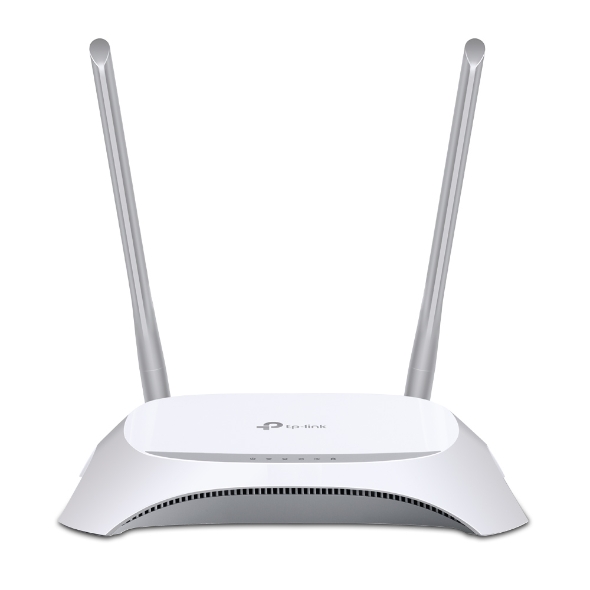
Top picks in TP-Link Routers & Gateways in Kenya
Compare price points, specs, and bundles tailored to Kenyan homes and businesses.
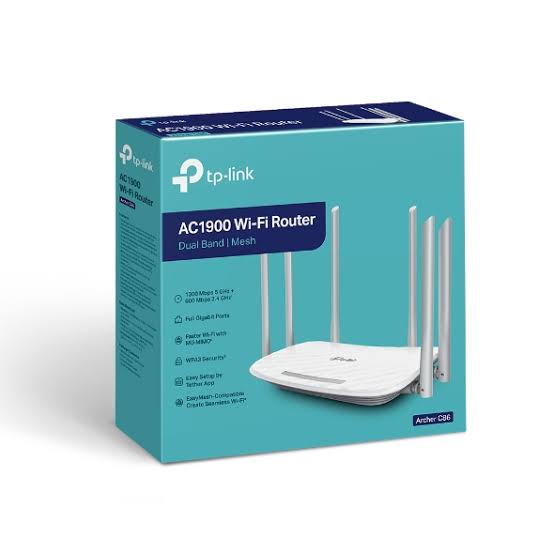
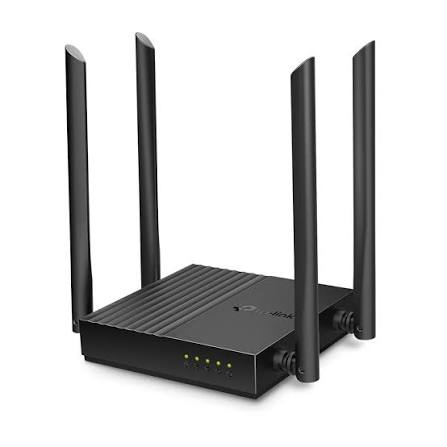
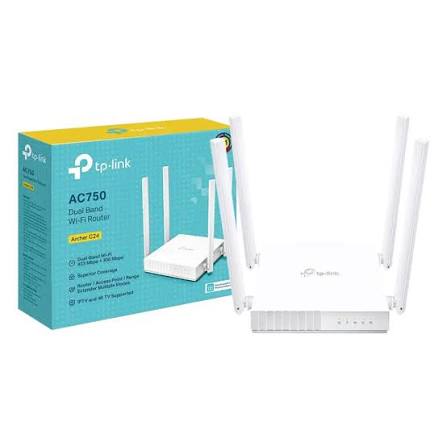

TP-Link Routers & Gateways in Kenya

TP-Link routers and gateways provide internet routing, Wi-Fi connectivity, VPN access, multi-WAN failover, load balancing and network-security functions for homes, offices, hotels, schools, shops and enterprise networks. TP-Link currently offers both Archer wireless routers for home and small-office use and Omada gateways for professional business networks.
For homes and smaller offices, models such as the Archer AX55 provide Wi-Fi 6 with up to 2402Mbps on 5GHz plus 574Mbps on 2.4GHz, Gigabit Ethernet, OFDMA, Beamforming and HomeShield. At the higher end, Wi-Fi 7 models such as the Archer BE550 provide tri-band connectivity, Multi-Link Operation and full 2.5GbE networking.
Businesses that require multiple internet connections, VPNs, centralized cloud management and advanced traffic control can use TP-Link Omada gateways such as the ER605, ER7206, ER707-M2, ER706W and ER8411. TP-Link’s current Omada range extends from compact Gigabit VPN gateways to multi-Gigabit and 10G enterprise gateways.
What Is a TP-Link Router?
A router sits between your internet connection and the devices on your local network.
A typical home setup looks like:
Fibre / Starlink / Modem → TP-Link Router → Phones, TVs, Laptops and Smart Devices
A wireless TP-Link router normally combines several functions in a single device, including routing, firewall services, Ethernet switching and Wi-Fi.
TP-Link's current home-router portfolio spans Wi-Fi 6 and Wi-Fi 7, alongside older generations that remain available in various markets. Current premium models include multi-Gigabit Ethernet interfaces and modern technologies such as EasyMesh and Wi-Fi 7 MLO.
What Is a TP-Link Gateway?
A gateway is typically positioned at the edge of a business network and manages traffic between the local network and one or more internet connections.
Typical business layout:
ISP 1 + ISP 2 → TP-Link Omada Gateway → Managed Switch → Access Points / PCs / CCTV / Servers
Unlike a typical home Wi-Fi router, many Omada gateways are primarily wired devices. Wi-Fi is then provided separately through Omada access points.
This design is more flexible for offices, hotels, schools, campuses and enterprise deployments because the router, switches and wireless access points can be selected independently.
TP-Link also offers integrated Wi-Fi gateways such as the ER706W, which combines Omada gateway functions with AX3000 Wi-Fi 6.
Main TP-Link Router & Gateway Categories
| Category | Typical Products | Best For |
|---|---|---|
| Home Wi-Fi Routers | Archer Series | Homes and small offices |
| Wi-Fi 6 Routers | Archer AX Series | Modern fibre and Starlink |
| Wi-Fi 7 Routers | Archer BE Series | High-performance networks |
| Gigabit VPN Gateways | ER605, ER7206 | SMEs and offices |
| Multi-Gigabit Gateways | ER707-M2, ER7412-M2 | Faster business internet |
| 10G Enterprise Gateways | ER8411 | Large enterprise networks |
| Wi-Fi VPN Gateways | ER706W | Small businesses wanting one device |
| 4G/WAN Gateways | ER706W-4G and regional models | Backup/mobile broadband |
TP-Link's current gateway portfolio includes standard wired gateways, multi-Gigabit gateways, Wi-Fi gateways and models with cellular connectivity in selected regions.
TP-Link Archer Home Routers
The Archer family is TP-Link's main consumer and small-office router range.
Depending on model, Archer routers can provide:
-
Dual-band or tri-band Wi-Fi
-
Wi-Fi 6 or Wi-Fi 7
-
Gigabit, 2.5GbE or 10GbE ports
-
EasyMesh
-
VPN client/server functions
-
HomeShield security
-
Parental controls
-
Guest networks
-
Beamforming
-
OFDMA
-
WPA3
Current Archer products range from mainstream Wi-Fi 6 models to advanced Wi-Fi 7 routers with multi-Gigabit Ethernet.
TP-Link Archer AX55
The Archer AX55 is a popular mid-range AX3000 Wi-Fi 6 router.
TP-Link specifies:
| Feature | Archer AX55 |
|---|---|
| Wi-Fi Generation | Wi-Fi 6 |
| Wireless Class | AX3000 |
| 5GHz | Up to 2402Mbps |
| 2.4GHz | Up to 574Mbps |
| Antennas | 4 external high-gain |
| Channel Width | Up to 160MHz |
| Ethernet | Gigabit |
| USB | USB 3.0 |
| OFDMA | Yes |
| Beamforming | Yes |
| HomeShield | Yes |
TP-Link positions the Archer AX55 for faster streaming, gaming and networks with many connected devices, with OFDMA helping multiple devices share transmission resources more efficiently.
TP-Link Wi-Fi 7 Routers
TP-Link now offers a substantial range of Wi-Fi 7 Archer routers.
Current models listed by TP-Link include the Archer BE550, BE9500, BE550 Pro, BE11000 Pro, BE700 Pro and BE900, among others.
Wi-Fi 7 introduces technologies such as:
Multi-Link Operation: compatible devices can use multiple wireless links to improve throughput, latency and reliability.
320MHz channels: provides much wider channels where supported.
4K-QAM: increases data density compared with earlier generations.
Multi-Gigabit Ethernet: many Wi-Fi 7 routers provide 2.5GbE or 10GbE ports.
These features are particularly useful for very fast fibre, high-speed LANs, NAS systems and newer Wi-Fi 7 devices.
TP-Link Archer BE550
The Archer BE550 is a BE9300 tri-band Wi-Fi 7 router.
| Feature | Archer BE550 |
|---|---|
| Wi-Fi Generation | Wi-Fi 7 |
| Wireless Class | BE9300 |
| Bands | Tri-band |
| Maximum Combined Rate | Approx. 9.2Gbps theoretical |
| MLO | Yes |
| WAN | 1 × 2.5GbE |
| LAN | 4 × 2.5GbE |
| EasyMesh | Yes |
| HomeShield | Yes |
TP-Link equips the BE550 with five 2.5GbE ports in total, helping remove the traditional 1Gbps wired-network bottleneck.
TP-Link Omada Business Gateways
For professional networks, TP-Link's Omada gateways provide business-focused routing, VPN, security and multi-WAN capabilities.
Current models include:
| Model | Key Positioning |
|---|---|
| ER605 | Entry-level Gigabit multi-WAN VPN gateway |
| ER7206 | Higher-capacity Gigabit VPN gateway |
| ER707-M2 | Multi-Gigabit VPN gateway |
| ER706W | AX3000 Wi-Fi 6 VPN gateway |
| ER7406 | Rackmount/desktop Gigabit gateway |
| ER7412-M2 | Multi-Gigabit business gateway |
| ER8411 | Enterprise gateway with 10G SFP+ |
TP-Link integrates these gateways with the Omada SDN ecosystem, allowing compatible gateways, switches and access points to be centrally managed.
TP-Link ER605
The TP-Link ER605 is an entry-level Omada Gigabit VPN Gateway designed for small businesses, branch offices and managed networks.
Current referenced hardware provides:
| Feature | ER605 |
|---|---|
| Ethernet | 5 × Gigabit |
| Dedicated WAN | 1 × Gigabit |
| WAN/LAN | 2 × Gigabit |
| LAN | 2 × Gigabit |
| USB | USB 2.0 on referenced V2.20 |
| WAN Connections | Up to 3 Ethernet WAN + USB WAN |
| Multi-WAN Load Balance | Yes |
| Omada Cloud | Yes |
| VPN | IPSec, OpenVPN, WireGuard and others |
| Firewall | Yes |
TP-Link lists centralized cloud management and multiple WAN connections as key ER605 functions.
TP-Link ER7206
The ER7206 is designed for businesses requiring more ports and greater flexibility than an entry-level gateway.
TP-Link's current V2.30 specification includes:
| Feature | ER7206 |
|---|---|
| SFP | 1 × Gigabit SFP WAN/LAN |
| RJ45 | 5 × Gigabit |
| USB | 1 × USB 3.0 |
| WAN Support | Up to 5 WAN connections |
| Load Balancing | Yes |
| LTE Backup | Supported with compatible USB dongle |
| VPN | SSL, IPSec, WireGuard, OpenVPN and others |
| Omada Cloud | Yes |
| Mounting | Desktop, wall or rack |
It is particularly suitable for offices, hotels, schools and SMEs requiring multiple internet connections, VPNs and centralized management.
TP-Link ER707-M2
The ER707-M2 moves TP-Link's Omada gateway range into multi-Gigabit networking.
TP-Link currently lists two 2.5GbE RJ45 ports, additional Gigabit RJ45/SFP connectivity, multi-WAN support and centralized Omada management. It also provides business VPN and security features including firewall functions, VLAN support, IP-MAC binding, DoS defense and filtering.
The ER707-M2 is particularly useful where the internet connection or internal network exceeds 1Gbps.
TP-Link ER706W Wi-Fi 6 Gateway
The ER706W combines an Omada business gateway with integrated AX3000 Wi-Fi 6.
| Feature | ER706W |
|---|---|
| Wi-Fi | AX3000 Wi-Fi 6 |
| 5GHz | 2402Mbps |
| 2.4GHz | 574Mbps |
| Ethernet | 5 × Gigabit RJ45 |
| SFP | 1 × Gigabit |
| USB | USB 3.0 |
| Multi-WAN | Up to 5 WAN |
| VPN | Multiple protocols |
| Omada Mesh | Supported |
| Centralized Management | Yes |
This makes it suitable for smaller offices that want routing, VPN and Wi-Fi in one Omada-managed device.
TP-Link ER8411 10G Enterprise Gateway
At the upper end of the range is the TP-Link ER8411 Omada VPN Gateway with 10G ports.
TP-Link specifies:
| Feature | ER8411 |
|---|---|
| 10G SFP+ | 2 ports |
| Gigabit SFP | 1 port |
| Gigabit RJ45 | 8 ports |
| USB | 2 × USB 3.0 |
| WAN Connections | Up to 10 |
| Load Balancing | Yes |
| CPU | Quad-core 2.2GHz |
| NAT Throughput | Up to 10Gbps on current V1.20 |
| VPN | SSL, IPSec, WireGuard, OpenVPN and others |
| Redundant Power | Yes |
| Omada Cloud | Yes |
TP-Link positions it for enterprise environments such as larger offices, schools and hotels requiring high-capacity routing and 10G connectivity.
TP-Link Multi-WAN Routers and Gateways
One of the main benefits of Omada gateways is multi-WAN connectivity.
Instead of relying on only one internet connection, a business can connect multiple ISPs.
Example:
Starlink + Fibre + 4G Backup → Omada Gateway → Office Network
Multi-WAN can be used for:
Load balancing: spreading traffic between multiple internet links.
Failover: moving traffic to another internet connection when the primary service goes offline.
Policy routing: directing particular network traffic through a chosen WAN connection.
The number and type of WAN interfaces varies by model. For example, the ER605 supports up to three Ethernet WAN ports plus USB WAN, the ER7206 supports load balancing across up to five WAN ports, while the ER8411 can support up to ten WAN connections.
TP-Link Routers for Starlink
TP-Link routers and gateways can work particularly well with Starlink, especially where users need more control than the standard Starlink router provides.
A simple installation can be:
Starlink → TP-Link Archer Router → Home Wi-Fi
A business installation may look like:
Starlink + Fibre → Omada Gateway → PoE Switch → Omada Access Points
This allows businesses to use Starlink as either the main internet service or a secondary WAN.
For example, an ER605 or ER7206 can combine a fibre connection and Starlink for redundancy, while more advanced gateways can handle several WAN services.
TP-Link Routers for Fibre Internet
TP-Link Archer routers are particularly useful when replacing or supplementing an ISP-provided Wi-Fi router.
For typical Gigabit fibre connections, a Wi-Fi 6 router such as the Archer AX55 provides Gigabit wired networking and AX3000 wireless performance.
For fibre connections exceeding 1Gbps, use a model with 2.5GbE or 10GbE ports. The Archer BE550, for example, provides one 2.5GbE WAN port plus four 2.5GbE LAN ports.
TP-Link Routers for Offices
A small office can use either a traditional wireless router or an Omada gateway.
| Office Requirement | Recommended Type |
|---|---|
| Simple office Wi-Fi | Archer Wi-Fi router |
| Wi-Fi 6 | Archer AX series |
| Wi-Fi 7 | Archer BE series |
| Separate APs | Omada gateway |
| Multiple ISPs | Omada multi-WAN gateway |
| Site-to-site VPN | Omada VPN gateway |
| Centralized management | Omada |
| More than 1Gbps WAN | Multi-Gigabit gateway |
| Enterprise 10G | ER8411 |
For professionally managed office networks, separating the gateway, switches and access points generally provides better scalability than relying on a single consumer router.
TP-Link VPN Gateways
TP-Link Omada gateways support several common VPN technologies.
Current Omada business-gateway pages list support for combinations of:
IPSec, WireGuard, OpenVPN, SSL VPN, PPTP, L2TP and GRE, depending on model and firmware.
VPN connectivity can be useful for:
-
Branch-to-head-office links
-
Remote workers
-
Remote server access
-
Multi-site businesses
-
Schools with multiple campuses
-
Hotels with centralized systems
-
CCTV management between locations
TP-Link positions current Omada VPN gateways specifically for secure site-to-site and remote-access networking.
Omada Centralized Cloud Management
Omada gateways can form part of a larger TP-Link Omada SDN network.
A typical architecture may include:
Gateway → Omada Switches → Omada Access Points
With a compatible Omada controller, administrators can centrally manage supported infrastructure.
This is useful for:
-
Offices
-
Hotels
-
Schools
-
Restaurants
-
Retail stores
-
Warehouses
-
Multi-branch companies
TP-Link currently recommends different Omada gateways according to network size; for example, its small-to-medium-office guidance lists the ER7206 for smaller environments and ER8411 for larger ones.
Home Router vs Business Gateway
| Feature | Archer Router | Omada Gateway |
|---|---|---|
| Primary Market | Home / small office | Business |
| Built-in Wi-Fi | Usually yes | Usually no |
| Multi-WAN | Limited/model dependent | Strong |
| Load Balancing | Model dependent | Yes on many models |
| Enterprise VPN | Limited/model dependent | Strong |
| Centralized SDN | No | Omada |
| Separate AP Deployment | Optional | Common |
| Advanced VLANs | Model dependent | Business-focused |
| Enterprise Security | Limited | More extensive |
| High-Availability Design | Limited | Better on higher models |
| 10G Routing | Premium models | ER8411 and higher class |
The correct product depends more on network architecture than simply the advertised Wi-Fi speed.
Wi-Fi 5 vs Wi-Fi 6 vs Wi-Fi 7 Routers
| Feature | Wi-Fi 5 | Wi-Fi 6 | Wi-Fi 7 |
|---|---|---|---|
| Typical TP-Link Range | Archer AC | Archer AX | Archer BE |
| OFDMA | No/limited | Yes | Yes |
| WPA3 | Model dependent | Common | Common |
| 160MHz | Select models | Common on higher models | Yes |
| 320MHz | No | No | Supported on compatible 6GHz products |
| MLO | No | No | Yes |
| Multi-Gig Ethernet | Rare | Some models | Common on premium models |
| Best For | Basic networks | Modern homes/businesses | High-performance new installs |
For most new installations, Wi-Fi 6 offers a strong balance of price and performance, while Wi-Fi 7 makes more sense for future-focused deployments with compatible devices and multi-Gigabit internet or LAN requirements.
Gigabit vs Multi-Gigabit Gateways
If your internet connection is below 1Gbps, a Gigabit gateway such as the ER605 or ER7206 may be sufficient.
If the connection exceeds 1Gbps or the network contains fast servers, NAS devices or multi-Gigabit switches, consider the ER707-M2 or another 2.5GbE gateway.
For larger 10G networks, the ER8411 provides two 10G SFP+ interfaces and NAT throughput rated up to 10Gbps on the current V1.20 specification.
Which TP-Link Router or Gateway Should You Choose?
| Requirement | Recommended Starting Point |
|---|---|
| Normal home internet | Archer Wi-Fi router |
| Wi-Fi 6 home | Archer AX55 |
| Premium Wi-Fi 7 home | Archer BE550 |
| Small business gateway | ER605 |
| Growing business | ER7206 |
| Multi-Gigabit office | ER707-M2 |
| Gateway + Wi-Fi in one | ER706W |
| Enterprise 10G | ER8411 |
| Fibre + Starlink failover | ER605 / ER7206 / higher Omada gateway |
| Multiple branches | Omada VPN gateway |
| Centralized AP + switch management | Omada gateway ecosystem |
Advantages of TP-Link Routers & Gateways
| Advantage | Benefit |
|---|---|
| Wide product range | Home to enterprise |
| Wi-Fi 6 and Wi-Fi 7 | Modern wireless options |
| Gigabit and multi-Gigabit | Supports faster internet |
| Multi-WAN | ISP redundancy |
| Load balancing | Better use of several connections |
| VPN | Secure remote/site-to-site access |
| Omada SDN | Centralized management |
| VLAN support | Network segmentation |
| Fibre/Starlink compatible | Flexible ISP integration |
| Multiple price tiers | Suitable for many budgets |
Important Buying Considerations
Before choosing a TP-Link router or gateway, compare internet speed, number of users, Wi-Fi coverage, number of WAN connections, VPN requirements, Ethernet speed, access-point design and future expansion.
Do not select a router based solely on the wireless number printed on the box. Wireless ratings such as AX3000 or BE9300 represent combined theoretical radio rates rather than guaranteed internet throughput.
Also verify the exact hardware revision and regional model, because ports, firmware features and supported functions can vary between versions.
TP-Link Routers & Gateways Price in Kenya
Prices vary significantly depending on whether the product is an entry-level home router, Wi-Fi 6 router, multi-WAN gateway or enterprise 10G gateway.
Rather than publishing a fixed category price, the recommended Orbitlink website wording is:
Price: Contact Orbitlink Solutions for the current TP-Link router and gateway prices in Kenya.
For project quotations, pricing should be based on the required router or gateway, WAN capacity, Wi-Fi requirements, switches, access points, cabling and installation.
Why Buy TP-Link Routers & Gateways from Orbitlink Solutions?

Orbitlink Solutions supplies networking equipment for homes, SMEs and larger business deployments in Kenya. Customers can obtain guidance on selecting the correct router or gateway based on internet speed, number of users, WAN redundancy, VPN requirements, wireless coverage and future network expansion.
Orbitlink can also help plan complete networks combining TP-Link routers, Omada gateways, managed switches, PoE switches, indoor and outdoor access points, Ethernet cabling, Starlink and point-to-point wireless equipment.
For businesses with a BOQ or multi-site project, Orbitlink Solutions can assist with equipment selection, project pricing, Nairobi pickup, nationwide delivery and technical support.
Watch: TP-Link Routers & Gateways
TP-Link's router portfolio provides options for very different networking requirements. A homeowner may only require an Archer wireless router that combines routing and Wi-Fi in one unit, while a business may need a dedicated Omada gateway, managed switches and several access points. Choosing the correct architecture is therefore just as important as choosing the advertised wireless speed.
For modern home and small-office installations, Wi-Fi 6 models such as the Archer AX55 provide a strong balance between wireless performance and Gigabit networking. Users building higher-speed networks can move to Wi-Fi 7 products such as the Archer BE550, which incorporates multi-Gigabit ports and newer Wi-Fi 7 technologies including Multi-Link Operation.
Business environments can benefit significantly from the Omada gateway family. Models such as the ER605 and ER7206 provide multi-WAN routing and VPN functionality, while the ER707-M2 and ER8411 scale into multi-Gigabit and 10G environments. This makes TP-Link suitable for networks ranging from a small office with fibre and Starlink backup to large campuses with centrally managed switches and wireless access points.
Frequently Asked Questions About TP-Link Routers & Gateways
What is the difference between a TP-Link router and an Omada gateway?
A typical Archer router combines routing and Wi-Fi in one device. Most Omada gateways focus on wired business routing, VPN, multi-WAN and centralized management, with separate access points providing Wi-Fi.
Does TP-Link have Wi-Fi 6 routers?
Yes. The Archer AX55, for example, is an AX3000 Wi-Fi 6 router providing 2402Mbps on 5GHz and 574Mbps on 2.4GHz theoretically.
Does TP-Link have Wi-Fi 7 routers?
Yes. TP-Link currently lists multiple Archer BE-series Wi-Fi 7 routers, including the BE550, BE9500, BE900 and several newer models.
Can TP-Link routers work with Starlink?
Yes. A TP-Link router or Omada gateway can be connected downstream of Starlink, depending on the Starlink hardware and network configuration.
Can I use Starlink and fibre at the same time?
Yes. An Omada multi-WAN gateway can connect multiple WAN services and provide load balancing or redundancy when configured appropriately.
What is the TP-Link ER605?
The ER605 is an Omada Gigabit VPN Gateway with five Gigabit ports, multi-WAN functionality, VPN support and centralized management.
What is the TP-Link ER7206?
The ER7206 is an Omada Gigabit VPN Gateway with five Gigabit RJ45 ports, one Gigabit SFP port, USB connectivity and load balancing across up to five WAN connections on the current V2.30 model.
Does TP-Link make multi-Gigabit gateways?
Yes. The ER707-M2 includes 2.5GbE connectivity, while other current Omada models also support multi-Gigabit networking.
Does TP-Link have a 10G gateway?
Yes. The ER8411 provides two 10G SFP+ ports and is designed for high-capacity enterprise networks.
Do Omada gateways have Wi-Fi?
Most are wired gateways, but TP-Link also offers integrated Wi-Fi gateways such as the ER706W AX3000 Wi-Fi 6 VPN Gateway.
Can TP-Link gateways provide VPN access?
Yes. Current Omada gateways support various combinations of IPSec, OpenVPN, WireGuard, SSL VPN, PPTP, L2TP and GRE depending on model and firmware.
What is multi-WAN?
Multi-WAN allows a router or gateway to connect to several internet services simultaneously, for example Starlink + fibre + 4G backup.
What is load balancing?
Load balancing distributes traffic across multiple WAN connections instead of placing all network traffic on only one ISP.
What is WAN failover?
WAN failover allows another configured internet connection to take over when the primary link fails.
Is Archer AX55 suitable for Gigabit fibre?
Yes, it has Gigabit Ethernet interfaces and AX3000 Wi-Fi 6. Actual wireless throughput depends on the client device, interference, distance and other network conditions.
Which router should I use for internet faster than 1Gbps?
Use equipment with at least a 2.5GbE WAN port. Models such as the Archer BE550 provide full 2.5GbE connectivity, while the ER707-M2 provides multi-Gigabit business routing.
Which TP-Link gateway is suitable for a small office?
The ER605 is a practical entry point for smaller business networks, while the ER7206 gives additional WAN and interface flexibility.
Which TP-Link gateway is best for a large enterprise?
The ER8411 is designed for substantially larger and faster networks, with 10G interfaces, multiple WAN options and high-capacity processing.
Can Omada routers manage access points?
When used as part of the Omada SDN architecture with an appropriate controller, compatible gateways, switches and access points can be centrally managed.
Are the advertised Wi-Fi speeds guaranteed?
No. Values such as AX3000 and BE9300 represent theoretical wireless PHY capacity. Actual speeds depend on clients, interference, channel width, distance, internet service and network conditions.
What is the TP-Link routers and gateways price in Kenya?
Prices vary by model and specification. Contact Orbitlink Solutions for the current price of the exact TP-Link Archer router or Omada gateway required.
Buy TP-Link Routers & Gateways in Kenya
TP-Link routers and gateways provide solutions ranging from basic home internet routing to Wi-Fi 7, multi-WAN business networking, secure VPN connectivity and 10G enterprise routing. The right model depends on whether the priority is Wi-Fi coverage, internet speed, multiple ISPs, VPN access, centralized management or enterprise scalability.
For home users, the Archer series offers convenient all-in-one wireless routing. For professional environments, Omada gateways allow networks to be designed around dedicated routers, switches and access points, providing much greater control and scalability.
Contact Orbitlink Solutions
Orbitlink Solutions
Address: Lyric House, Kimathi Street, Nairobi
Phone: +254 743 720 551
Email: info@orbitlinksolutions.co.ke
Opening Hours: Monday–Saturday, 9:00 AM–6:00 PM
Availability: Nairobi pickup and nationwide delivery
Contact Orbitlink Solutions for current TP-Link router and gateway prices in Kenya, Archer Wi-Fi routers, Omada VPN gateways, multi-WAN configuration, Starlink and fibre integration, business network design, switches, access points and professional installation.