TP-Link Wi-Fi Extenders & Adapters in Kenya
Buy TP-Link Wi-Fi extenders and adapters in Kenya from Orbitlink Solutions. Improve Wi-Fi coverage, upgrade PCs and connect devices with USB, PCIe and range extender solutions.
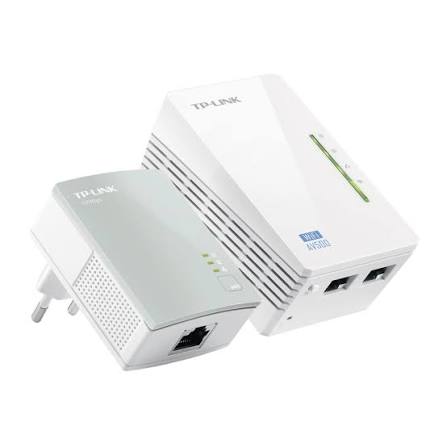
Top picks in TP-Link Wi-Fi Extenders & Adapters in Kenya
Compare price points, specs, and bundles tailored to Kenyan homes and businesses.
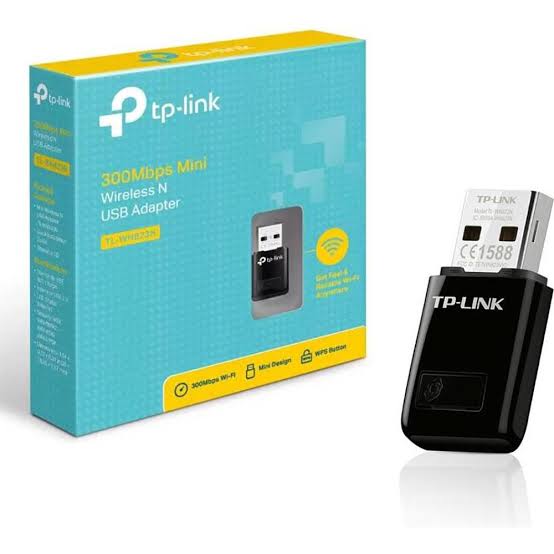
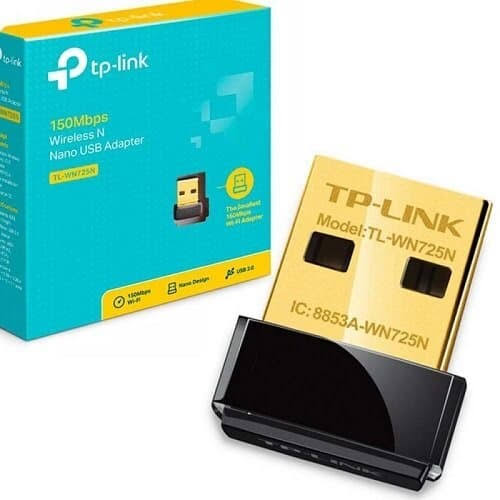
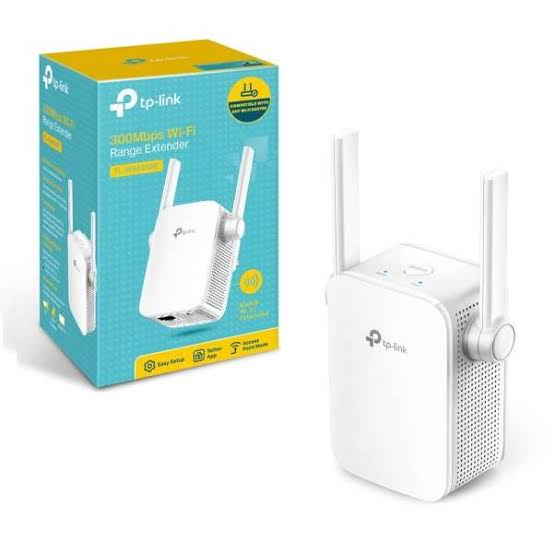
TP-Link Wi-Fi Extenders & Adapters in Kenya
TP-Link Wi-Fi extenders and adapters help solve two different but closely related networking problems. Wi-Fi range extenders improve wireless coverage in areas where the router signal is weak, while Wi-Fi adapters add or upgrade wireless connectivity on desktop computers and laptops.
TP-Link's current range includes Wi-Fi 4, Wi-Fi 5, Wi-Fi 6, Wi-Fi 6E and Wi-Fi 7 extenders, with options ranging from basic N300 models to high-performance multi-gigabit Wi-Fi 7 units. TP-Link also offers USB and PCIe wireless adapters across several Wi-Fi generations, including modern Wi-Fi 6, Wi-Fi 6E and Wi-Fi 7 models.
For homes and businesses in Kenya, the right choice depends on whether the problem is poor Wi-Fi coverage or a device that needs better wireless connectivity. A range extender addresses coverage; a Wi-Fi adapter upgrades the client device itself.
TP-Link Wi-Fi Extenders vs Wi-Fi Adapters
| Feature | Wi-Fi Extender | Wi-Fi Adapter |
|---|---|---|
| Main Purpose | Extend router Wi-Fi coverage | Add/upgrade Wi-Fi on a computer |
| Typical Installation | Wall socket or desktop | USB port or PCIe slot |
| Works With | Existing router/access point | Desktop or laptop |
| Improves Dead Zones | Yes | No |
| Adds Wi-Fi to PC | No | Yes |
| Can Improve PC Wi-Fi Speed | Indirectly | Yes |
| Ethernet Port | Available on many models | Usually not on wireless-only adapters |
| Mesh Features | Available on selected models | Not applicable |
| Best For | Weak rooms/floors | PCs with poor or no Wi-Fi |
What Is a TP-Link Wi-Fi Range Extender?
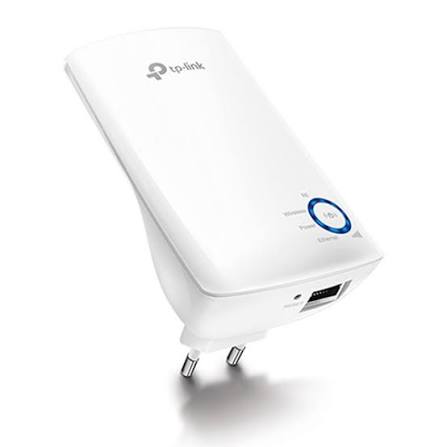
A TP-Link Wi-Fi range extender receives the existing wireless signal from a router or access point and rebroadcasts it farther into areas where coverage is weak.
TP-Link describes range extenders as products designed to strengthen and expand Wi-Fi coverage throughout a home. Current models include everything from basic AC750 units to Wi-Fi 6E and Wi-Fi 7 models with Gigabit or 2.5Gbps Ethernet ports.
A typical installation might look like:
Router → Wi-Fi → TP-Link Extender → Bedroom / Office / Upstairs
The extender should normally be placed somewhere between the router and the weak-signal area, where it can still receive a sufficiently strong signal from the main router.
What Is a TP-Link Wi-Fi Adapter?
A TP-Link Wi-Fi adapter adds wireless connectivity to a computer or upgrades an older wireless connection.
TP-Link currently groups its adapter range into two major categories:
-
USB Wi-Fi adapters
-
PCIe Wi-Fi adapters
Current models cover standards from older Wi-Fi 4 and Wi-Fi 5 through Wi-Fi 6, Wi-Fi 6E and Wi-Fi 7, with some PCIe models also providing Bluetooth connectivity.
A Wi-Fi adapter is useful when:
-
A desktop PC has no Wi-Fi
-
A laptop's built-in Wi-Fi is outdated
-
A computer needs dual-band connectivity
-
A desktop needs Wi-Fi 6 or Wi-Fi 7
-
The existing wireless adapter has poor signal reception
Types of TP-Link Wi-Fi Range Extenders
TP-Link currently offers range extenders across several performance classes.
N300 Wi-Fi Extenders
N300 models operate primarily on the 2.4GHz band and are suitable for basic internet access, messaging and light browsing.
Typical examples include models such as the RE105.
They are best suited to:
-
Small homes
-
Basic internet packages
-
Older routers
-
Low-bandwidth devices
-
Areas where 2.4GHz range matters more than speed
They are less suitable for high-speed fibre or modern multi-device networks.
AC750 Wi-Fi Extenders
AC750 extenders provide dual-band Wi-Fi and are a step up from N300 models.
For example, TP-Link's RE230 provides combined AC750-class wireless performance, a Fast Ethernet port, TP-Link Tether app setup and compatibility with standard Wi-Fi routers and access points.
Typical use cases include:
-
Bedrooms
-
Apartments
-
Small offices
-
Smart TVs
-
Basic streaming
-
Everyday browsing
AC1200 Wi-Fi Extenders
AC1200 models are among the most practical options for ordinary home and small-office networks.
A model such as the RE315 offers dual-band Wi-Fi and is designed to improve coverage while supporting mesh-related functionality on compatible TP-Link networks.
AC1200 models are suitable for:
-
Medium-sized homes
-
Offices
-
Streaming
-
Video calls
-
Multiple devices
-
Fibre internet
-
Starlink networks
AC1900 Wi-Fi Extenders
Higher-end Wi-Fi 5 extenders such as the TP-Link RE550 offer stronger dual-band performance and are intended for more demanding wireless networks.
They can be useful for:
-
Larger homes
-
Multiple rooms
-
HD/4K streaming
-
Gaming
-
Home offices
-
Higher-speed broadband
Wi-Fi 6 Range Extenders
TP-Link currently offers several Wi-Fi 6 models, including products such as:
-
RE500X
-
RE505X
-
RE600X
-
RE605X
-
RE700X
-
RE705X
-
RE715X
TP-Link's current range-extender catalogue lists models with speeds from AX1500 through AX3000 and beyond, often with Gigabit Ethernet and mesh-related features.
Wi-Fi 6 extenders are particularly suitable for:
-
Fibre internet
-
Starlink
-
Multiple smartphones
-
Smart homes
-
Video conferencing
-
Streaming
-
Gaming
-
Modern Wi-Fi 6 routers
Wi-Fi 6E Range Extenders
TP-Link also offers Wi-Fi 6E range extenders such as the RE815XE and RE813XE.
Wi-Fi 6E adds access to the 6GHz band when supported by the router and client devices.
This can provide:
-
More wireless spectrum
-
Lower congestion
-
Higher potential throughput
-
Better performance in dense environments
Compatibility with 6GHz depends on the complete network environment and regional wireless regulations.
Wi-Fi 7 Range Extenders
TP-Link's current range also includes Wi-Fi 7 extenders such as:
-
RE223BE
-
RE235BE
-
RE3200BE
-
RE403BE
-
RE405BE
-
RE653BE
-
RE655BE
These models introduce newer technologies such as Multi-Link Operation, with selected models also offering 2.5Gbps Ethernet ports.
Wi-Fi 7 extenders are best suited to newer high-performance networks using compatible Wi-Fi 7 routers and clients.
EasyMesh and OneMesh Support
Selected TP-Link extenders support EasyMesh or OneMesh, depending on the model and hardware revision.
These technologies can help create more unified Wi-Fi coverage when paired with compatible routers.
Current TP-Link listings identify models such as the RE505X with OneMesh and newer models such as the RE223BE and RE235BE as EasyMesh-compatible.
Compatibility should always be confirmed against the exact router and extender model before purchase.
Range Extender vs Mesh Wi-Fi
A range extender is often the easiest way to improve coverage in one or two weak areas.
A mesh system is usually better where the requirement is whole-home coverage across multiple rooms or floors.
TP-Link's own 2026 guidance states that:
-
Range extenders repeat the router's existing Wi-Fi signal
-
Powerline systems use electrical wiring
-
Deco Mesh creates a unified multi-node Wi-Fi network and is TP-Link's recommended option for broader whole-home coverage
| Requirement | Better Choice |
|---|---|
| One weak bedroom | Range extender |
| One weak office | Range extender |
| Large multi-floor home | Mesh often better |
| Multiple dead zones | Mesh often better |
| Simple low-cost fix | Range extender |
| Seamless whole-home roaming | Mesh |
Ethernet Ports on TP-Link Extenders
Many TP-Link range extenders include an Ethernet port.
Depending on the model, this may be:
-
Fast Ethernet
-
Gigabit Ethernet
-
2.5Gbps Ethernet
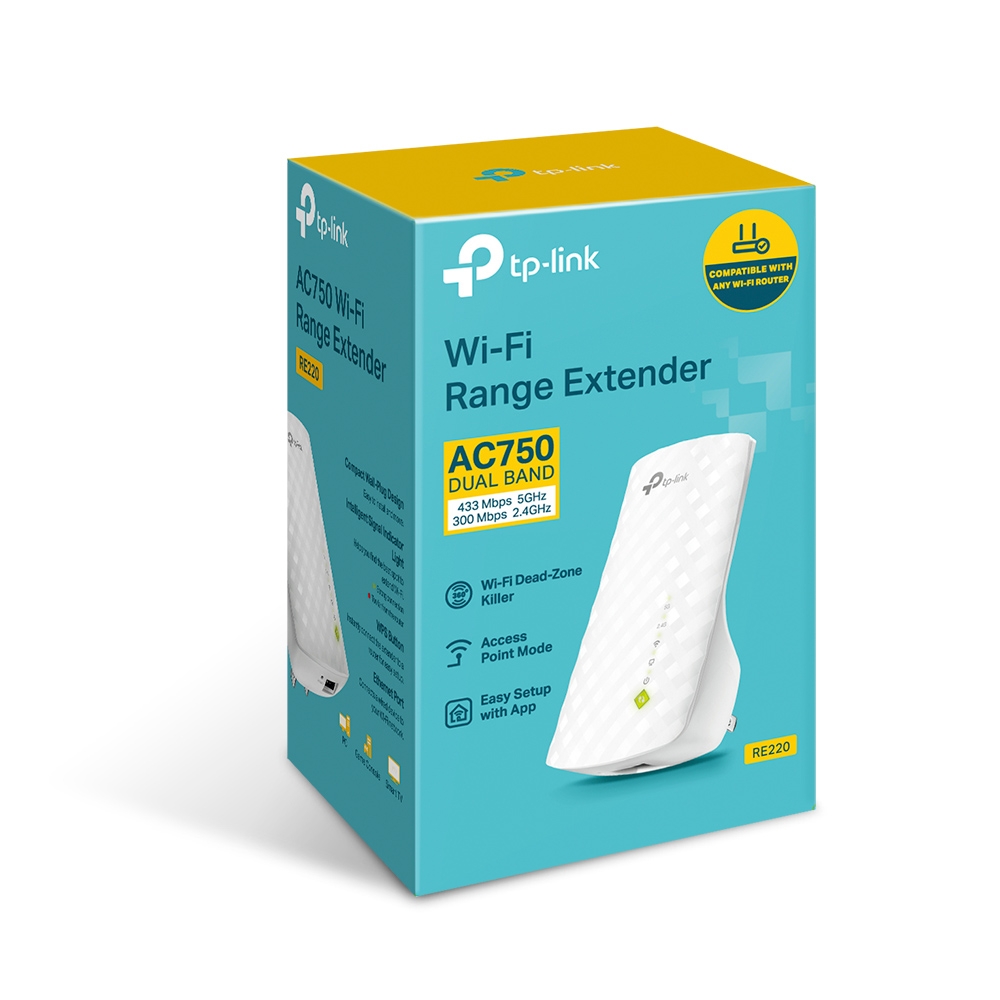
For example, the RE220 includes Fast Ethernet, while newer models such as the RE500X and RE505X provide Gigabit Ethernet. Some newer Wi-Fi 7 extenders offer 2.5Gbps ports.
The Ethernet port can be used for:
-
Smart TVs
-
Gaming consoles
-
Desktop PCs
-
NVRs
-
Network printers
Selected extenders can also operate in Access Point Mode, allowing an Ethernet connection to be converted into Wi-Fi coverage.
TP-Link USB Wi-Fi Adapters
USB adapters are the easiest way to add Wi-Fi connectivity to a compatible computer.
Installation usually involves:
USB Adapter → PC/Laptop → Driver → Connect to Wi-Fi
TP-Link offers USB adapters across several performance levels, ranging from basic Wi-Fi 4 models to modern Wi-Fi 6 adapters.
USB adapters are suitable for:
-
Laptops
-
Desktop PCs
-
Temporary installations
-
Office computers
-
Home PCs
TP-Link Nano Wi-Fi Adapters
Nano adapters are very small USB wireless adapters designed to remain connected without protruding far from the computer.
They are useful for:
-
Laptops
-
Portable use
-
Office PCs
-
Compact desktops
The trade-off is that larger high-gain adapters can sometimes provide better antenna performance.
TP-Link High-Gain USB Wi-Fi Adapters
High-gain adapters use larger external antennas to improve signal reception.
For example, the Archer T3U Plus is an AC1300 dual-band USB adapter with a high-gain adjustable antenna.
High-gain USB adapters can be useful where:
-
The router is several rooms away
-
The PC is under a desk
-
Signal reception is poor
-
A desktop has no internal Wi-Fi card
Wi-Fi 6 USB Adapters
Modern models such as the Archer TX20U support Wi-Fi 6.
Wi-Fi 6 USB adapters can improve wireless capability on compatible PCs without requiring the user to open the computer chassis.
They are suitable for:
-
Faster fibre packages
-
Starlink
-
Streaming
-
Gaming
-
Video meetings
-
Cloud applications
Actual performance depends on the router, USB interface, signal quality, Wi-Fi environment and client hardware.
TP-Link PCIe Wi-Fi Adapters
PCIe adapters install directly inside a desktop computer.
They are usually a better option for permanent desktop installations because they can provide:
-
Larger antennas
-
Better antenna positioning
-
Higher wireless classes
-
Bluetooth on selected models
-
Wi-Fi 6E or Wi-Fi 7 on newer models
TP-Link's current PCIe range includes Wi-Fi 7 models such as the Archer TBE550E and TBE400E, alongside Wi-Fi 6, Wi-Fi 6E and older Wi-Fi standards.
USB Adapter vs PCIe Adapter
| Feature | USB Wi-Fi Adapter | PCIe Wi-Fi Adapter |
|---|---|---|
| Installation | Very easy | Requires opening desktop |
| Portability | Excellent | Permanent |
| Laptop Use | Yes | No |
| Desktop Use | Yes | Yes |
| Antenna Options | Model dependent | Often better |
| Bluetooth | Selected models | Common on selected models |
| Wi-Fi 7 Options | Available/newer | Strong range available |
| Best For | Convenience | Permanent high-performance desktop |
Wi-Fi 5 vs Wi-Fi 6 vs Wi-Fi 7 Adapters
| Standard | Typical User |
|---|---|
| Wi-Fi 5 | Basic home/office |
| Wi-Fi 6 | Modern broadband and many devices |
| Wi-Fi 6E | 6GHz-capable networks |
| Wi-Fi 7 | High-performance new networks |
A faster adapter does not automatically create faster internet.
The final speed depends on:
-
ISP speed
-
Router capability
-
Wi-Fi standard
-
Signal quality
-
Interference
-
Computer interface
-
Distance
-
Network congestion
TP-Link Wi-Fi Extenders for Starlink
TP-Link extenders can be used to improve Wi-Fi coverage in a Starlink installation.
Typical topology:
Starlink → Router → Wi-Fi → TP-Link Extender → Remote Room
This can be useful where Starlink Wi-Fi does not adequately reach:
-
Bedrooms
-
Upstairs rooms
-
Offices
-
Shops
-
Reception areas
-
Outbuildings within practical wireless range
A range extender does not increase Starlink's actual internet speed. It extends the existing wireless connection.
For larger buildings or commercial networks, wired access points or mesh Wi-Fi may provide better results than repeatedly extending a weak wireless signal.
TP-Link Wi-Fi Adapters for Starlink
A TP-Link Wi-Fi adapter can also help a desktop computer connect wirelessly to a Starlink network.
Example:
Starlink Router → Wi-Fi → TP-Link USB/PCIe Adapter → Desktop PC
A Wi-Fi 6 adapter can be particularly useful if the computer's built-in Wi-Fi is outdated or limited.
TP-Link Extenders for Fibre Internet
Range extenders work with ordinary Wi-Fi routers used by fibre internet providers.
Typical topology:
Fibre ONT → Router → Wi-Fi → Extender
When selecting an extender for a high-speed fibre connection, pay attention to:
-
Wi-Fi generation
-
Ethernet port speed
-
Router capability
-
Band support
-
Mesh compatibility
Using an old N300 or AC750 extender on a very fast fibre connection can significantly limit achievable wireless throughput.
Where Should You Place a Wi-Fi Extender?
An extender should generally not be placed directly inside the dead zone.
It needs to receive a usable signal from the main router first.
A better layout is:
Router → Good Signal → Extender → Weak Area
rather than:
Router → No Signal → Extender
TP-Link provides signal indicators on selected models to help identify an appropriate placement location. The RE230, for example, includes an intelligent signal indicator and setup through the TP-Link Tether app.
Common Wi-Fi Extender Mistakes
Common deployment mistakes include:
-
Installing the extender too far from the router
-
Expecting the extender to increase ISP speed
-
Choosing a 2.4GHz-only extender for a high-speed network
-
Using Fast Ethernet when Gigabit is required
-
Extending an already extremely weak signal
-
Ignoring mesh compatibility
-
Expecting one extender to cover a very large multi-floor building
Correct model selection and placement can be just as important as the advertised Wi-Fi class.
Does a Wi-Fi Extender Make Internet Faster?
Not usually.
A range extender primarily improves coverage, not the internet service speed itself.
If a device currently receives a very weak connection, an extender can improve its usable performance by providing a stronger link.
However, repeating wireless traffic can introduce additional overhead, and actual speeds depend on model, placement and network conditions.
Does a Wi-Fi Adapter Make Internet Faster?
It can improve the connection between the computer and the router if the computer's existing Wi-Fi interface is the bottleneck.
For example, replacing an old Wi-Fi 4 adapter with a suitable Wi-Fi 6 adapter may provide:
-
Better link rates
-
Improved signal handling
-
Lower latency under some conditions
-
Better support for modern routers
It cannot increase the ISP package beyond the speed being delivered by the internet provider.
TP-Link Wi-Fi Extender & Adapter Selection Guide
| Requirement | Recommended Category |
|---|---|
| Basic weak Wi-Fi area | N300 / AC750 extender |
| Medium home | AC1200 extender |
| High-speed Wi-Fi 5 | AC1900+ extender |
| Modern fibre | Wi-Fi 6 extender |
| Wi-Fi 6E router | Wi-Fi 6E extender |
| New Wi-Fi 7 network | Wi-Fi 7 extender |
| Laptop with no/poor Wi-Fi | USB adapter |
| Desktop needing better Wi-Fi | High-gain USB adapter |
| Permanent desktop installation | PCIe adapter |
| Wi-Fi 6 desktop upgrade | Wi-Fi 6 USB/PCIe |
| Wi-Fi 7 desktop | Wi-Fi 7 PCIe adapter |
| Whole-home coverage | Deco/mesh often better |
TP-Link Wi-Fi Extenders & Adapters Price in Kenya
The TP-Link Wi-Fi extender and Wi-Fi adapter price in Kenya varies significantly depending on:
-
Model
-
Wi-Fi generation
-
Dual-band or tri-band design
-
Ethernet port speed
-
Mesh capability
-
USB or PCIe interface
-
Antenna design
-
Stock availability
-
VAT treatment
For Orbitlink Solutions, use:
Price: Contact Orbitlink Solutions for the current TP-Link Wi-Fi extender or adapter price in Kenya and stock availability.
Customers can provide their router model, internet speed, building size and intended device so that the correct extender or adapter can be selected.
Why Buy TP-Link Wi-Fi Extenders & Adapters from Orbitlink Solutions?
Orbitlink Solutions supplies TP-Link Wi-Fi extenders, USB adapters, PCIe adapters, routers, mesh systems, switches and wireless access points for home and business networks across Kenya.
Customers can get assistance choosing equipment according to:
-
Router model
-
Internet speed
-
Wi-Fi generation
-
Distance from router
-
Number of rooms
-
Desktop or laptop
-
USB or PCIe requirements
-
Fibre or Starlink connection
-
Mesh compatibility
-
Future upgrade requirements
For larger homes and businesses, Orbitlink Solutions can also recommend when a Deco mesh system or wired access point deployment would be more suitable than a conventional range extender.
Watch the TP-Link Wi-Fi Extenders & Adapters Video
TP-Link's Wi-Fi expansion range gives users several ways to solve wireless connectivity problems. A range extender is best suited to increasing coverage in a room or area where the router signal is weak, while a USB or PCIe adapter is intended to improve the wireless capability of the computer itself. Choosing between the two starts with identifying whether the problem is the network's coverage or the device's wireless hardware.
Modern TP-Link extenders now cover everything from basic AC750 products through Wi-Fi 6, Wi-Fi 6E and Wi-Fi 7 models, with selected units offering Gigabit or 2.5Gbps Ethernet and mesh compatibility. TP-Link's adapter range has evolved similarly, with USB and PCIe products available across older Wi-Fi standards through current Wi-Fi 7 hardware.
For larger homes, hotels, offices or buildings with several dead zones, repeatedly adding extenders may not be the best network architecture. TP-Link itself recommends comparing range extenders with Powerline and Deco Mesh depending on the building layout, with mesh providing a more unified solution for broad whole-home coverage.
Frequently Asked Questions About TP-Link Wi-Fi Extenders & Adapters
What is a TP-Link Wi-Fi extender?
A Wi-Fi extender receives an existing wireless signal and rebroadcasts it to improve coverage in areas with weak Wi-Fi.
What is a TP-Link Wi-Fi adapter?
A Wi-Fi adapter adds or upgrades wireless connectivity on a desktop or laptop.
What is the difference between an extender and an adapter?
An extender improves network coverage, while an adapter improves or adds Wi-Fi connectivity on an individual device.
Do TP-Link extenders work with other router brands?
Many models are designed to work with standard Wi-Fi routers and access points. For example, TP-Link lists universal compatibility for the RE230.
Can a TP-Link extender work with Starlink?
Yes. A compatible extender can repeat the Wi-Fi provided by a Starlink router.
Can a TP-Link extender work with fibre internet?
Yes. The extender communicates with the Wi-Fi router rather than directly with the fibre line.
Does a range extender increase internet speed?
No. It primarily extends coverage. It may improve usable performance in a weak-signal area, but it does not increase the ISP package.
Where should I install a range extender?
Install it between the router and the poor-coverage area, in a location where it can still receive a good router signal.
Does TP-Link make Wi-Fi 6 extenders?
Yes. Current models include RE500X, RE505X, RE600X, RE605X, RE700X and others.
Does TP-Link make Wi-Fi 7 extenders?
Yes. Current listings include several Wi-Fi 7 models such as RE223BE, RE235BE, RE403BE and higher-end models.
Do TP-Link extenders have Ethernet ports?
Many do. Depending on the model, the port may be Fast Ethernet, Gigabit or 2.5Gbps.
Can I connect a smart TV to an extender?
Yes, on extenders with an appropriate Ethernet port, or wirelessly if the TV supports Wi-Fi.
Can an extender work as an access point?
Selected models support Access Point Mode.
Does TP-Link support EasyMesh?
Selected newer extenders support EasyMesh. Compatibility depends on the exact router and extender model.
What is a USB Wi-Fi adapter?
It is a compact device that plugs into a USB port and adds wireless connectivity to a compatible computer.
What is a PCIe Wi-Fi adapter?
It is an internal wireless card designed primarily for desktop computers.
Which is better, USB or PCIe Wi-Fi?
USB is easier and more portable. PCIe is usually better for a permanent desktop installation and can offer stronger antennas and higher-end wireless features.
Does TP-Link make Wi-Fi 7 adapters?
Yes. TP-Link's current adapter catalogue includes Wi-Fi 7 PCIe products such as the Archer TBE550E and TBE400E.
Can a Wi-Fi adapter improve laptop speed?
It can improve wireless performance if the laptop's original adapter is the limiting factor.
Do TP-Link adapters support Bluetooth?
Selected PCIe adapters include Bluetooth. Exact support depends on the model.
Can I use an extender for a large house?
Yes, but for multiple rooms, multiple floors or several dead zones, a mesh system may provide a better overall experience.
What is the TP-Link Wi-Fi extender price in Kenya?
Pricing depends on model and Wi-Fi class. Contact Orbitlink Solutions for the current exact-model quotation.
What is the TP-Link Wi-Fi adapter price in Kenya?
Pricing depends on whether the adapter is USB or PCIe and whether it supports Wi-Fi 5, Wi-Fi 6, Wi-Fi 6E or Wi-Fi 7.
Buy TP-Link Wi-Fi Extenders & Adapters in Kenya

TP-Link offers a broad range of Wi-Fi extenders and wireless adapters for improving home, office, fibre and Starlink networks. Range extenders are ideal for reducing wireless dead zones, while USB and PCIe adapters can upgrade computers that lack modern Wi-Fi connectivity.
Current TP-Link options span from basic N300 and AC750 devices through Wi-Fi 6, Wi-Fi 6E and Wi-Fi 7, allowing customers to choose equipment that matches both their router and internet speed.
Contact Orbitlink Solutions
Orbitlink Solutions
Address: Lyric House, Kimathi Street, Nairobi
Phone: +254 743 720 551
Email: info@orbitlinksolutions.co.ke
Opening Hours: Monday–Saturday, 9:00 AM–6:00 PM
Availability: Nairobi pickup and nationwide delivery
Contact Orbitlink Solutions for current prices and availability of TP-Link Wi-Fi extenders, USB Wi-Fi adapters, PCIe wireless adapters, Deco mesh systems, routers and wireless networking equipment in Kenya.