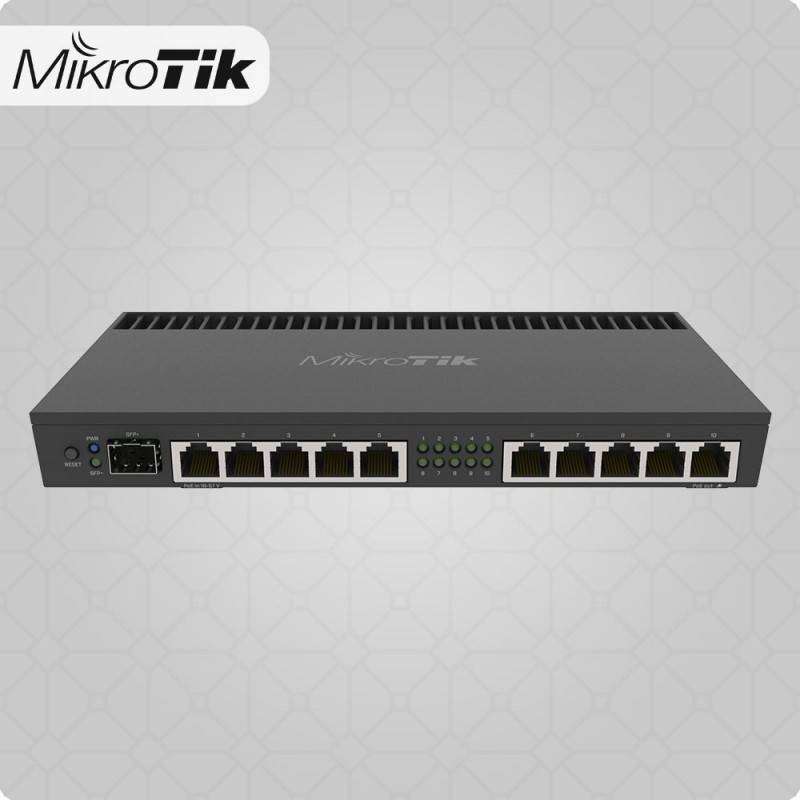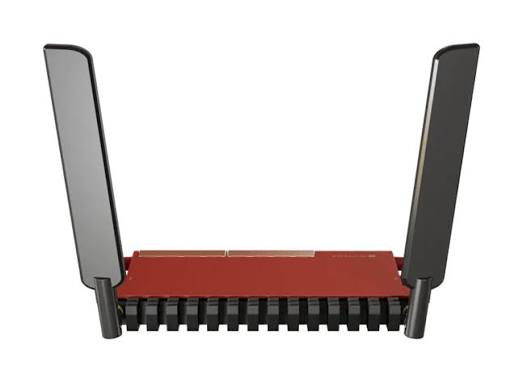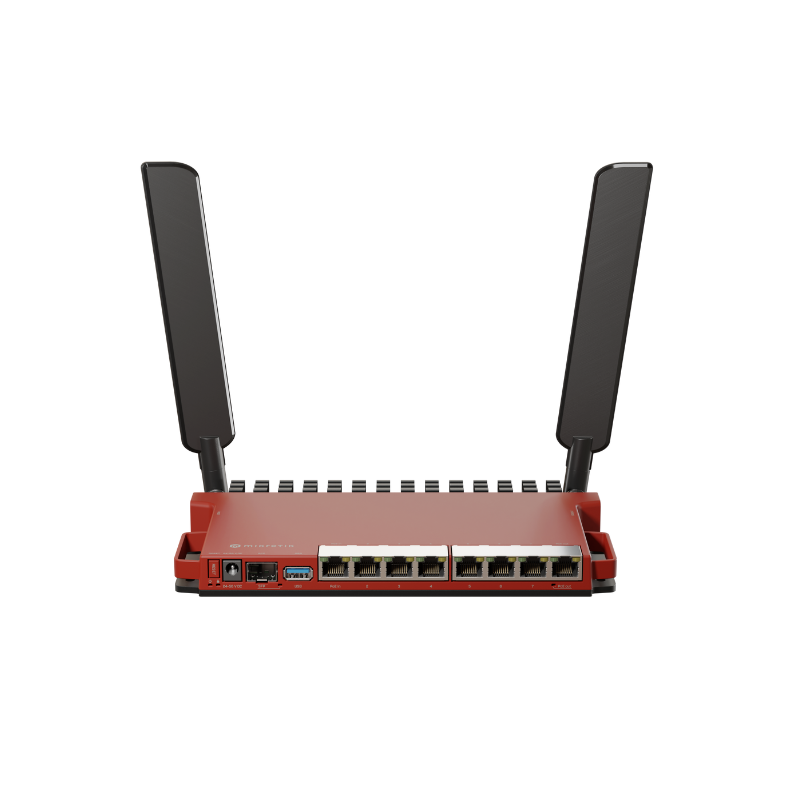
MikroTik L009UiGS-RM
Buy MikroTik L009UiGS-RM in Kenya from Orbitlink Solutions. 8 Gigabit ports, 2.5G-capable SFP, PoE, USB 3.0, ARM CPU, RouterOS v7 and rackmount accessories.
MikroTik L009UiGS-RM Router in Kenya
The MikroTik L009UiGS-RM is a modern wired RouterOS router designed as a practical successor to the long-running RB2011 family. It combines eight Gigabit Ethernet ports, one 2.5G-capable SFP cage, PoE input, passive PoE output, USB 3.0, 512MB RAM and a dual-core ARM processor in a compact, passively cooled enclosure. MikroTik says the L009 can be up to four times faster than the RB2011 in many configurations.
The RM version has no built-in Wi-Fi. This is one of the main differences between the L009UiGS-RM and the L009UiGS-2HaxD-IN. Instead, the RM model is aimed at wired networks and comes with rackmount accessories, making it especially suitable for network cabinets, server rooms, offices and installations using separate wireless access points.
For businesses, the L009UiGS-RM can serve as a flexible gateway for fibre internet, Starlink, multi-WAN, VLANs, CCTV, VPN, hotspot networks and branch-office connectivity. RouterOS v7 provides considerably more configuration flexibility than a conventional plug-and-play business router.
MikroTik L009UiGS-RM Key Features
| Feature | Specification |
|---|---|
| Product Code | L009UiGS-RM |
| CPU | IPQ-5018 |
| CPU Cores | 2 |
| CPU Frequency | 800MHz |
| Architecture | ARM |
| RAM | 512MB DDR3L |
| Storage | 128MB NAND |
| Ethernet | 8 × Gigabit |
| SFP | 1 × SFP, 2.5G supported |
| Wi-Fi | None |
| Switch Chip | Marvell 88E6190 |
| USB | 1 × USB 3.0 Type-A |
| PoE-In | Ether1, 802.3af/at |
| PoE-Out | Ether8, passive PoE |
| Serial Console | RJ45 |
| RouterOS | RouterOS v7 |
| Licence | Level 5 |
| Cooling | Passive |
| Dimensions | 220 × 125 × 22mm |
| IP Rating | IP20 |
| Tested Temperature | -40°C to +70°C |
| Best For | SMB, fibre, Starlink, VLAN, multi-WAN, rack networks |
MikroTik's current product page lists the CPU architecture as ARM 32-bit for RouterOS, while its earlier specification sheet describes the underlying IPQ-5018 hardware as ARM64 with RouterOS operating in 32-bit mode. For practical purchasing purposes, the important point is that this model runs the ARM build of RouterOS v7.
8 Gigabit Ethernet Ports
The L009UiGS-RM provides eight 10/100/1000Mbps Ethernet ports. Unlike the older RB2011 family, all eight copper interfaces are Gigabit-capable.
RouterOS allows these interfaces to be assigned according to the network design rather than restricting the router to a fixed WAN/LAN arrangement.
For example:
Ether1 → Primary Fibre ISP
Ether2 → Starlink Backup
Ether3 → Office LAN
Ether4 → CCTV
Ether5 → Guest Network
Ether6 → Server/NAS
Ether7 → Wi-Fi Access Point
Ether8 → Compatible PoE-powered device
This flexibility makes the L009 particularly useful for businesses that want several network segments without immediately adding another router.
2.5G-Capable SFP Interface
The L009UiGS-RM has one SFP cage supporting both Gigabit and 2.5 Gigabit connectivity with appropriate compatible modules.
The interface can be useful for:
-
Fibre uplinks
-
Compatible ISP connections
-
2.5G network backbone links
-
NAS connectivity
-
Distribution switches
-
Inter-building fibre
-
Network aggregation
The 2.5G capability provides useful headroom beyond standard Gigabit Ethernet.
Important: This Is Not 10G SFP+
Although MikroTik's category icons may generically refer to SFP/SFP+, the L009 interface itself tops out at 2.5G. It is not a 10Gbps SFP+ interface.
For 10G connectivity, consider a platform such as the RB5009 or an appropriate CCR model.
Dual-Core 800MHz ARM CPU
The L009UiGS-RM uses the Qualcomm IPQ-5018 dual-core processor running at 800MHz.
MikroTik positions this modern ARM platform as a significant upgrade from the MIPS-based RB2011 generation.
The additional processing capability benefits RouterOS workloads involving:
-
Routing
-
Firewall rules
-
Bridge filtering
-
VLANs
-
IPsec
-
VPN
-
Queues
-
Policy routing
-
Multi-WAN
-
Containers
MikroTik states that the L009 can be up to four times faster than the RB2011 across many configurations, from basic fast-path routing to more complex bridge filtering.
This is a manufacturer comparison rather than a guarantee that every configuration will deliver four times the performance.
512MB DDR3L RAM
The L009UiGS-RM contains 512MB DDR3L memory and 128MB NAND storage.
This provides considerably more memory than the older RB2011 generation and gives RouterOS additional resources for more sophisticated configurations.
The additional RAM can be useful when running:
-
Multiple VLANs
-
VPN services
-
Firewall policies
-
Routing protocols
-
Monitoring
-
Containers
-
Multi-WAN
-
Larger connection tables
For much heavier routing or container workloads, however, an RB5009 or CCR-class device may be a better choice.
RouterOS v7
The L009UiGS-RM runs RouterOS v7 with a Level 5 licence.
RouterOS provides functionality including:
-
Firewall
-
NAT
-
VLANs
-
DHCP
-
IPv6
-
Static routing
-
OSPF
-
BGP
-
VPN
-
IPsec
-
Queues
-
QoS
-
Policy routing
-
Multi-WAN
-
Hotspot
-
PPPoE
-
SNMP
-
Monitoring
-
Scripting
-
Containers
MikroTik's updated March 2026 quick guide advises using RouterOS v7.12 or the latest applicable version and states that professional installation is recommended.
Marvell 88E6190 Switch Chip
The L009 uses a Marvell 88E6190 switch chip. (
MikroTik describes a 2.5Gbps full-duplex connection between the switch chip and CPU for the main port group, while Ether1 has a separate 1Gbps full-duplex CPU connection.
This architecture is useful to understand when designing the network.
Eight physical Gigabit ports do not mean that every possible CPU-routed workload can simultaneously operate at eight gigabits per second. Switching, hardware-offloaded bridging, CPU routing, firewall processing, VPN encryption and queues impose different loads on the device.
L009UiGS-RM Performance
MikroTik publishes RFC2544 performance testing for the L009.
For 1518-byte packets, the manufacturer reports approximately 3.42Gbps fast-path routing in its laboratory test. With 25 filter rules, the corresponding 1518-byte test falls to approximately 970Mbps.
This illustrates why router performance should never be described using one universal number.
Performance depends on:
-
Packet size
-
NAT
-
Firewall rules
-
Queues
-
VPN
-
Bridge filters
-
FastPath/FastTrack
-
Routing protocols
-
Number of connections
-
RouterOS configuration
MikroTik explicitly notes that its test results represent maximum results under specified laboratory configurations and that different real-world configurations will most likely produce lower performance.
IPsec Hardware Encryption
The L009 platform includes hardware acceleration for IPsec workloads.
MikroTik specifically highlights IPsec hardware encryption as one of the improvements over the RB2011 generation, allowing encrypted networking with reduced CPU demand.
This can make the router useful for:
Branch Office ↔ Head Office
Remote Employee ↔ Office
Office ↔ Cloud
Site ↔ Site
Actual VPN performance varies considerably according to encryption, packet size, tunnel configuration, firewall rules and other RouterOS workloads.
Container Support
A major advantage of moving from older MIPS hardware to the L009's ARM platform is RouterOS container support.
MikroTik specifically promotes the combination of the ARM CPU and full-size USB interface for small container projects and gives Pi-hole as one example.
Potential uses can include supported lightweight network applications, DNS tools and administrative services.
The L009 has only 512MB RAM, so it should not be treated as a general-purpose application server. Containers should be selected and configured with the router's primary networking role in mind.
USB 3.0 Port
The L009UiGS-RM provides one USB 3.0 Type-A port with a maximum documented current of 1.5A.
Depending on RouterOS support, the interface can be used for compatible:
-
Storage devices
-
LTE modems
-
Container storage
-
Other supported peripherals
MikroTik specifically mentions adding an LTE modem as one possible use of the USB port.
Always check modem compatibility before purchasing hardware for this purpose.
PoE-In on Ether1
The L009UiGS-RM supports 802.3af/at PoE input on Ether1 and accepts a documented 24–56V PoE input range.
This allows the router to be powered through Ethernet instead of the DC jack when the installation requires it.
Potential benefits include:
-
Cleaner rack installations
-
Centralized UPS-backed PoE
-
Fewer local power adapters
-
Easier remote equipment placement
The router can alternatively be powered using its DC jack.
Passive PoE-Out on Ether8
Ether8 provides passive PoE output for powering a compatible downstream device.
This could potentially power a compatible:
-
MikroTik access point
-
Wireless CPE
-
Radio
-
Other passive-PoE network device
There is an important restriction:
PoE-Out operates only when the L009 itself is powered through the DC jack.
Passive PoE compatibility and voltage requirements must be verified before connecting equipment. Do not assume that every PoE device can safely be powered from Ether8.
Power Specifications
| Power Feature | Specification |
|---|---|
| DC Inputs | 2 — DC jack + PoE-In |
| DC Input Voltage | 24–56V |
| PoE-In | 802.3af/at |
| PoE-In Port | Ether1 |
| PoE-Out | Passive |
| PoE-Out Port | Ether8 |
| USB Maximum Current | 1.5A |
| Power Without Attachments | 8W |
| Current Product-Page Maximum | 40W |
| Included Adapter | 24V 1.5A |
MikroTik's current product page lists a 40W maximum consumption, while an earlier specification sheet lists 37W. The current product-page value is therefore the safer figure for present product copy.
Passive Cooling – No Fans
The L009UiGS-RM is passively cooled.
This means there are no cooling fans creating noise or introducing another moving component.
The metal enclosure itself helps dissipate heat, and MikroTik specifically describes the case as functioning as a substantial heatsink.
This makes the L009 suitable for:
-
Offices
-
Quiet network rooms
-
Home labs
-
Small server rooms
-
Wall installations
-
Network cabinets
Adequate ventilation should still be provided.
Rackmount Design
The RM in L009UiGS-RM is particularly relevant because this variant comes with rackmount accessories.
MikroTik designed the L009/RB5009 enclosure so that up to four units can fit within a single 1U rack space using the appropriate mounting arrangement.
The enclosure itself measures approximately:
220 × 125 × 22mm.
This unusual design allows several routers to be installed efficiently without each device consuming an entire 1U.
Included Rackmount Accessories
Unlike the wireless L009UiGS-2HaxD-IN variant, the L009UiGS-RM is specifically supplied with rackmount hardware.
MikroTik's current product information lists the K-79 rackmount kit, K-55 screw kit, K-87 components, adhesive pads and 24V 1.5A power adapter among the included parts.
This makes the RM model particularly attractive for structured business and ISP installations.
Indoor Installation
The L009UiGS-RM carries an IP20 rating and is intended for indoor use.
MikroTik states that it can be placed on a desktop or mounted on a wall, and rack installation is also supported.
The router should be kept in a dry, ventilated environment because its enclosure does not provide protection against water contamination. MikroTik also recommends Cat6 cabling and installation by a qualified person.
MikroTik L009UiGS-RM for Fibre Internet
The L009 can serve as a capable fibre internet gateway.
A common configuration is:
Fibre ONT → L009 → Managed Switch → Users
RouterOS can then manage:
DHCP or PPPoE WAN
NAT
Firewall
VLANs
VPN
Bandwidth management
Guest networks
Multiple LANs
Where compatible direct fibre termination is appropriate, the 2.5G-capable SFP interface can also form part of the network architecture.
MikroTik L009UiGS-RM for Starlink
The L009 can also be used as an advanced business router behind Starlink.
A possible architecture is:
Starlink → Ethernet → L009 → Managed Switch → Access Points / Users
The L009 can then manage:
-
DHCP
-
NAT
-
Firewall
-
VLANs
-
Guest network
-
CCTV network
-
VPN
-
Queues
-
Access control
-
Multiple access points
Because the L009UiGS-RM has no built-in Wi-Fi, dedicated access points should be added wherever wireless coverage is required.
This can actually be advantageous in a business installation because routing and Wi-Fi coverage can be designed separately.
Fibre + Starlink Failover
The L009 is particularly useful for combining two internet connections.
For example:
Primary WAN → Fibre
Backup WAN → Starlink
↓
L009UiGS-RM
↓
Business Network
RouterOS can be configured so that fibre remains the preferred connection while Starlink becomes available when the primary route fails.
When properly designed, this can improve resilience for:
-
Cloud applications
-
Email
-
VoIP
-
POS systems
-
Remote access
-
CCTV
-
Business communication
The quality of failover depends on how RouterOS detects failures and how routes are configured.
MikroTik L009 for Multi-WAN
The eight Gigabit Ethernet interfaces give network administrators considerable flexibility for multi-WAN configurations.
For example:
Ether1 → Fibre ISP
Ether2 → Starlink
Ether3 → 4G/5G backup
Ether4–8 → Internal networks
RouterOS can implement:
-
Automatic failover
-
Policy-based routing
-
WAN health checks
-
Traffic distribution
-
Separate WANs for different VLANs
Multi-WAN load balancing should not be confused with bandwidth bonding. Two 500Mbps connections do not automatically provide one individual download with 1Gbps throughput.
MikroTik L009 for VLAN Networks
The L009 can serve as a central VLAN router.
| VLAN | Function |
|---|---|
| VLAN 10 | Network Management |
| VLAN 20 | Staff |
| VLAN 30 | Guest Wi-Fi |
| VLAN 40 | CCTV |
| VLAN 50 | VoIP |
| VLAN 60 | Servers |
| VLAN 70 | IoT |
RouterOS firewall policies can then determine how these networks communicate.
For example:
Guest → Internet only
CCTV → NVR only
IoT → Restricted access
Staff → Business servers + Internet
Management → Network infrastructure
This is considerably safer and easier to manage than placing every device on one flat network.
MikroTik L009 for CCTV
The L009 is also suitable as the routing layer for CCTV networks.
A typical design is:
Internet
↓
L009
↓
Managed PoE Switch
↓
IP Cameras + NVR
Cameras can be placed on a dedicated VLAN while firewall rules control remote access and communication with other parts of the business network.
The PoE switch, rather than the L009, would normally provide power to multiple cameras.
MikroTik L009 for Wi-Fi Networks
Because the L009UiGS-RM has no integrated wireless radio, Wi-Fi should be provided through dedicated access points.
A professional layout might be:
Internet
↓
L009UiGS-RM
↓
PoE Switch
↓
WiFi 6 Access Points
This approach can be preferable to relying on one wireless router because access points can be positioned where coverage is actually needed.
It is particularly useful for:
-
Offices
-
Hotels
-
Restaurants
-
Schools
-
Apartments
-
Multi-floor buildings
MikroTik L009 for Hotspot Networks
RouterOS allows the L009 to form the routing layer of a hotspot network.
A typical deployment is:
ISP → L009 → PoE Switch → Multiple APs → Hotspot Users
The L009 can manage routing, firewalling, DHCP and other RouterOS services while dedicated APs provide the wireless network.
This separation makes the system easier to scale as the number of access points increases.
MikroTik L009 for VPN
The L009 can provide VPN connectivity for applications such as:
Remote Employee ↔ Office
Branch ↔ Headquarters
Office ↔ Cloud
Site ↔ Site
Its hardware-assisted IPsec capabilities are an improvement over older RouterBOARD generations.
However, users requiring very heavy VPN workloads should consider higher-performance hardware such as the RB5009 or CCR family.
L009UiGS-RM vs L009UiGS-2HaxD-IN
These two models share most of their wired routing hardware, but there is one major distinction.
| Feature | L009UiGS-RM | L009UiGS-2HaxD-IN |
|---|---|---|
| Ethernet | 8 × Gigabit | 8 × Gigabit |
| SFP | 2.5G capable | 2.5G capable |
| CPU | Dual-core 800MHz | Dual-core 800MHz |
| RAM | 512MB | 512MB |
| USB 3.0 | Yes | Yes |
| PoE | Yes | Yes |
| Wi-Fi | None | 2.4GHz WiFi 6 |
| Rackmount Kit | Included | Different package |
| Best Use | Wired/rack network | Wired + basic wireless |
MikroTik describes the RM version as almost the same as the wireless model except for the absence of 2.4GHz wireless, while emphasizing the included mounting accessories and lower cost.
L009UiGS-RM vs RB2011
The L009 is explicitly positioned as the modern successor to the RB2011 family.
| Feature | L009UiGS-RM | RB2011 Generation |
|---|---|---|
| CPU Architecture | ARM | MIPS |
| CPU | Dual-core 800MHz | Older single-core platform |
| RAM | 512MB | Typically 128MB |
| Gigabit Ethernet | 8 | 5 on common RB2011 models |
| SFP | Up to 2.5G | 1G |
| USB | USB 3.0 | Older USB |
| Containers | Supported | No |
| RouterOS | v7-focused | Older generation |
| Performance | Up to 4× faster in MikroTik testing | Baseline |
MikroTik kept the familiar red styling but substantially modernized the underlying hardware.
For organisations still using RB2011 units, the L009 is one of the most natural migration options.
L009UiGS-RM vs hEX S (2025)
The newer hEX S is a smaller and less expensive wired RouterOS platform.
Both can provide Gigabit Ethernet, PoE and 2.5G-capable SFP connectivity, but the L009 provides eight Gigabit Ethernet ports instead of five and is designed for more structured rack-oriented deployments. MikroTik currently positions the hEX S (2025) as a compact affordable router for homes, offices and labs.
Choose the L009 when port count, rack organization and expansion flexibility matter more.
Choose the hEX S where a compact five-port wired router is sufficient.
L009UiGS-RM vs RB5009UG+S+IN
The RB5009 represents a significant performance step above the L009.
| Feature | L009UiGS-RM | RB5009UG+S+IN |
|---|---|---|
| CPU Cores | 2 | 4 |
| CPU Frequency | 800MHz | 1.4GHz |
| RAM | 512MB | 1GB |
| 1G Ethernet | 8 | 7 |
| 2.5G RJ45 | No | 1 |
| SFP | 2.5G | 10G SFP+ |
| USB | USB 3.0 | USB 3.0 |
| Wi-Fi | None | None |
| Target | SMB / RB2011 upgrade | High-performance SMB / prosumer |
The L009 is the more economical choice where Gigabit routing and moderate RouterOS workloads are sufficient.
The RB5009 is better where the network requires significantly more processing capacity, 2.5GbE copper or a 10G SFP+ backbone.
Advantages of MikroTik L009UiGS-RM
The L009UiGS-RM's strongest advantages are its eight Gigabit ports, 2.5G-capable SFP interface, modern ARM platform, 512MB RAM, RouterOS v7, USB 3.0, PoE input/output, passive cooling and included rackmount accessories.
It is particularly attractive for businesses replacing older RB2011 routers because it retains a similar flexible multi-port concept while improving almost every important hardware area.
The absence of Wi-Fi can also be an advantage in professional networks where dedicated access points are already planned.
Limitations of L009UiGS-RM
The L009 is not intended for every network. It has no built-in Wi-Fi, its SFP interface is limited to 2.5G rather than 10G, and its dual-core 800MHz CPU is substantially less powerful than the RB5009 and CCR platforms.
PoE-Out is passive and operates only when the router is powered through the DC jack, so device compatibility must be checked carefully.
The router is also IP20 and intended for indoor use, so it should not be installed outdoors without a suitable environmental enclosure.
Who Should Buy the MikroTik L009UiGS-RM?
The L009UiGS-RM is particularly suitable for small and medium businesses, RB2011 upgrades, branch offices, fibre and Starlink installations, CCTV networks, VLAN deployments, multi-WAN gateways, hotspot networks and administrators who want a compact rack-friendly RouterOS platform.
For Wi-Fi-focused installations, dedicated access points should be added. For substantially heavier routing or 10G requirements, the RB5009 or CCR series is more appropriate.
What's Included in the Box?
| Included Item | Status |
|---|---|
| L009UiGS-RM Router | Included |
| 24V 1.5A Power Adapter | Included |
| K-79 Rackmount Kit | Included |
| K-55 Screw Kit | Included |
| K-87 Components | Included |
| Adhesive Pads | Included |
MikroTik's current product page lists these components with the L009UiGS-RM package.
MikroTik L009UiGS-RM Price in Kenya
MikroTik currently lists a manufacturer suggested price of US$119 for the L009UiGS-RM. This is an international manufacturer reference price and not an Orbitlink Solutions Kenya retail quotation.
Actual Kenya pricing can vary according to exchange rates, freight, taxes and current stock.
Contact Orbitlink Solutions for the current MikroTik L009UiGS-RM price and stock availability in Kenya.
A complete installation may also require a compatible SFP module, fibre patch cord, access points, PoE switches, Ethernet cabling, UPS equipment or professional configuration.
Why Buy MikroTik L009UiGS-RM from Orbitlink Solutions?
The L009UiGS-RM should be selected according to the actual network design. For an RB2011 replacement or a Gigabit business gateway with multiple ports, VLANs and multi-WAN requirements, it can provide excellent value. For a network requiring 10G connectivity or much heavier firewall, VPN and routing workloads, an RB5009 or CCR may be a better investment.
Orbitlink Solutions can also help determine the appropriate combination of router, SFP module, managed switches, access points, fibre components and cabling for a complete business network rather than treating the router as an isolated device.
Watch the MikroTik L009UiGS-RM Video
The L009UiGS-RM fills an important position in MikroTik's current router range. It is more capable and expandable than an entry-level five-port router but remains substantially below the cost and processing class of the RB5009 and Cloud Core Router families. Its eight Gigabit interfaces and 2.5G-capable SFP cage make it particularly practical for businesses that need several wired network segments.
Its relationship to the RB2011 is also important. MikroTik did not simply increase the Ethernet speed; it moved the platform to a modern ARM CPU, increased memory to 512MB, introduced USB 3.0 and container support, added 2.5G SFP capability and redesigned the enclosure for much denser rack installation. MikroTik reports performance improvements of up to four times over RB2011 in many tested configurations.
The RM model is especially appropriate for professional wired networks because it deliberately leaves out the wireless radio and includes rackmount accessories instead. A business can therefore use the L009 for routing, firewalling, VLANs and multi-WAN while placing dedicated Wi-Fi access points wherever coverage is actually required.
Frequently Asked Questions About MikroTik L009UiGS-RM
What is the MikroTik L009UiGS-RM?
The L009UiGS-RM is a wired RouterOS v7 router with eight Gigabit Ethernet ports, one 2.5G-capable SFP interface, USB 3.0, PoE input/output and a dual-core ARM CPU.
How many Ethernet ports does the L009UiGS-RM have?
It has eight Gigabit Ethernet ports.
Does the L009UiGS-RM have Wi-Fi?
No. The L009UiGS-RM is a wired router with no built-in wireless radio.
Which L009 model has Wi-Fi?
The L009UiGS-2HaxD-IN adds dual-chain 2.4GHz WiFi 6. The RM version omits that wireless interface.
Does the L009 support 2.5G?
Yes. Its SFP cage supports compatible 2.5 Gigabit connectivity.
Does L009 support 10G SFP+?
No. Its SFP interface supports up to 2.5G. If 10G is required, consider an RB5009 or appropriate CCR model.
What CPU does the L009UiGS-RM use?
It uses a dual-core IPQ-5018 running at 800MHz.
How much RAM does it have?
It has 512MB DDR3L RAM and 128MB NAND storage.
Does the L009 run RouterOS v7?
Yes. It runs RouterOS v7 with a Level 5 licence.
Does L009 support containers?
Yes. MikroTik specifically highlights container support as one of the benefits of its modern ARM architecture.
Does it have USB 3.0?
Yes. It provides one full-size USB 3.0 Type-A port.
Can I connect an LTE modem?
MikroTik specifically mentions using a compatible USB LTE modem as one potential application. Compatibility should be verified for the intended modem.
Does L009 support PoE input?
Yes. Ether1 supports 802.3af/at PoE input.
Does it provide PoE output?
Yes. Ether8 provides passive PoE output.
Can PoE-Out work when the router is powered by PoE-In?
No. MikroTik specifies that PoE-Out works only when the L009 is powered through its DC jack.
Is the L009 fanless?
Yes. It uses passive cooling.
Can L009 work with Starlink?
Yes. It can operate as a RouterOS gateway behind a Starlink Ethernet connection.
Can L009 use fibre and Starlink together?
Yes. RouterOS can be configured for multi-WAN, automatic failover or policy-based routing.
Does it support VLANs?
Yes. RouterOS supports VLANs, inter-VLAN routing and firewall policies between network segments.
Can L009 be used for CCTV?
Yes. It can route and segment CCTV networks, although a separate PoE switch would normally power multiple cameras.
Can it be used for a hotspot?
Yes. RouterOS supports hotspot functionality, and dedicated access points can be connected for wireless coverage.
Can L009 be used for VPN?
Yes. It supports RouterOS VPN functionality and hardware-assisted IPsec. Actual performance depends on the VPN and configuration.
Is the L009 better than RB2011?
For new installations, the L009 is a substantial upgrade. MikroTik reports up to four times better performance in many configurations and adds more Gigabit ports, more RAM, USB 3.0, container support and 2.5G SFP capability.
Is the L009 better than RB5009?
The RB5009 is considerably more powerful and offers 2.5GbE plus 10G SFP+. The L009 is a lower-cost option where Gigabit networking and moderate RouterOS workloads are sufficient.
Does the L009UiGS-RM include rackmount accessories?
Yes. MikroTik states that the RM version comes with the necessary rackmount accessories, including the K-79 kit.
Can multiple L009 routers fit in one rack unit?
Yes. MikroTik designed the enclosure so that up to four L009/RB5009-format devices can be mounted within a single 1U space using the appropriate mounting configuration.
Is the L009 waterproof?
No. It is rated IP20 and intended for dry indoor environments.
What is the MikroTik L009UiGS-RM price in Kenya?
Contact Orbitlink Solutions for the current exact-model price and stock availability.
Buy MikroTik L009UiGS-RM in Kenya
The MikroTik L009UiGS-RM is a strong choice for businesses that need a modern wired RouterOS gateway without moving immediately to an RB5009 or Cloud Core Router. Its combination of eight Gigabit Ethernet ports, 2.5G-capable SFP, dual-core ARM processing, 512MB RAM, USB 3.0, PoE and RouterOS v7 makes it suitable for fibre, Starlink, VLAN, VPN, CCTV and multi-WAN deployments.
For existing RB2011 users, it offers a particularly logical upgrade path. For networks requiring built-in wireless, the L009UiGS-2HaxD-IN adds 2.4GHz WiFi 6; for significantly greater routing performance and 10G connectivity, the RB5009 is the stronger step up.
Contact Orbitlink Solutions
Orbitlink Solutions
Lyric House, 7th Floor, Room S9, Kimathi Street, Nairobi
Call / Text / WhatsApp: +254 743 720 551
Email: info@orbitlinksolutions.co.ke
Alternative Email: orbitlinksolutions@gmail.com
Opening Hours: Monday–Saturday, 9:00 AM–6:00 PM
Availability: Nairobi pickup and nationwide delivery
Contact Orbitlink Solutions for the current MikroTik L009UiGS-RM price in Kenya, stock availability, SFP selection, RouterOS configuration and deployment guidance for fibre, Starlink, VLAN, CCTV, VPN and multi-WAN networks.
Need Help Choosing? Ask a Technician
Get guidance on setup, compatibility, stock, and delivery before buying for your project.