MikroTik Routers and Gateways in Kenya
Buy MikroTik routers and gateways in Kenya from Orbitlink Solutions for homes, offices, ISPs, Starlink, fibre, VPN, multi-WAN and enterprise networks.
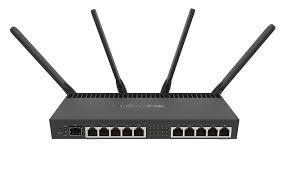
Top picks in MikroTik Routers and Gateways in Kenya
Compare price points, specs, and bundles tailored to Kenyan homes and businesses.
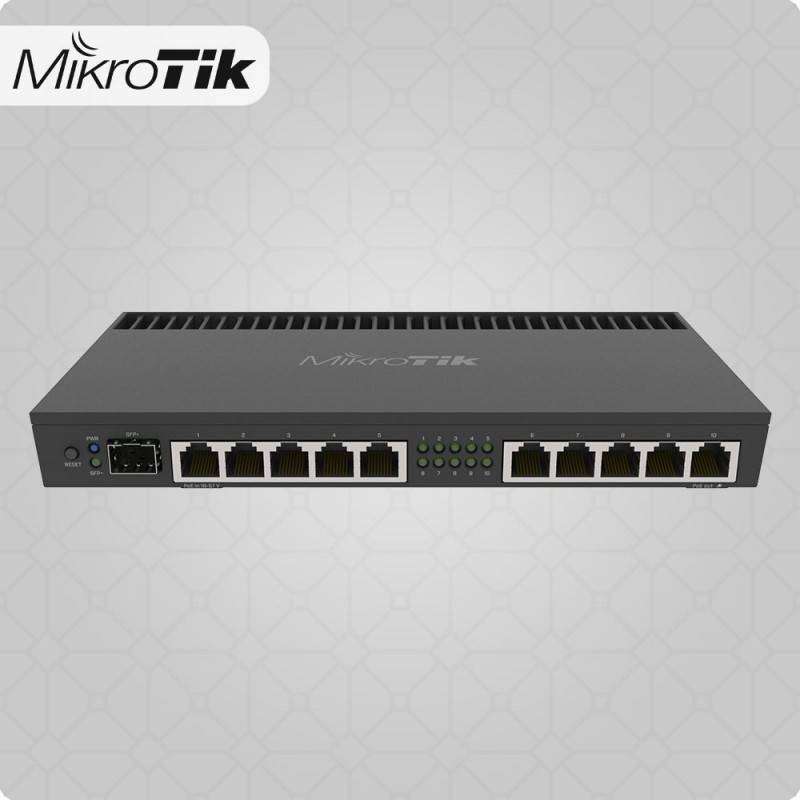
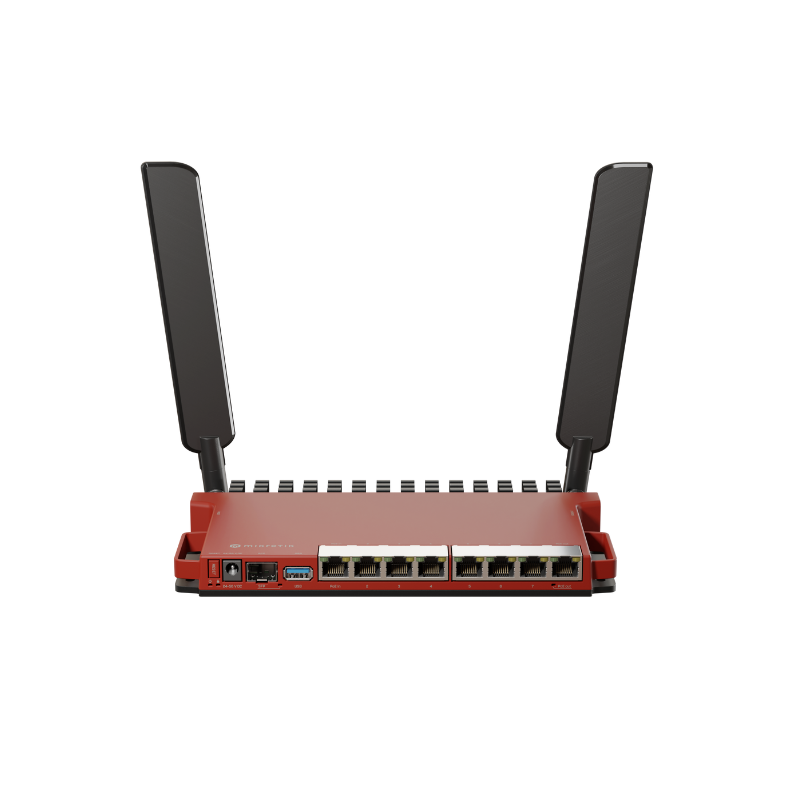
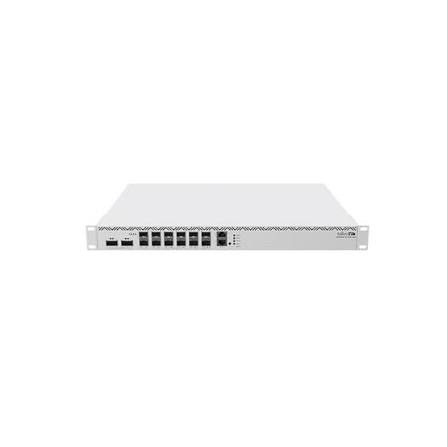
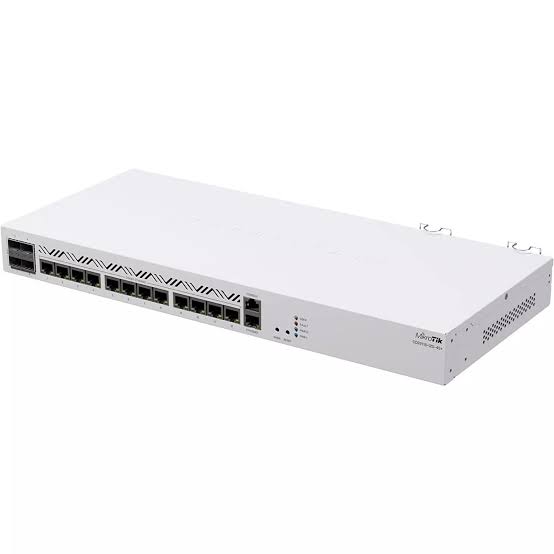
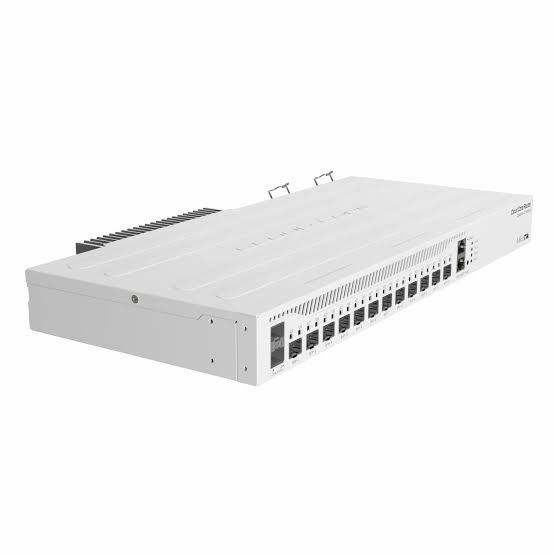
MikroTik Routers & Gateways in Kenya

MikroTik routers and gateways provide flexible network routing for homes, offices, enterprises, ISPs, fibre networks, Starlink installations, VPNs, hotspots and multi-site infrastructure. MikroTik’s current Ethernet-router family ranges from affordable models such as the hEX series through the L009 and RB5009 platforms to high-performance Cloud Core Routers (CCR) built for large networks and multi-gigabit traffic.
A MikroTik gateway can sit between an internet connection and the local network, controlling how traffic moves between WAN links, LANs, VLANs, VPNs and different network segments. RouterOS provides capabilities extending well beyond basic internet sharing, including firewalling, routing, bandwidth management, VLANs, VPNs, hotspot services, multi-WAN, monitoring and advanced network automation.
This makes MikroTik particularly useful in Kenya for deployments involving fibre, Starlink, wireless ISPs, offices, schools, hotels, apartment networks, CCTV systems, hotspot billing and branch connectivity where a normal consumer router may not provide enough routing control.
What Is a MikroTik Router or Gateway?
A router connects different IP networks and decides where packets should go.
A gateway is the device through which users or networks access another network, usually the internet.
In many installations, the MikroTik router performs both roles.
A simple network looks like:
Internet → MikroTik Router/Gateway → Switch → Access Points / Computers / CCTV
A more advanced setup may look like:
Starlink + Fibre → MikroTik Multi-WAN Gateway → Managed Switch → VLANs → Wi-Fi / CCTV / Servers / VoIP
MikroTik RouterOS allows one device to provide several network functions that might otherwise require multiple appliances.
MikroTik Routers & Gateways Key Capabilities
| Capability | Typical MikroTik Use |
|---|---|
| Internet Gateway | Connect LAN users to fibre, Starlink or another ISP |
| NAT | Share one or more public internet connections |
| Firewall | Control inbound and outbound traffic |
| Multi-WAN | Use two or more internet connections |
| Failover | Switch to backup internet when the primary fails |
| Load Balancing | Distribute traffic across multiple WAN links |
| VLAN Routing | Separate staff, guest, CCTV and VoIP networks |
| VPN | Secure remote or site-to-site connectivity |
| Hotspot | Authentication and captive portal networks |
| Bandwidth Control | Queues and traffic shaping |
| Dynamic Routing | BGP, OSPF and other routing protocols |
| IPv6 | Modern IP networking |
| Monitoring | Logs, SNMP and RouterOS tools |
| PoE | Available on selected routers |
| SFP/SFP+ | Fibre and high-speed uplinks on selected models |
| 2.5G / 10G / 25G / 100G | Available depending on router class |
MikroTik’s current Ethernet-router catalogue spans compact Gigabit routers, 2.5G and 10G platforms and CCR systems capable of much higher-speed networking.
MikroTik RouterOS
One of the biggest reasons businesses and network engineers choose MikroTik is RouterOS.
RouterOS is the operating system running on MikroTik RouterBOARD and Cloud Core Router products. Current platforms such as the RB5009, L009 and CCR2116 are built around RouterOS v7.
RouterOS can be configured for:
-
NAT
-
Firewall rules
-
DHCP
-
VLANs
-
Static routing
-
OSPF
-
BGP
-
Policy routing
-
VPN
-
QoS
-
Queues
-
Hotspot
-
PPPoE
-
DNS
-
IPv6
-
Failover
-
Load balancing
-
Monitoring
-
Scripting
This flexibility makes MikroTik suitable for everything from a small office gateway to an ISP edge router.
MikroTik Router Categories
A practical way to understand MikroTik routers is to divide them by the size and complexity of the network.
| Router Class | Typical Models | Best For |
|---|---|---|
| Entry Level | hEX / hEX S | Homes, small offices |
| SMB | L009 | Offices, schools, branches |
| High-Performance SMB | RB5009 | Business, labs, ISPs, multi-gigabit |
| Midrange Enterprise | CCR2004 | Larger offices, ISPs, server rooms |
| High-End Enterprise | CCR2116 | ISPs, data centres, heavy BGP/VPN |
| Carrier / Core | CCR2216 | High-capacity network cores |
MikroTik’s current Ethernet-router range lists the hEX series, L009, RB5009, CCR2004, CCR2116 and CCR2216 among its active router platforms.
MikroTik hEX Routers
The hEX family is designed for affordable wired routing.
Current MikroTik listings include the refreshed hEX and the hEX S (2025). The hEX S (2025) combines five Gigabit Ethernet ports with a 2.5G-capable SFP interface, PoE output, USB and a dual-core ARM processor. MikroTik positions it for homes, offices and smaller lab environments.
Best Uses for hEX
-
Small office internet gateway
-
Home lab
-
Fibre gateway
-
Starlink gateway
-
Basic VLAN routing
-
VPN
-
CCTV networks
-
Small hotspot deployments
-
Backup WAN routing
For users who do not require Wi-Fi inside the router itself, hEX models can be paired with dedicated ceiling or wall access points.
MikroTik L009UiGS-RM
The L009UiGS-RM is positioned as a modern successor to the long-running RB2011 family.
It uses an ARM CPU, supports RouterOS v7 and provides Gigabit Ethernet ports together with an SFP cage capable of Gigabit and 2.5Gbps connectivity. It also includes PoE input on the first Ethernet port, while the final port can provide PoE output when the router is powered through its DC jack.
L009 Highlights
| Feature | L009UiGS-RM |
|---|---|
| Architecture | ARM |
| Ethernet | Gigabit |
| SFP | Up to 2.5Gbps |
| PoE-In | Yes |
| PoE-Out | Selected port/conditions |
| RouterOS | v7 |
| Rackmount | Yes |
| Best For | SMB / branch gateway |
MikroTik says the L009 series can be up to four times faster than the RB2011 generation while offering additional RAM, a newer architecture and updated connectivity.
MikroTik RB5009UG+S+IN
The RB5009UG+S+IN is one of MikroTik's strongest options for demanding small and medium business routing.
It includes:
-
7 × Gigabit Ethernet
-
1 × 2.5 Gigabit Ethernet
-
1 × 10G SFP+
-
USB 3.0
-
Quad-core 1.4GHz ARM64 CPU
-
1GB DDR4 RAM
-
1GB NAND
-
RouterOS v7
-
PoE-in
-
Multiple powering options
The combination of 1G, 2.5G and 10G connectivity allows the RB5009 to fit into networks where standard Gigabit routers may begin to limit future expansion.
Why RB5009 Is Popular for Business Gateways
The RB5009 is suitable for applications such as:
Multi-WAN fibre + Starlink
Office VLAN routing
VPN gateway
Hotel networks
Large CCTV networks
Hotspot routing
ISP edge applications
Server-room routing
Multi-gigabit LAN uplinks
Its 10G SFP+ interface also makes it useful where the router needs a high-speed connection to an aggregation or core switch.
MikroTik RB5009UPr+S+IN
The RB5009UPr+S+IN expands the RB5009 platform with extensive PoE functionality.
MikroTik describes it as particularly suitable for small and medium ISPs, with PoE input and PoE output across the Ethernet ports, together with 2.5 Gigabit Ethernet and a 10G SFP+ interface.
This can reduce the need for separate PoE injectors when powering compatible equipment such as:
-
Wireless access points
-
Outdoor radios
-
CPE devices
-
IP cameras
-
Other MikroTik devices
Exact PoE voltage and standards should always be checked before connecting third-party equipment.
MikroTik RB4011iGS+RM
The RB4011iGS+RM remains part of MikroTik's current Ethernet-router catalogue.
It provides:
-
10 × Gigabit Ethernet
-
10Gbps SFP+ cage
-
Quad-core 1.4GHz ARM processor
-
1GB RAM
-
Rackmount-compatible enclosure
It remains useful for larger Gigabit networks, although the RB5009 platform provides a newer architecture and additional 2.5GbE connectivity.
MikroTik Cloud Core Routers
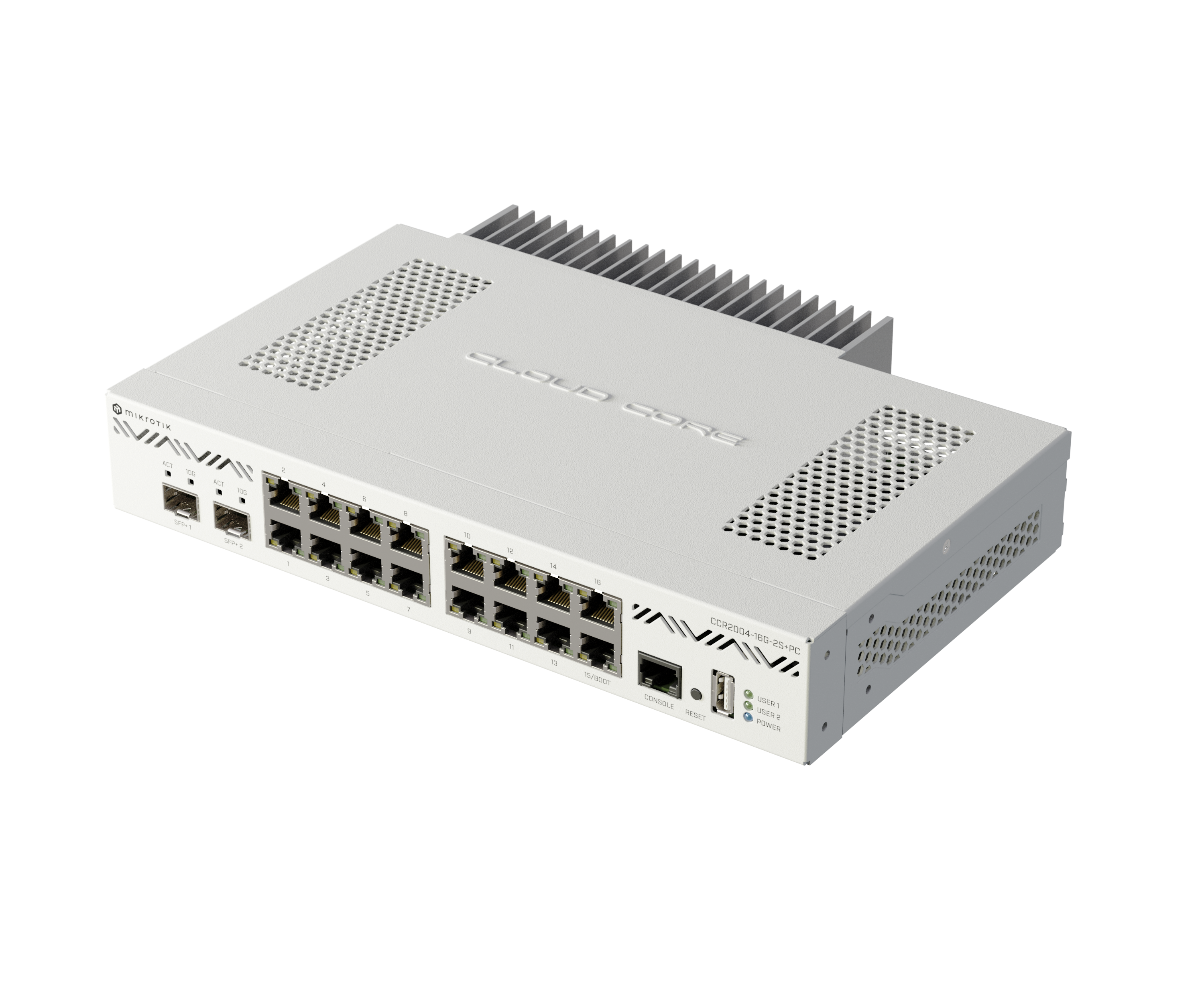
For high-capacity business, ISP and enterprise networks, MikroTik offers Cloud Core Router — CCR — platforms.
Current CCR models include:
-
CCR2004 series
-
CCR2116
-
CCR2216
These devices are intended for significantly heavier workloads than entry-level RouterBOARD products.
Typical applications include:
-
ISP edge routing
-
BGP
-
Multi-gigabit internet gateways
-
Data centres
-
Large enterprise networks
-
Network aggregation
-
High-capacity VPN
-
Core routing
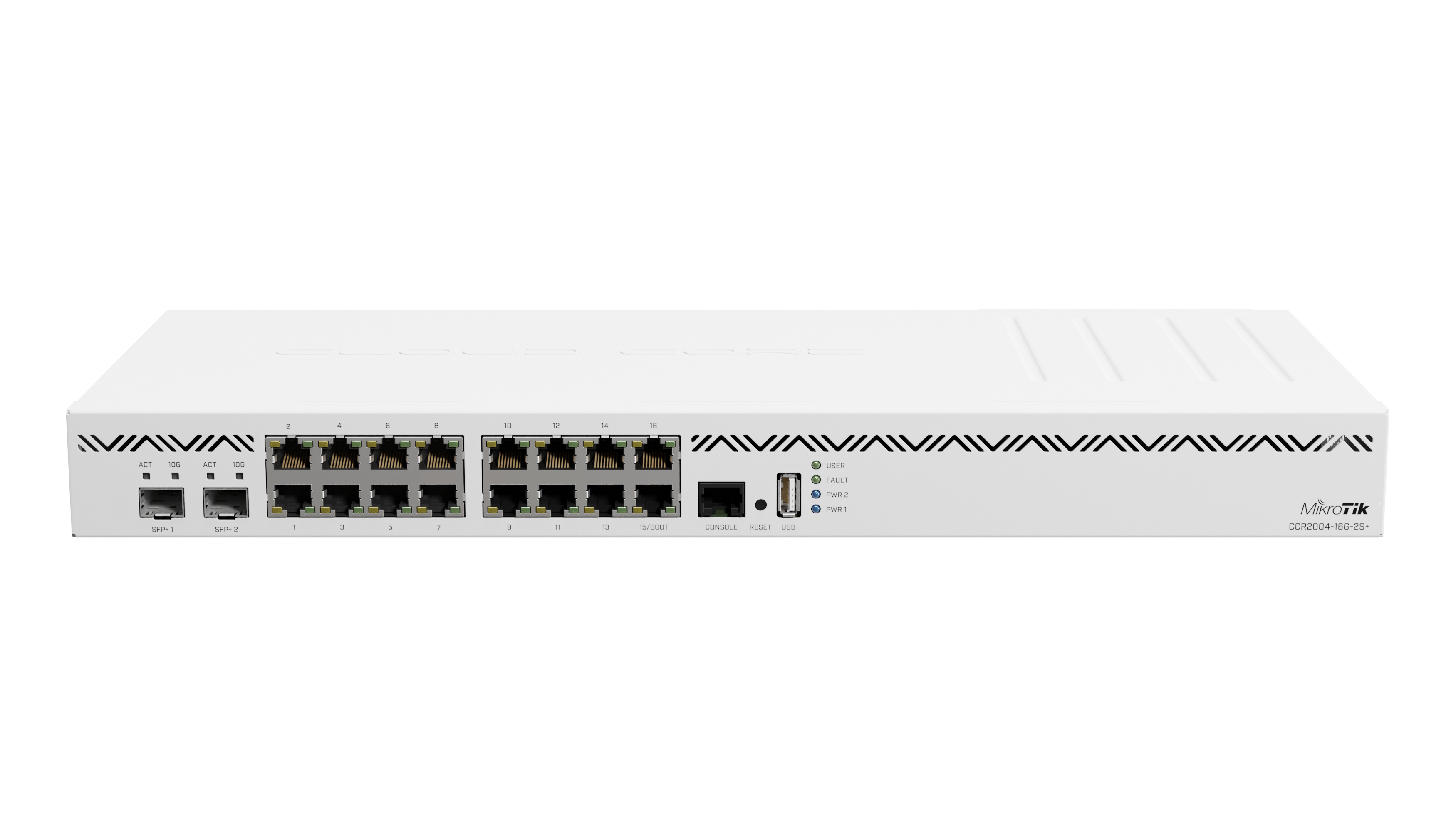
MikroTik CCR2004-16G-2S+
The CCR2004-16G-2S+ combines a powerful ARM64 platform with a large number of Ethernet interfaces.
The standard model provides:
-
16 × Gigabit Ethernet
-
2 × 10G SFP+
-
Quad-core ARM64 processor
-
RouterOS v7
-
USB
-
Rackmount design
MikroTik positions the CCR2004 family as a major performance step over older CCR generations.
A passively cooled CCR2004-16G-2S+PC variant is also available and uses the same general 16-Gigabit-plus-two-10G interface concept for environments where quieter operation is desirable.
MikroTik CCR2004 Use Cases
The CCR2004 is suitable for:
-
Medium ISP edge routers
-
Enterprise internet gateways
-
Multi-WAN installations
-
BGP
-
Large VPN deployments
-
Inter-VLAN routing
-
Server rooms
-
School and university networks
-
Hotel networks
-
Large hotspot systems
-
Multi-building campuses
Its two 10G SFP+ interfaces allow high-speed uplinks to switches, servers or upstream networks.
MikroTik CCR2116-12G-4S+

The CCR2116-12G-4S+ moves MikroTik routing into a substantially higher performance class.
It uses a 16-core 2GHz ARM64 CPU and provides four 10G SFP+ interfaces together with twelve Gigabit Ethernet ports. MikroTik also includes an M.2 PCIe slot.
MikroTik states that the platform delivers dramatically greater BGP performance than previous high-core-count CCR generations.
CCR2116 Best Uses
-
ISP BGP routers
-
High-bandwidth gateways
-
Carrier networks
-
Data centres
-
Large VPN concentrators
-
Large campuses
-
High-traffic enterprises
-
Multi-10G routing
For most ordinary offices this level of routing capacity would be unnecessary, but it can be appropriate when the network itself is part of the organisation's core infrastructure.
MikroTik CCR2216
At the upper end of MikroTik's Ethernet-router portfolio is the CCR2216-1G-12XS-2XQ.
MikroTik positions this as a flagship routing platform with 100 Gigabit networking and Layer 3 hardware offloading support.
It is intended for high-capacity environments such as:
-
Large ISPs
-
Data centres
-
Carrier networks
-
Backbone routing
-
High-capacity network aggregation
A CCR2216 would generally be unnecessary for a normal SME internet gateway, but it demonstrates how far the MikroTik router family scales beyond ordinary office networking.
MikroTik Router Comparison
| Model | Ethernet | High-Speed Interface | Architecture | Best For |
|---|---|---|---|---|
| hEX S (2025) | 5 × Gigabit | 2.5G SFP | ARM | Home / small office |
| L009UiGS-RM | Gigabit | 2.5G-capable SFP | ARM | SMB |
| RB4011iGS+RM | 10 × Gigabit | 10G SFP+ | ARM | Business |
| RB5009UG+S+IN | 7 × 1G + 1 × 2.5G | 10G SFP+ | ARM64 | High-performance SMB |
| CCR2004-16G-2S+ | 16 × Gigabit | 2 × 10G SFP+ | ARM64 | Enterprise / ISP |
| CCR2116-12G-4S+ | 12 × Gigabit | 4 × 10G SFP+ | ARM64 16-core | Large ISP / enterprise |
| CCR2216 | High-speed carrier interfaces | Up to 100G | ARM64 | Core / carrier |
MikroTik Routers for Fibre Internet
MikroTik routers work well as gateways for fibre connections.
A typical deployment is:
Fibre ONT → MikroTik Router → Managed Switch → Access Points / Users
The MikroTik can handle:
-
PPPoE
-
DHCP WAN
-
Static IP
-
NAT
-
Firewall
-
VLANs
-
VPN
-
Bandwidth limits
-
Multiple LAN networks
When choosing a MikroTik router, the internet package should be compared with the router's port speeds and expected RouterOS workload.
A 50Mbps office connection has very different requirements from a 2Gbps enterprise fibre circuit.
MikroTik Routers for Starlink
MikroTik can also be used behind Starlink as a more advanced network gateway.
Typical topology:
Starlink → Ethernet → MikroTik Gateway → Switch → Access Points
The MikroTik can then provide:
-
VLANs
-
Multi-WAN
-
Failover
-
Firewall
-
VPN
-
Bandwidth management
-
Separate guest network
-
CCTV network
-
Staff network
-
Multiple access points
This can be much more flexible than relying only on an ISP-provided or consumer Wi-Fi router.
Starlink + Fibre Multi-WAN with MikroTik
One particularly useful MikroTik deployment is combining fibre and Starlink.
For example:
Fibre WAN 1
Starlink WAN 2
↓
MikroTik Router
↓
LAN
The router can be configured so that fibre is the primary connection and Starlink is the backup.
Alternatively, traffic can be distributed between connections depending on the intended network design.
Appropriate models might include:
-
hEX for lighter networks
-
L009 for SMB
-
RB5009 for demanding installations
-
CCR for high-throughput enterprise networks
MikroTik Automatic Internet Failover
Automatic failover allows the network to continue operating if the primary ISP becomes unavailable.
Example:
Primary Fibre → MikroTik
Backup Starlink → MikroTik
If the fibre connection fails, the router can direct traffic through Starlink.
When fibre returns, the router can restore the preferred route.
This is valuable for:
-
Offices
-
Hospitals
-
Hotels
-
Schools
-
Retail stores
-
CCTV control rooms
-
Call centres
-
Businesses using cloud applications
MikroTik Load Balancing
A MikroTik gateway can also distribute network traffic across multiple internet connections.
Possible connections include:
-
Fibre ISP 1
-
Fibre ISP 2
-
Starlink
-
4G/5G backup
However, load balancing does not automatically combine two internet links into one single faster connection for an individual download.
Traffic distribution depends on the routing configuration.
This distinction is important when planning multi-WAN networks.
MikroTik VLAN Gateway
MikroTik is very useful for routing multiple VLANs.
For example:
| VLAN | Purpose |
|---|---|
| VLAN 10 | Management |
| VLAN 20 | Staff |
| VLAN 30 | Guest Wi-Fi |
| VLAN 40 | CCTV |
| VLAN 50 | VoIP |
| VLAN 60 | IoT |
The MikroTik router can apply different firewall, bandwidth and routing policies to each VLAN.
This is particularly useful for hotels, offices, schools, apartments and large Wi-Fi networks.
MikroTik Firewall Gateway
RouterOS includes a highly configurable firewall.
A MikroTik gateway can be used to:
-
Block unwanted inbound traffic
-
Control traffic between VLANs
-
Restrict certain services
-
Protect router management
-
Restrict guest networks
-
Control NAT
-
Create address lists
-
Log suspicious traffic
Correct firewall configuration is important because RouterOS provides extensive control and therefore also requires careful administration.
MikroTik VPN Gateway
MikroTik routers can be configured as VPN gateways for secure remote networking.
Typical applications include:
Head office ↔ Branch
Remote worker ↔ Office
Office ↔ Data centre
Site ↔ Cloud infrastructure
RouterOS v7 supports several VPN and tunnelling approaches, making MikroTik popular for branch connectivity and site-to-site networking.
VPN throughput depends heavily on the router CPU, encryption method and overall configuration, so the appropriate router should be selected based on the expected encrypted traffic load.
MikroTik Routers for Hotspot Networks
MikroTik is widely used for managed hotspot networks.
Typical deployments include:
-
Hotels
-
Apartments
-
Campuses
-
Restaurants
-
Public Wi-Fi
-
ISPs
-
Cyber cafés
-
Events
RouterOS hotspot functionality can work with authentication and billing systems to control user access.
A typical topology is:
ISP → MikroTik Gateway → Managed Switch → Access Points → Users
MikroTik Routers for ISPs and WISPs
MikroTik is particularly well suited to Internet Service Providers and Wireless ISPs.
Depending on network scale, MikroTik devices can handle:
-
PPPoE
-
DHCP
-
BGP
-
OSPF
-
VLANs
-
CGNAT designs
-
Customer bandwidth management
-
Site routing
-
Backhaul routing
-
Failover
-
Traffic monitoring
Smaller WISPs may use an RB5009, while larger operators can move toward CCR2004, CCR2116 or CCR2216 platforms.
MikroTik Routers for CCTV Networks
A MikroTik router can separate CCTV traffic from the rest of the network.
Example:
Internet → MikroTik → Managed Switch
From the switch:
VLAN 10 → Staff
VLAN 20 → CCTV
VLAN 30 → Guest Wi-Fi
This can help improve:
-
Network organisation
-
Security
-
Traffic control
-
Remote access
-
Troubleshooting
It also prevents cameras from sharing the same unrestricted network segment as office computers.
Router vs Router + Access Point
Not every MikroTik router includes Wi-Fi.
Many of MikroTik's strongest gateway models — including the RB5009UG+S+IN and rackmount CCR products — are primarily wired routers.
This is often desirable in professional networks.
A better architecture can be:
MikroTik Gateway → Managed Switch → Dedicated Wi-Fi Access Points
This separates routing from wireless coverage and allows multiple access points to be installed wherever they are needed.
Choosing a MikroTik Router by Internet Speed
| Internet Requirement | Possible Router Class |
|---|---|
| Below 100Mbps | hEX / entry-level RouterBOARD |
| 100–500Mbps | hEX refresh / L009 |
| 500Mbps–1Gbps | L009 / RB5009 |
| 1–2.5Gbps | RB5009 |
| Multi-Gigabit Business | RB5009 / CCR2004 |
| 10G Enterprise | CCR2004 / CCR2116 |
| Very High Capacity | CCR2116 / CCR2216 |
This is a general selection guide, not a guaranteed performance table. Firewall rules, queues, VPN encryption, packet size, NAT, routing protocols and other RouterOS features can all affect actual throughput.
Choosing a MikroTik Router by Business Size
Small Home or Office
Consider:
hEX / hEX S
Good for standard fibre, VLANs, VPN and basic gateway functionality.
Small and Medium Business
Consider:
L009UiGS-RM
Useful when more interfaces, rackmounting and SFP connectivity are required.
High-Performance SME
Consider:
RB5009UG+S+IN
Especially suitable where 2.5G and 10G connectivity or more CPU capacity is required.
Larger Enterprise
Consider:
CCR2004
Good for significantly heavier routing and multiple network segments.
ISP / Data Centre
Consider:
CCR2116 or CCR2216
These are designed for substantially larger traffic volumes and high-speed routing.
MikroTik Router Advantages
MikroTik routers offer several important advantages:
-
RouterOS flexibility
-
Multi-WAN
-
Advanced firewall
-
VLAN routing
-
VPN
-
BGP and OSPF
-
Hotspot functionality
-
Bandwidth management
-
Fibre interfaces on selected models
-
2.5G, 10G and faster networking
-
PoE on selected models
-
Strong price-to-feature ratio
-
Wide model range
-
Excellent scalability from small office to ISP
MikroTik Router Limitations
MikroTik may not be the best choice for every user.
Potential considerations include:
-
RouterOS has a learning curve
-
Incorrect firewall rules can create security risks
-
Some models do not have Wi-Fi
-
Performance differs significantly by model
-
VPN and queue configurations can increase CPU load
-
Some older MikroTik routers remain in the market despite newer replacements
-
PoE capabilities vary by model
-
SFP/SFP+ compatibility must be checked
-
Advanced setups often require an experienced network administrator
For professional deployments, selecting the correct hardware and designing the RouterOS configuration are equally important.
Older vs Newer MikroTik Routers
MikroTik has many models that have been popular for years.
However, customers should avoid selecting an older model purely because it is familiar.
Examples of newer options include:
-
hEX refresh / hEX S (2025) for updated affordable wired routing
-
L009 as a modern evolution beyond RB2011
-
RB5009 for higher-performance SMB routing
-
CCR2004 / CCR2116 / CCR2216 for modern enterprise and carrier routing
MikroTik explicitly positions L009 as an upgrade path from the RB2011 generation.
MikroTik Routers & Gateways Price in Kenya
The price of MikroTik routers and gateways in Kenya varies significantly because the product family ranges from affordable home and SME routers to enterprise CCR platforms costing many times more.
Price depends on:
-
Exact model
-
CPU
-
RAM
-
Port count
-
Gigabit / multi-gigabit interfaces
-
SFP / SFP+ capability
-
PoE
-
RouterOS licence
-
Rackmount design
-
Stock and import costs
Contact Orbitlink Solutions for current MikroTik router prices and stock availability.
For commercial installations, the correct gateway should be selected based on network requirements rather than simply choosing the cheapest router with enough Ethernet ports.
Why Buy MikroTik Routers and Gateways from Orbitlink Solutions?
Orbitlink Solutions supplies MikroTik networking equipment for homes, offices, ISPs, fibre installations, Starlink networks, CCTV, hotspots and enterprise infrastructure.
Customers can receive assistance selecting between entry-level RouterBOARD products and more powerful options such as the L009, RB5009, CCR2004 and CCR2116 according to internet speed, number of users, VLAN requirements, VPN traffic and future network growth.
For networks using multiple ISPs, Orbitlink Solutions can also help identify appropriate hardware for Starlink + fibre failover, load balancing and business gateway applications.
Watch the MikroTik Routers & Gateways Video
MikroTik's greatest advantage in the router and gateway market is the breadth of the platform. A small organisation can begin with an affordable hEX-class router while a growing enterprise can migrate toward the RB5009 or CCR range without abandoning the RouterOS ecosystem. Current MikroTik hardware scales from compact Gigabit routers to platforms supporting 10G and even 100G networking.
Choosing the router purely by the number of Ethernet ports can lead to an underpowered network. The expected internet speed, VPN load, number of VLANs, firewall complexity, queue configuration, routing protocols and future bandwidth all need to be considered. For example, the RB5009 combines 1G, 2.5G and 10G interfaces with a quad-core ARM64 processor, while the CCR2116 moves to a 16-core architecture for much heavier routing workloads.
A well-designed MikroTik gateway can also become the central control point for an entire network. Fibre, Starlink and backup connections can terminate at the gateway, while VLANs separate users, CCTV, VoIP and guest networks downstream. This allows organisations to build a structured network rather than relying on several unrelated consumer routers.
Frequently Asked Questions About MikroTik Routers & Gateways
What is a MikroTik router?
A MikroTik router is a networking device running RouterOS that routes traffic between networks and can provide services such as NAT, firewalling, VLAN routing, VPN and bandwidth management.
What is a MikroTik gateway?
A MikroTik gateway is a router positioned between a local network and another network, usually the internet.
Are MikroTik routers good for business?
Yes. MikroTik provides models ranging from small-office routers to high-performance enterprise and ISP Cloud Core Routers.
Which MikroTik router is good for a small office?
The hEX family or L009 can be appropriate depending on internet speed, port requirements and RouterOS workload.
Which MikroTik router is good for a medium business?
The RB5009UG+S+IN is a strong option for demanding SMB environments because it combines Gigabit, 2.5GbE and 10G SFP+ connectivity with a quad-core ARM64 processor.
Which MikroTik router is good for an ISP?
RB5009 models can serve smaller ISP deployments, while larger operators may require CCR2004, CCR2116 or CCR2216 platforms.
Which MikroTik router supports 10Gbps?
Models such as the RB5009, RB4011, CCR2004 and CCR2116 provide SFP+ interfaces capable of 10Gbps connectivity.
Does MikroTik support 2.5Gbps?
Yes. For example, the RB5009 includes a dedicated 2.5GbE port and the L009 SFP cage can support 2.5Gbps connectivity.
Does MikroTik support fibre?
Yes. Many MikroTik routers include SFP or SFP+ cages for compatible fibre transceivers.
Can MikroTik work with Starlink?
Yes. MikroTik can be used as the main gateway behind Starlink, provided the Starlink network is presented to the router through a suitable Ethernet connection.
Can MikroTik combine Starlink and fibre?
A MikroTik router can be configured with both connections for failover or multi-WAN routing.
Can MikroTik automatically switch to Starlink if fibre fails?
Yes. RouterOS can be configured for automatic WAN failover.
Can MikroTik load-balance two ISPs?
Yes. RouterOS can distribute traffic across multiple WAN connections using appropriate routing techniques.
Does load balancing double my download speed?
Not necessarily. Most load-balancing designs distribute different sessions or traffic flows across links rather than bonding both connections into one larger single stream.
Can MikroTik create VLANs?
Yes. VLAN configuration and inter-VLAN routing are common RouterOS applications.
Can MikroTik separate CCTV from office users?
Yes. CCTV can be placed in a separate VLAN or subnet with firewall rules controlling access between networks.
Can MikroTik run a hotspot?
Yes. RouterOS supports hotspot functionality for authenticated public or managed Wi-Fi networks.
Can MikroTik be used for hotel Wi-Fi?
Yes. A MikroTik can serve as the central gateway while separate access points provide wireless coverage.
Can MikroTik handle VPNs?
Yes. RouterOS supports multiple VPN and tunnelling technologies. Performance depends on the router, protocol, encryption and configuration.
Does every MikroTik router include Wi-Fi?
No. Many MikroTik gateways, including several RB5009 and CCR products, are wired routers designed to work with separate access points.
What is a MikroTik CCR?
CCR stands for Cloud Core Router, MikroTik's higher-performance router family for enterprise, ISP and carrier applications.
What is the difference between RB5009 and CCR2004?
RB5009 is designed for high-performance SMB, labs and smaller ISP use, while CCR2004 provides substantially more Ethernet interfaces and is better suited to heavier enterprise or ISP routing.
What is the most powerful MikroTik router?
Among MikroTik's current Ethernet-router catalogue, the CCR2216 is positioned as a flagship platform with up to 100 Gigabit networking.
What is the price of MikroTik routers in Kenya?
Prices vary significantly by model. Contact Orbitlink Solutions for current exact-model pricing and availability.
Buy MikroTik Routers & Gateways in Kenya
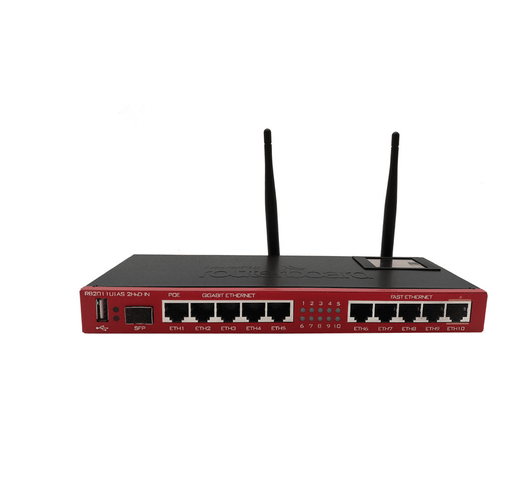
MikroTik routers and gateways provide a scalable networking platform for small homes, businesses, ISPs and enterprise networks. Entry-level hEX devices can provide affordable RouterOS routing, while L009 and RB5009 models support more demanding business networks and Cloud Core Routers scale into multi-gigabit ISP and data-centre applications.
For organisations using Starlink, fibre, multiple ISPs, VLANs, VPNs, CCTV, hotspots or branch networks, the MikroTik router can become the central point for routing, failover, security and bandwidth management.
Contact Orbitlink Solutions
Orbitlink Solutions
Lyric House, 7th Floor, Room S9, Kimathi Street, Nairobi
Call / Text / WhatsApp: +254 743 720 551
Email: info@orbitlinksolutions.co.ke
Alternative Email: orbitlinksolutions@gmail.com
Opening Hours: Monday–Saturday, 9:00 AM–6:00 PM
Availability: Nairobi pickup and nationwide delivery
Contact Orbitlink Solutions for MikroTik routers and gateways prices in Kenya, stock availability, model selection and guidance for fibre, Starlink, multi-WAN, hotspot, VPN, ISP and enterprise networks.